
Digital Marketing
·
April 10, 2026
How SaaS Companies Handle Billing Disputes & Chargebacks
Learn how SaaS billing disputes happen, what triggers chargebacks, and how both sides can resolve them faster.

How job change tracking software syncs with HubSpot to automate updates, surface warm leads, and re-engage closed‑lost contacts for higher conversions.

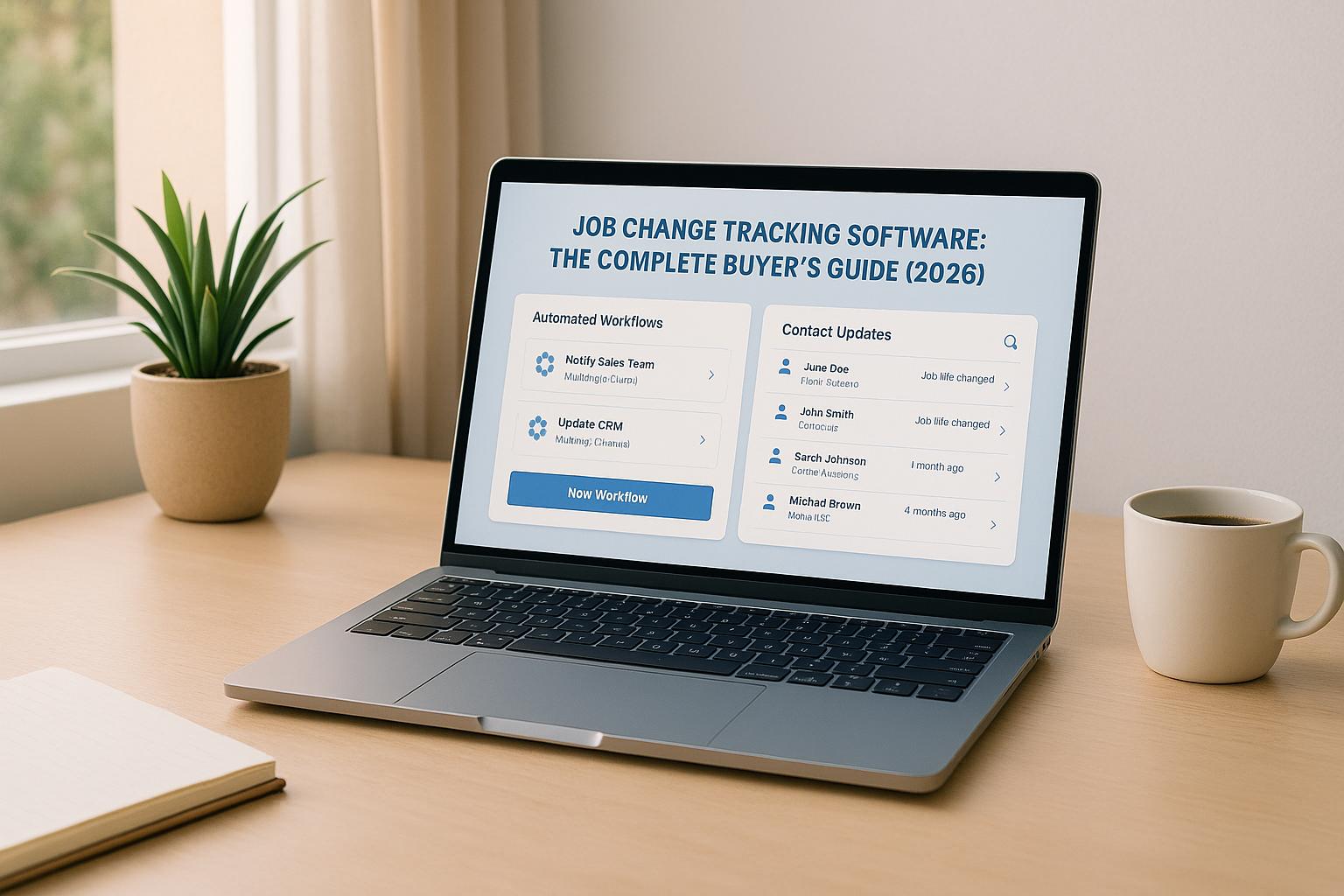
Job change tracking software helps you stay updated when your contacts switch jobs, get promoted, or move companies. These tools integrate with CRMs like HubSpot to automate updates, send alerts, and trigger workflows. Why does it matter? Contacts who change jobs are 6–22x more likely to convert, and re-engaging closed-lost deals after a job change can lead to 20% higher conversion rates and 60% larger deals.
Here’s what you need to know:
Job change tracking can transform your sales strategy by turning overlooked opportunities into revenue. Tools like KeepSync simplify the process with quick setup and accurate data updates.
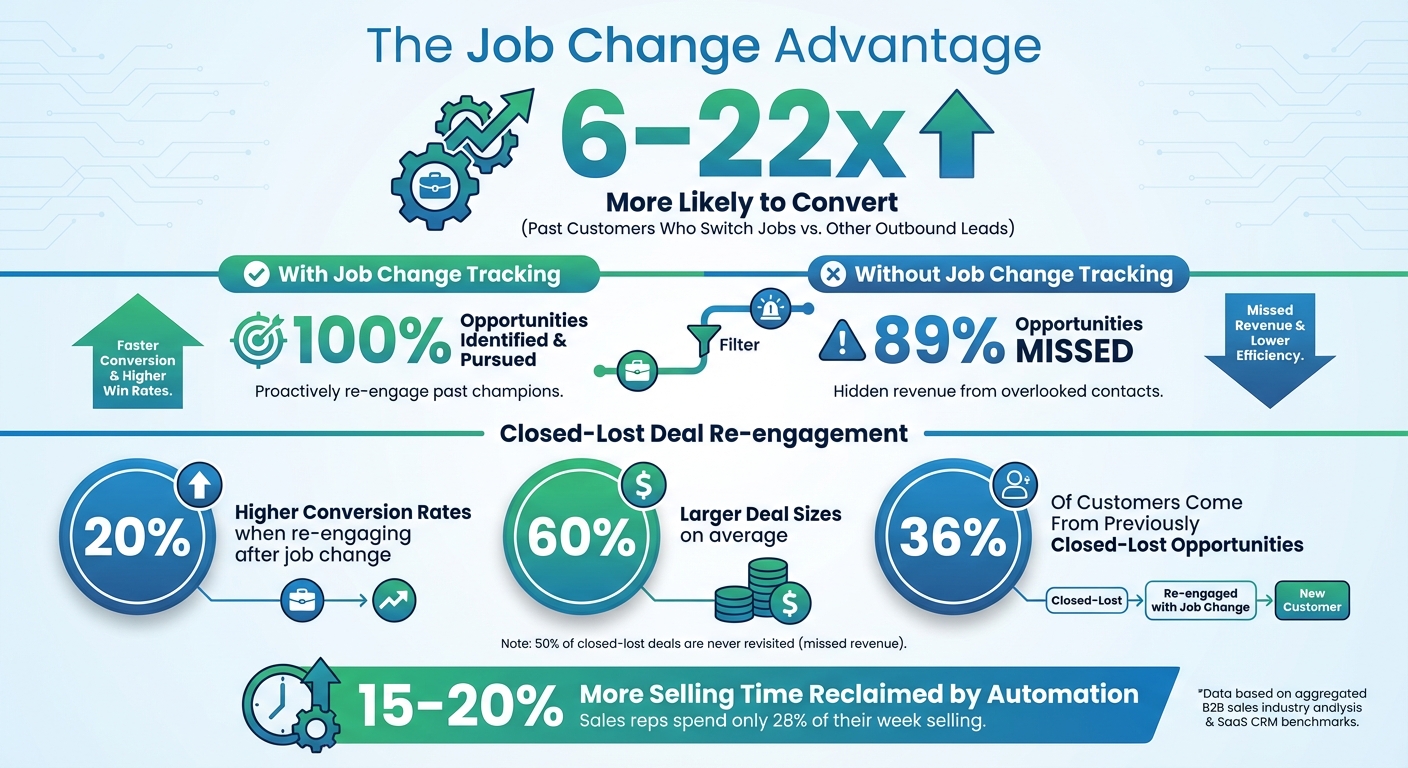
Job Change Tracking Impact on B2B Sales Conversion Rates and Revenue
When someone changes jobs, it can open the door to immediate sales opportunities. Why? New roles often come with fresh budgets and decision-making authority, making these individuals more open to exploring solutions [1]. If they’ve had a positive experience with your product before, they’re more likely to consider it again in their new position [1].
Here’s a striking stat: past customers who switch jobs are 6–22 times more likely to convert compared to other outbound leads. Yet, 89% of these opportunities are missed when teams rely only on generic prospecting tools [1]. And it doesn’t stop there - closed-lost deals that are re-engaged after a contact changes jobs convert 20% better and result in contracts that are 60% larger on average. In fact, 36% of customers come from previously closed-lost opportunities [1]. Despite this potential, half of all closed-lost deals are never revisited, leaving significant revenue untapped [1].
Sales teams use job change data in several impactful ways: reconnecting with past champions, reigniting conversations with closed-lost contacts, and breaking into new accounts. Past champions - those who’ve used your product before - are already familiar with its value and can become strong advocates in their new organizations. Re-engaging decision-makers who previously evaluated your solution but didn’t buy can also pay off. Take Zuora, for example. Their average new business win came after three closed-lost opportunities, proving that persistence with past relationships often leads to greater revenue [1].
When a contact moves to a company you’re targeting, it creates an ideal chance for a warm introduction, skipping the cold outreach phase entirely.
"By paying attention and not letting anything slip through, we are on top of this super valuable signal and there is excitement around the team because we know we can convert these at a very high rate."
- Anthony Antonellis, Senior Director of Sales [1]
With HubSpot, job change data integrates seamlessly into its core CRM objects. Contact records are automatically updated with new job titles, company names, and employment dates. Company records also reflect changes like new hires or departures, which can signal growth or restructuring. Even better, deal records can be automatically reopened or created when a contact from a closed-lost opportunity moves to a new company. This ensures no revenue opportunity is overlooked. By automating these updates, sales teams get a complete, up-to-date view of prospects and accounts without the hassle of manual data entry. This streamlined process directly sets the stage for better sales performance.
With these updates, sales teams can time their outreach perfectly and take advantage of higher conversion rates. Contacts who’ve changed jobs are far more likely to respond than cold outreach prospects, thanks to the trust and familiarity already built. This approach also helps resurface closed-lost opportunities, driving pipeline growth. The real-time nature of job change alerts ensures sales teams can act during the critical window when new hires are evaluating vendors and building their tech stack. It’s all about being in the right place at the right time - and job change alerts make that possible.
When choosing job change tracking software, there are a few key features to prioritize to make sure it meets your needs.
Data accuracy should be at the top of your list. The best tools combine multi-source matching - using AI models and LinkedIn data - with human oversight to minimize errors [5]. Daily updates ensure your data stays current, and historical tracking is a must. When a contact changes jobs, the software should seamlessly link their new and old records, preserving your entire relationship history in HubSpot [6]. This level of precision ensures smooth integration with your CRM.
HubSpot integration depth is another crucial factor. Effective software doesn’t just sync data - it works in harmony with HubSpot. Look for tools that automatically map job change data to HubSpot properties like contact, company, and deal fields, eliminating the need for manual updates. It should also trigger workflows in HubSpot, such as reopening deals, adjusting lifecycle stages, or routing leads to the right team member. Real-time updates keep your team informed and ready to act.
Automation capabilities can save you time and reduce errors. The software should handle tasks like creating deals for closed-lost contacts who switch companies, updating lifecycle stages based on new roles, and sending instant notifications via Slack or email. These features take the guesswork out of tracking and help your team focus on building relationships instead of chasing data.
Security and compliance are non-negotiable. Your software must meet data privacy standards like GDPR and CCPA. Look for vendors with SOC 2 certification and ISO 27001 compliance, as these credentials show a commitment to protecting your data. The software should also encrypt data both in transit and at rest, offer role-based access controls, and maintain detailed audit trails. Remember, the cost of non-compliance is nearly three times higher than staying compliant [7].
Setup and scalability are essential for long-term success. Implementation should be quick - think minutes, not weeks - and the software must grow with your business. Whether you’re managing 1,000 contacts or 50,000, the tool should adapt to your needs. Having responsive customer support can also make a big difference when you’re troubleshooting or fine-tuning workflows.
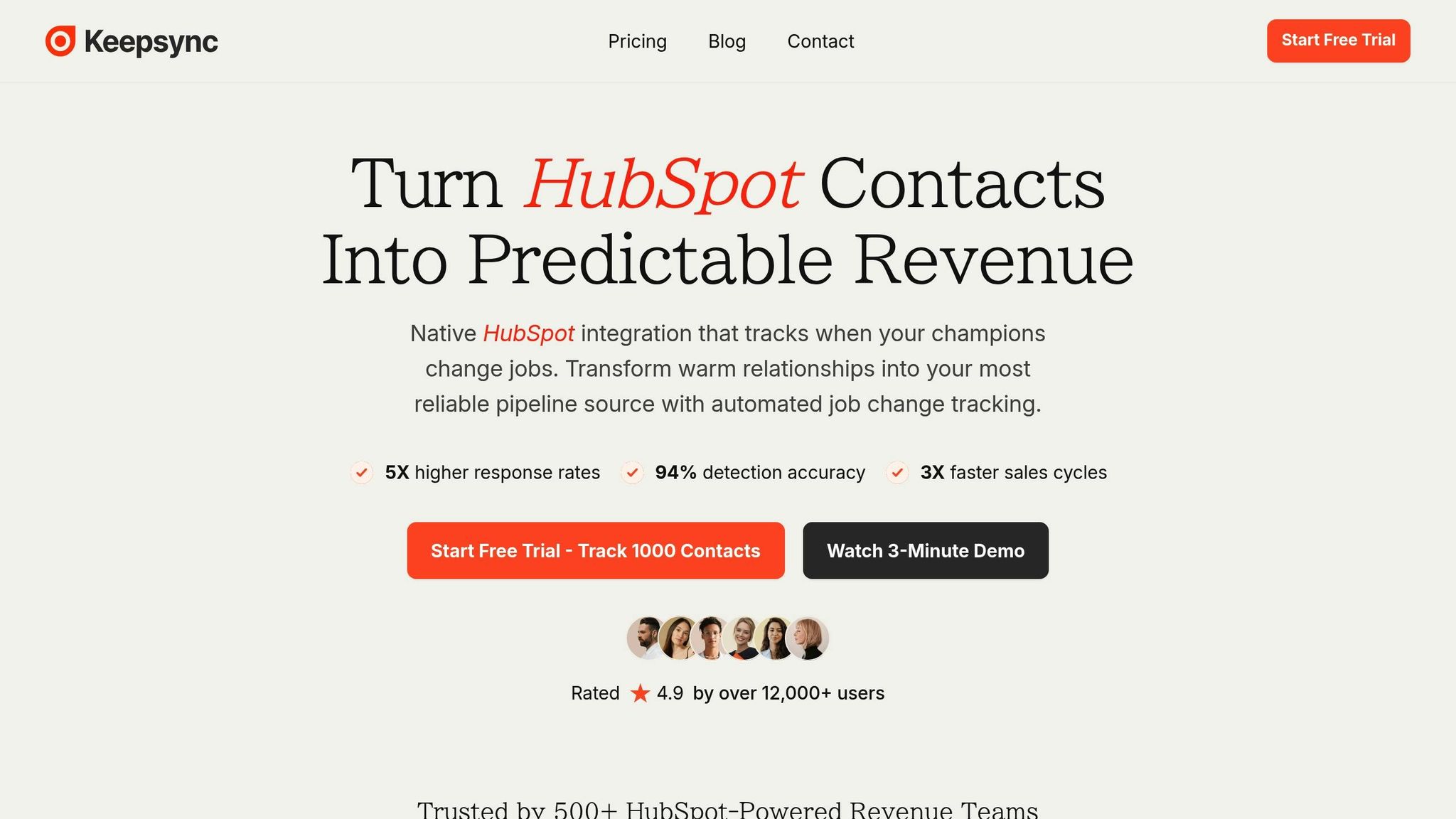
KeepSync is built for HubSpot users who need a dependable way to track job changes. It keeps an eye on your contacts by scanning over 30 data sources every week, achieving an impressive 94% accuracy through multi-source matching and human verification. When one of your CRM contacts changes jobs, KeepSync sends instant alerts through Slack, email, or directly within HubSpot. This lets your team act quickly and ensures your sales efforts stay on point. The integration complements HubSpot's existing features, giving your team an extra edge.
KeepSync simplifies job change tracking by automatically updating HubSpot contact records with new details like email addresses, phone numbers, and company information. The best part? You can set it up in just five minutes - no middleware required. Beyond keeping your records up to date, KeepSync enhances your CRM with real-time pipeline analytics, helping you measure the impact of these updates on your sales process.
KeepSync integrates job change data directly into HubSpot, mapping it to contact and company properties. This allows you to create automated workflows tailored to your needs. For example, you can set up workflows to update a contact's lifecycle stage or reassign deals based on their new job details. Because of its native integration, everything runs smoothly - no manual updates or third-party tools are necessary. These automated workflows save time and effort, letting you focus on what matters most.
KeepSync offers straightforward pricing with no long-term contracts. Here's how the plans break down:
Each paid plan builds on the features of the previous tier, ensuring you get the tools you need as your business grows.
Start by outlining your Ideal Customer Profile (ICP) and reviewing your existing HubSpot data. This step helps shape critical elements like lead scoring, nurture workflows, and distribution rules. Think about your contact volumes, the number of job changes you expect each month, and which HubSpot fields are essential for your sales process. If tracking former champions is part of your strategy, make sure the software supports mapping both custom and standard HubSpot fields.
Decide whether you need a native HubSpot integration or if third-party connectors will work for your needs. Native integrations often reduce the risk of sync errors and duplicate records [4]. Ensure the software integrates smoothly with your HubSpot workflows. Before diving into implementation, align your marketing and sales teams by setting up clear lead qualification checklists, defining handoff processes, and establishing ownership rules. This ensures everyone knows who’s responsible for acting on job change alerts [3].
Once your data needs are clearly defined, test your approach on a smaller scale to validate your setup.
Run a pilot program with a small subset of your contacts to confirm your requirements [9]. This allows you to test data accuracy, measure how quickly alerts are responded to, and ensure workflows function as expected. Use a demo or a demo to evaluate the software’s performance [4].
During the pilot, focus on metrics like alert speed, data accuracy, and how well your team responds to notifications. Pay special attention to stable, repetitive workflows, such as automatically reassigning leads when a contact changes companies [8]. Watch for any issues with duplicate records, mapping errors, or notification delays [3]. Gather feedback from sales reps who use the system daily and refine your setup based on their input.
If the pilot meets your expectations, you’re ready to roll out the system organization-wide.
Implement the software in phases [9]. Start with one team and expand gradually. Develop a sales playbook that outlines clear response time standards for job change alerts. Automate repetitive tasks like updating lifecycle stages or triggering email sequences to save time [3].
Set up ongoing monitoring to track performance metrics, user adoption rates, and the return on investment (ROI) from your job change outreach efforts [10][12][13]. Simplify the process by reducing unnecessary approval steps and ensuring seamless tool integration to minimize manual work [11][10][12]. Regular check-ins with your team can help identify and address any issues early, keeping adoption rates high and workflows efficient.
When combined with HubSpot, job change tracking transforms the way you generate leads and manage your pipeline. It taps into warm opportunities - those with a much higher likelihood of converting compared to cold outreach.
This method allows you to recover up to 80% of overlooked deals while increasing both conversion rates and deal sizes by re-engaging with past contacts [14][1]. In fact, there's a 3x better chance of selling to previous users who are already familiar with your product [14]. Tools like KeepSync simplify this process by automating job change tracking, boasting 94% accuracy through weekly updates that pull from over 30 data sources.
Job change tracking also speeds up the sales process significantly. Selling to someone who already trusts your solution takes less time than starting from scratch with new leads [14]. Considering that the average sales rep spends only 28% of their week selling [15][2], automation tools can help reclaim 15-20% more selling time [2]. By automating job change detection and routing, your team can focus on meaningful conversations instead of spending hours on manual research.
With these advantages, implementing job change tracking becomes a no-brainer.
Kick off your automated job change tracking journey with KeepSync’s simple, five-minute setup. Start by identifying key contacts in HubSpot, such as former champions, closed-lost deals, or past customers, and figure out how job change data can fit into your existing workflows.
KeepSync makes it easy to get started with a $79/month Starter plan, allowing you to test the system with up to 1,000 contacts. Its native HubSpot integration provides real-time alerts via Slack or email, ensuring your team can act quickly when new opportunities arise. With features like verified contact enrichment and automated workflows, you’ll be ready to convert warm leads faster and keep valuable relationships intact.
Tracking job changes can significantly improve B2B sales conversions by uncovering warm leads and reviving stalled opportunities. When key decision-makers transition to new roles - especially within their first 90 days - they’re often more receptive to considering fresh ideas and solutions. This window presents a golden opportunity to reconnect and demonstrate value.
Focusing on these career shifts allows sales teams to strengthen relationships, boost response rates, and speed up the sales process. Additionally, job change tracking helps prioritize outreach efforts, ensuring your team zeroes in on prospects with a higher chance of converting.
When choosing job change tracking software, focus on tools that make your team more efficient and boost sales results. Key features to prioritize include real-time job change alerts, CRM integration (such as HubSpot), and automation tools to simplify workflows and manage leads more effectively. Additionally, look for advanced analytics, customizable pipelines, and a mobile-friendly interface to keep your team connected and flexible, no matter where they are.
The right software should make it easy to monitor professional changes, automate routine tasks, and deliver insights that can sharpen your sales approach. By focusing on these features, you’ll set your team up for success and ensure you’re staying competitive in a fast-paced market.
KeepSync works hand-in-hand with HubSpot to simplify sales workflows by automating essential tasks and monitoring professional changes as they happen. This integration improves lead management by providing real-time job change insights, allowing sales teams to focus their efforts and adjust their strategies with precision.
With access to job movement data, KeepSync lets you initiate targeted communications, fine-tune follow-ups, and boost lead conversion rates. This creates a more efficient, data-focused sales process that saves time and helps you get the most out of your efforts.