
Digital Marketing
·
April 10, 2026
How SaaS Companies Handle Billing Disputes & Chargebacks
Learn how SaaS billing disputes happen, what triggers chargebacks, and how both sides can resolve them faster.

Automate job-change alerts to spot departing champions, act within 48 hours to reduce churn, and convert former contacts into expansion opportunities.

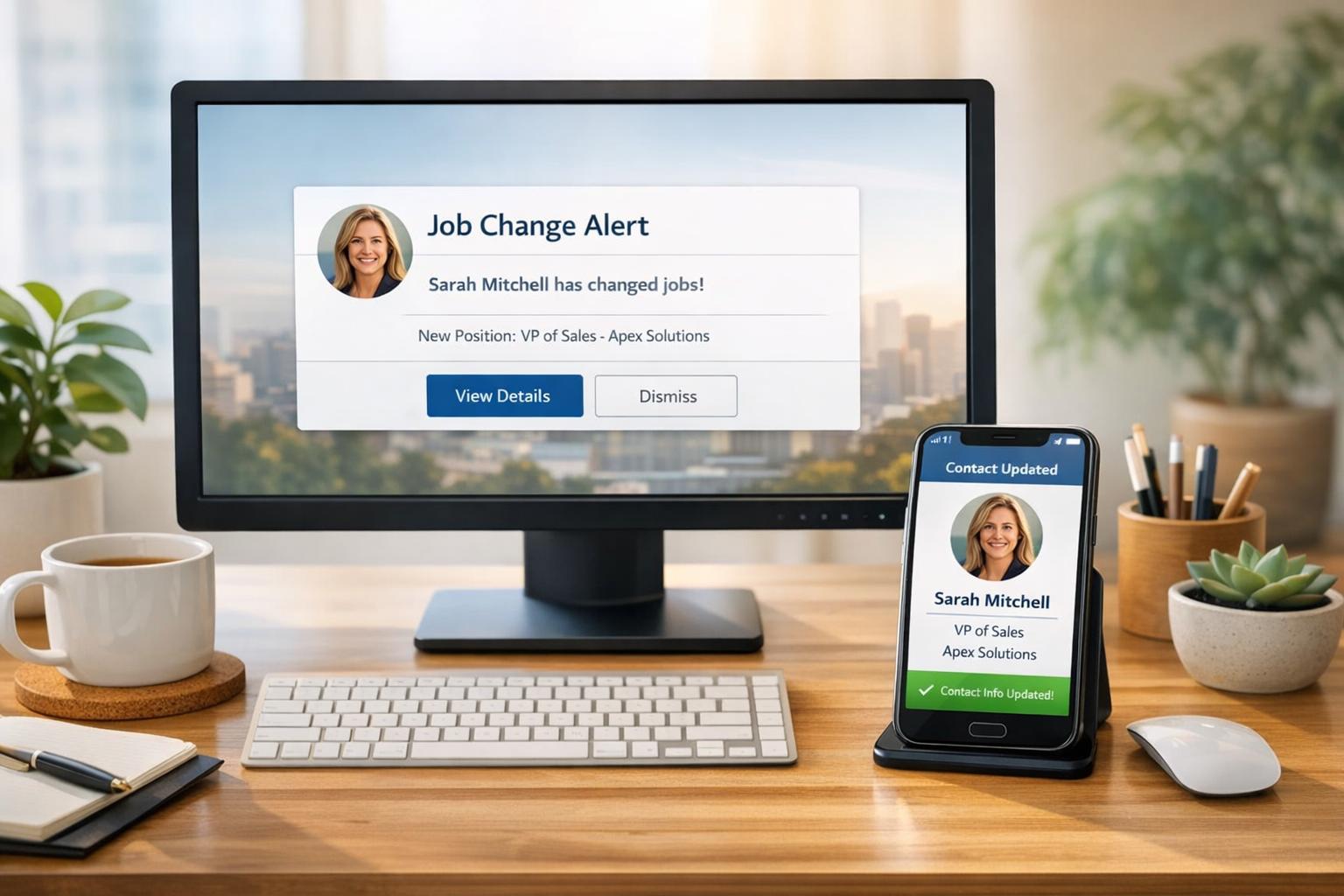
When a key customer contact leaves their company, your account faces a 51% risk of churn within 12 months - and this risk jumps to 65% if the person was an executive. Timing is critical: engaging with new decision-makers within 48 hours of a job change boosts renewal likelihood by 33%. Manual tracking of job changes, like LinkedIn checks, is inefficient and often too late. That’s where automated tools like KeepSync come in, offering real-time alerts when contacts change jobs, so your team can act fast to protect revenue and seize new opportunities.
Key Takeaways:
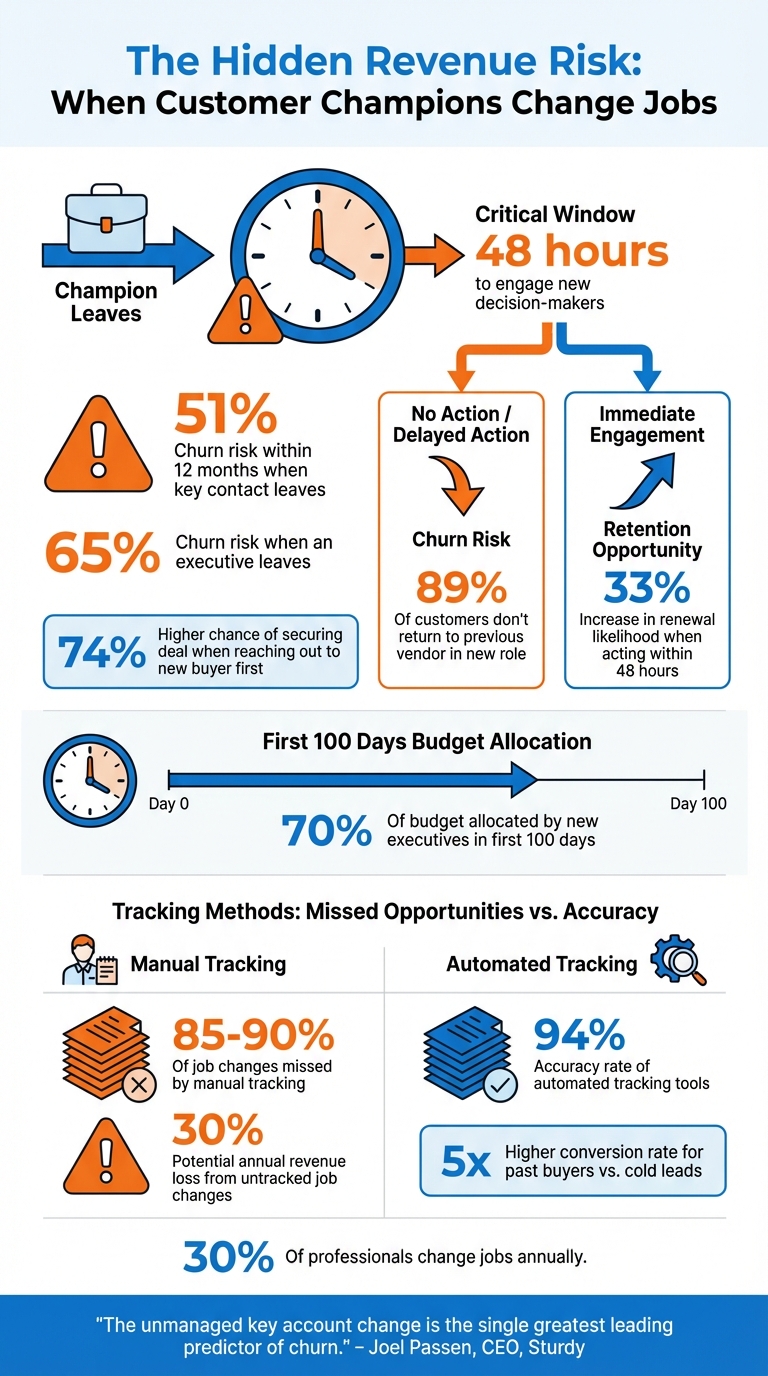
Job Change Impact on Customer Churn: Key Statistics and Revenue Risks
When a key customer advocate - your "champion" - leaves their role, it can seriously disrupt your business relationship. The numbers don't lie: accounts face a 51% risk of churn within 12 months, and that jumps to 65% if a senior executive exits [1].
"The unmanaged key account change is the single greatest leading predictor of churn." – Joel Passen, CEO, Sturdy [1]
New decision-makers often prefer vendors they've worked with before, leaving your account vulnerable. Here's where timing matters: reaching out to a new buyer first increases your chances of securing the deal by 74% [7]. Without proactive engagement, this transition can derail account stability.
Champions do more than just maintain the status quo - they're often the driving force behind renewals, upsells, and cross-sells [2][6]. When they leave, growth opportunities stall, and your account loses its internal advocate. Compounding the issue, new executives tend to allocate 70% of their budget within their first 100 days [3][4]. If you're not in their ear early, those dollars might go elsewhere. Plus, 89% of customers don’t return to their previous vendor when they move into a new role [4], leaving untapped opportunities on the table.
Manually tracking job changes is like trying to catch water with a sieve - it’s just not effective. With 20% to 30% of B2B contacts changing jobs annually [7][4][6], relying on occasional LinkedIn checks means revenue teams miss 85% to 90% of job changes [6]. By the time you notice your champion’s departure, their replacement may already be working with a competitor.
This oversight is expensive. Untracked job changes can cost companies up to 30% of their annual revenue [3]. Outdated contact information clogs your CRM with bounced emails and irrelevant data, wasting time and resources. Automated tools can fix this. For example, syncing job change signals directly into HubSpot in real time and triggering instant alerts via Slack or email ensures you act fast. Engaging within a critical 48-hour window increases the likelihood of renewal by 33% [1].
Given the risks and inefficiencies of manual tracking, automating job change monitoring with tools like KeepSync is a logical next step to protect and grow your revenue.

Getting KeepSync connected to HubSpot is straightforward thanks to its native integration [8]. Start by choosing the HubSpot property where your contacts' LinkedIn URLs are stored. This ensures accurate matching of job changes across company domains and career histories. Next, set up the actions you want KeepSync to take when a job change is detected. These could include updating contact records, modifying company accounts, or creating tasks and custom objects. You’ll also need to map KeepSync fields - like job title or company name - to the corresponding HubSpot properties. When mapping, you can choose either "Replace" to overwrite outdated data or "Complete only if empty" to preserve manual entries [8]. Once everything is configured, KeepSync will start monitoring job changes seamlessly.
KeepSync uses AI-powered agents to keep tabs on over 30 data sources with an impressive 94% accuracy rate [9]. It refreshes your contact and account data daily by pulling information from multiple sources, including web intelligence, job postings, LinkedIn updates, email signatures, website leadership pages, SEC filings, and social media [9]. After activation, KeepSync even backfills 30 days of job change data directly into your HubSpot timeline [10]. To ensure accuracy, it employs Waterfall-Verified Enrichment, which verifies details like email addresses and phone numbers before updating your CRM [9].
"LoneScale's algorithm ensures fresh data on auto-pilot, gathering information in real-time at scale. Contact, and account data are reviewed and refreshed daily." – LoneScale [9]
This constant refresh keeps your system ready to send alerts for any updates involving high-value contacts.
To monitor specific contacts, import your HubSpot contact lists into KeepSync [4]. During setup, you can apply Ideal Customer Profile (ICP) and persona filters to ensure that only relevant job changes trigger alerts. For instance, if a key decision-maker moves into a role outside your target focus, the system can archive the contact instead of sending an alert. Alerts can also be assigned automatically to the appropriate contact owner for immediate action. You can customize task triggers based on specific events, such as a contact switching companies, updating their job title, or adding a new LinkedIn URL. For better reporting and pipeline insights over time, you might want to create a custom "Job Movements" object in HubSpot [4].
When KeepSync flags a job change, your HubSpot workflows should kick off right away. Start by clearing the email property for contacts who’ve left their company. This helps avoid bounced emails, which can hurt your sender reputation [11]. From there, use branching logic to tailor your actions: if a champion has left their role, trigger a "Renewal Risk" playbook to alert the Customer Success Manager. If the champion has moved to a new company, activate an "Expansion" playbook for your Account Executive [2].
Set up automated tasks like sending a congratulatory LinkedIn message or enrolling the contact in a new role-specific sequence. Keep these tasks organized in a dedicated "Job Change Signals" queue. Don’t forget to integrate Slack or Microsoft Teams notifications for real-time updates to your sales team. The workflow should also update key contact details - like job title, company name, and LinkedIn URL - so your team has the right context before reaching out [4].
Once these workflows are in place, the focus shifts to reconnecting with champions who have transitioned to new roles.
Champions who move to new companies present a huge opportunity. In fact, past buyers are five times more likely to convert into closed-won revenue compared to cold leads [4]. Start by sending a congratulatory message right away. Then, after 1–2 months, when they’ve had time to settle into their role, follow up with a pitch.
Timing is crucial here. New executives typically allocate 70% of their budget within their first 100 days. Your workflow should also manage multiple email addresses for each contact, automatically setting the new work email as "Primary" while keeping the old one for reference. Keep in mind, 89% of previous customers don’t return to a vendor on their own after starting a new job [4].
After re-engaging champions, it’s essential to connect with new decision-makers. Acting within 48 hours of an executive change increases the likelihood of renewal by 33% [1].
"The unmanaged key account change is the single greatest leading predictor of churn." – Joel Passen, CEO of Sturdy [1]
Use KeepSync’s enrichment tools to find the replacement decision-maker’s contact details and LinkedIn profile. To keep tabs on these transitions, create a custom "Intent" object in HubSpot to track job movement-driven opportunities. When reaching out to new decision-makers, structure your first meeting around three points: their goals ("You"), a review of the existing partnership ("We"), and how you can help address their challenges ("Me") [1].
The KeepSync dashboard offers a clear way to monitor monthly job-change alerts, which can reveal the scale of opportunities available. Considering that 25% to 30% of the corporate workforce changes jobs annually, this metric helps you gauge the potential impact [9][5].
Pay attention to your activation rate - acting within 48 hours can boost renewal likelihood by 33% [1]. Another critical metric is your response rate for job-change-triggered sequences. These tend to outperform cold outreach significantly, as past buyers are 5x more likely to convert into closed-won revenue [4].
You’ll want to keep an eye on pipeline creation stemming from former champions who move into new roles, as well as closed-won revenue tied directly to job-change alerts. For churn prevention, track how many champion departures are detected and how that impacts the retention rate of those accounts. Additionally, evaluate your CRM hygiene by monitoring automatic updates to contact records.
Once these metrics are established, you can measure KeepSync’s impact by comparing your performance before and after implementation.
To validate the effectiveness of KeepSync’s proactive alerting strategy, start by documenting your baseline metrics. For example, record churn rates for accounts affected by champion departures prior to using the platform.
After implementing KeepSync, use a HubSpot dashboard to track key metrics like response rates, pipeline growth, and closed-won deals generated from job-change signals [4]. Pay close attention to the renewal save rate - the percentage of accounts renewed after receiving a champion departure alert [2]. You can also segment your reports to determine which intent type delivers higher ROI: "Job Movements" (champions leaving) or "New Hires" (new decision-makers joining your target accounts) [4].
"The unmanaged key account change is the single greatest leading predictor of churn." – Joel Passen, CEO of Sturdy [1]
Finally, compare conversion rates before and after implementing KeepSync. Previous customers tend to convert at a rate 3x higher than standard leads [9][3], so your post-implementation metrics should reflect noticeable improvements in both retention and revenue growth.
When key contacts or senior leaders leave, it creates one of the most vulnerable points in the customer lifecycle, often leading to a spike in churn rates [1]. This is where KeepSync steps in to make a difference.
KeepSync uses automated job change monitoring to track contacts across more than 30 data sources with an impressive 94% accuracy. Instead of relying on manual LinkedIn checks or finding out about departures weeks too late, your Customer Success team gets real-time alerts as soon as a champion leaves. This gives you the crucial opportunity to connect with new decision-makers before it's too late.
With 25% of professionals switching jobs each year [6], the potential for growth is enormous - if you have the right tools in place to act on it. KeepSync can be set up in just five minutes and integrates seamlessly with your existing HubSpot workflows. Whether you're safeguarding high-value accounts or leveraging alumni champions to expand into new opportunities, automated job change tracking turns a potential revenue risk into a reliable strategy for growth.
KeepSync empowers Customer Success teams to handle transitions seamlessly when key customer contacts leave or switch roles. With real-time job change alerts and built-in automation tools, you can stay on top of these shifts and act swiftly to safeguard your accounts.
The platform helps you stay connected with departing champions, quickly build rapport with new decision-makers, and maintain account stability. By proactively addressing potential risks, KeepSync ensures your revenue and customer relationships remain secure during times of change.
Automating job change tracking can simplify and improve how you stay updated on key shifts. With real-time alerts and precise tracking, you no longer need to rely on tedious manual updates. This means fewer errors, no delays, and the ability to act quickly when changes might affect your accounts.
Another perk? Automated tools can link directly to your CRM, activating workflows that help you keep relationships strong, connect with new decision-makers, and safeguard revenue. The result is a smoother process that saves time while driving pipeline growth and keeping accounts stable during transitions.
When you receive a job change alert, acting quickly - preferably within the first few days - is key. Reaching out promptly helps you stay connected with the departing contact during their transition and gives you a head start on forming a relationship with the new decision-maker.
To secure the renewal, aim to engage within the first 90 days of the change. This period is essential for rebuilding trust, aligning with the new stakeholder’s goals, and showing your dedication to the account’s success.