
Digital Marketing
·
April 10, 2026
How SaaS Companies Handle Billing Disputes & Chargebacks
Learn how SaaS billing disputes happen, what triggers chargebacks, and how both sides can resolve them faster.

Automate detection of customer job moves, enrich HubSpot CRM records, and trigger timely outreach to recover churn and boost pipeline.

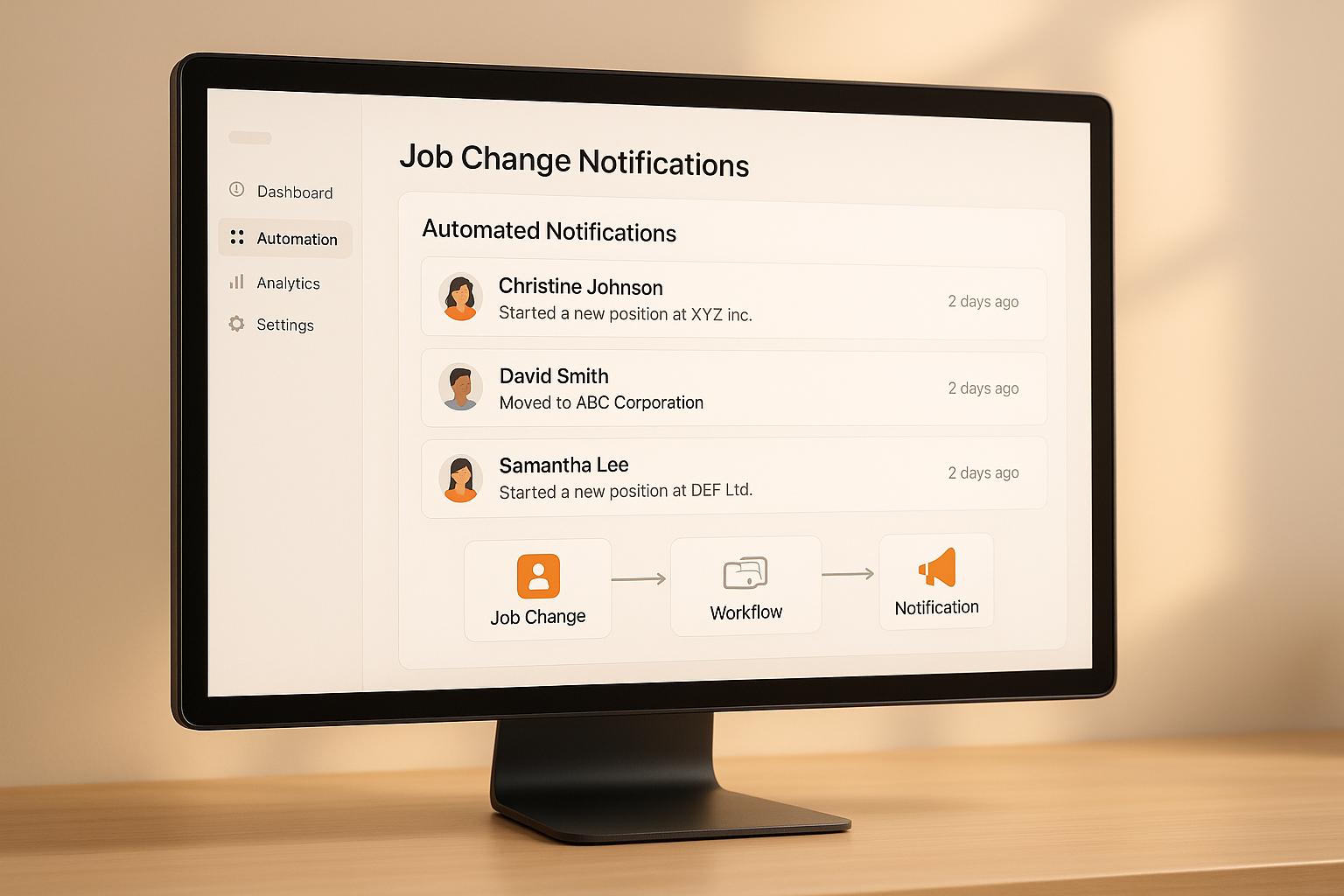
When your customers switch jobs, it creates opportunities to reconnect, prevent churn, and grow your accounts. But manually tracking these changes on LinkedIn is time-consuming and unreliable - 85% of job changes are often missed. Automating this process solves the problem by detecting job updates, enriching CRM records, and notifying your team instantly. Tools like KeepSync integrate with platforms like HubSpot to streamline this process with 94% accuracy.
Here’s how automation helps:
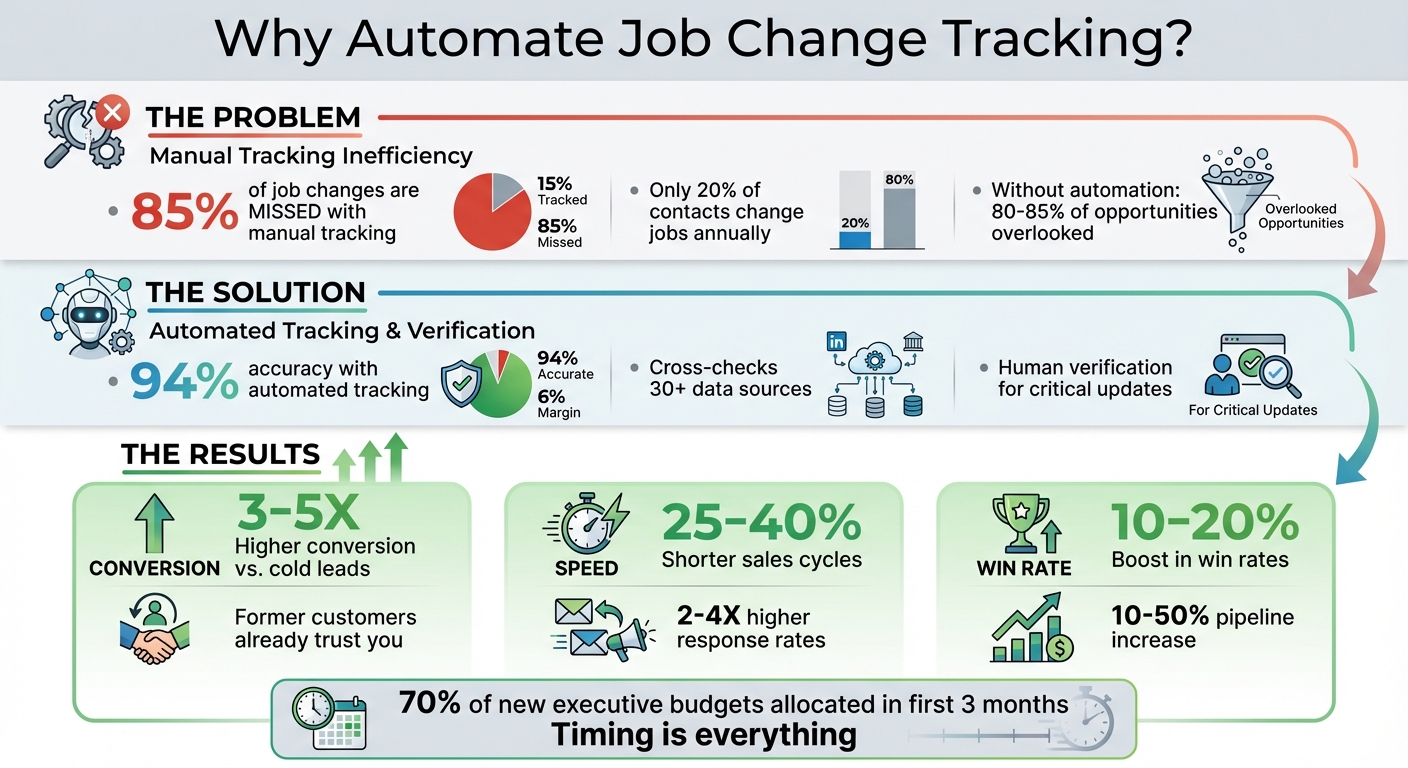
Job Change Tracking ROI: Key Statistics and Benefits
FOR HUBSPOT TEAMS
Track Job Changes at 1/10th the Cost
KeepSync monitors your HubSpot contacts for job changes with 94% accuracy. Starting at $79/month. No annual contracts.
Start now →
To make the most of automated updates in HubSpot, start by preparing your CRM for job change tracking. This involves identifying key contacts, standardizing data fields, and defining criteria for high-value job changes. These steps ensure your automation tools focus on relevant updates while avoiding unnecessary alerts. Once set up, this foundation supports seamless tracking and alert workflows.
Focus first on contacts who already have a connection with your business - like existing customers, advocates, and previously engaged leads. These are the people most likely to respond positively, as they already trust your solution [4].
To streamline this process, create a static list in HubSpot by using the lifecycle stage property to filter for these groups. One essential detail: ensure every contact has their LinkedIn Profile URL filled in. Without this, automated tools won’t be able to track their job changes [4][5].
Here’s an example: when Blinkist implemented job change tracking in 2026, they segmented contacts into personas like learning and development professionals, HR leaders, program managers, and strategic leaders. They also set a rule to only flag job changes when the new company had more than 100 employees [4].
For ongoing tracking, use filters to exclude contacts already marked as "No longer at company = True." This prevents reprocessing the same changes. You can also add a time-based filter like "Last scraped at = has not been updated in the last 25 days OR is empty" to ensure contacts are checked regularly [5].
Clean, consistent data is key to reliable tracking. If your contact records have gaps - like missing LinkedIn URLs, outdated job titles, or inconsistent company names - your automation tools may struggle to detect changes accurately.
To address this, create custom HubSpot properties to capture job change details without overwriting historical data. Examples include Boolean flags (e.g., "No longer at Company"), date fields ("Job started since"), and text fields for previous roles. Other useful fields might include "Changed company", "Promotion", "Is New Hire", "Department job title", "Level job title", "Tenure company length", and "Start company date" [2][5]. These properties allow for more detailed workflows and reporting down the line.
Before activating tracking, run a data enrichment process to fill in missing LinkedIn URLs. This ensures your tools have the necessary data from the start [5].
Once your data is standardized, clearly define which job changes should trigger immediate alerts.
Not every job change will be worth acting on. For instance, if a contact moves to a smaller company or takes a role that doesn’t align with your goals, it might not be a priority. That’s why it’s important to set clear qualification criteria to filter for high-value opportunities.
Start by focusing on factors like seniority and company size. For example, you might only want alerts for contacts who join companies with more than 100 employees [4]. In HubSpot, use list filters to segment contacts based on these factors. Combine properties like company size, job title keywords, and industry to create a refined monitoring segment. This ensures that only relevant job changes trigger alerts and workflows [5]. Taking these steps helps you avoid missing valuable opportunities while keeping your system efficient.
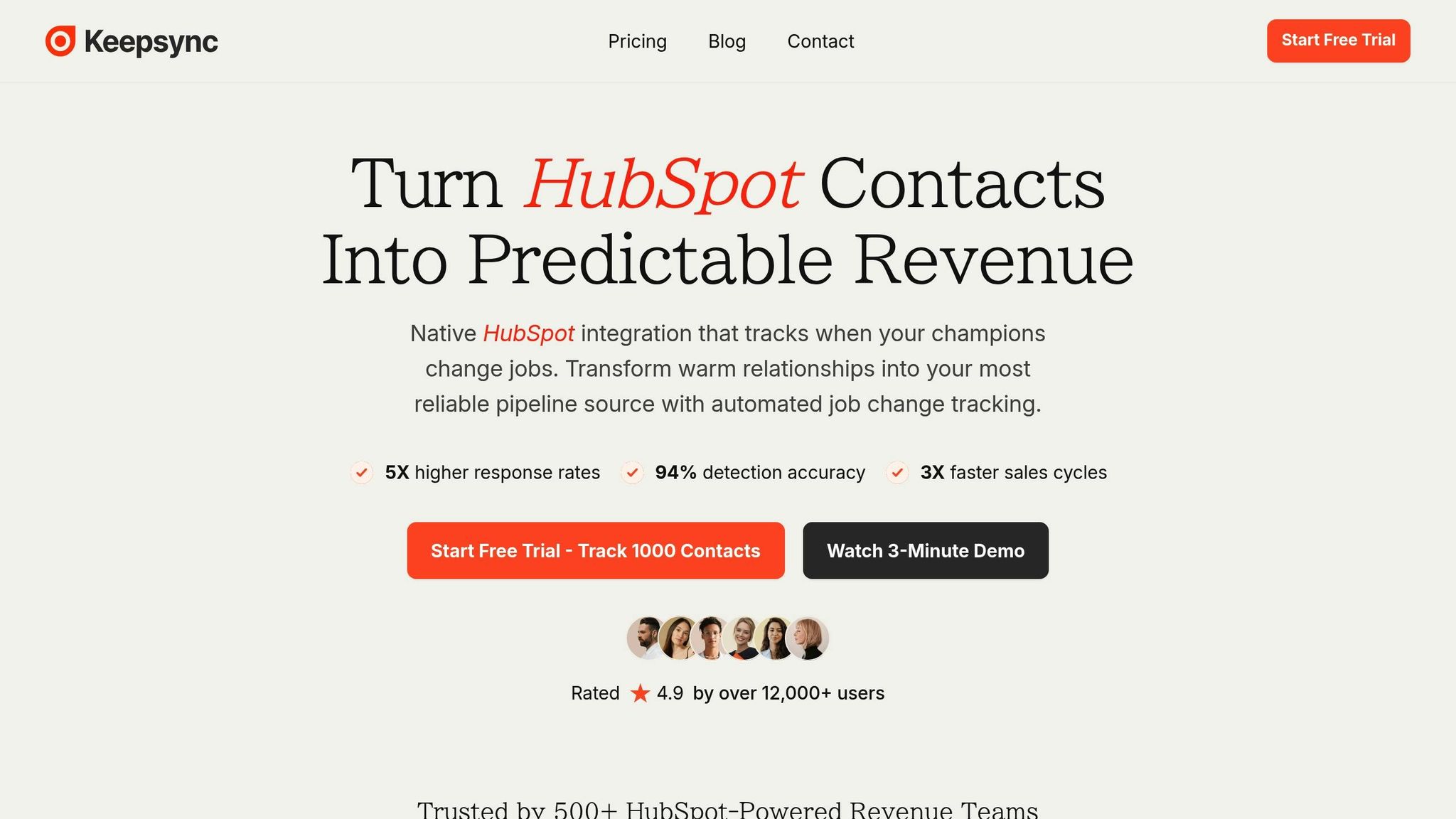
KeepSync is a tool built directly into HubSpot, designed to automatically track job changes within your HubSpot portal. It boasts an impressive 94% accuracy rate by cross-checking data from over 30 sources, with human verification added for critical updates.
Getting started with KeepSync is straightforward. Head to the HubSpot App Marketplace, locate KeepSync, and follow the installation steps. Once you've authorized the app, it will automatically set up the necessary properties to monitor job changes.
During the setup process, you can customize how you receive notifications. Choose from Slack, email, in-app alerts within HubSpot, or webhooks to integrate with other systems. The Starter plan allows you to monitor up to 1,000 contacts monthly at no cost.
Once installed, link KeepSync to your HubSpot lists, such as customers, advocates, or high-value leads. The tool scans these segments weekly, analyzing employment data from numerous sources.
It reviews each contact in your selected lists and flags updates when job changes are detected. This ensures your outreach is timely and relevant, with segmented monitoring enabling precise and automated alerts.
When KeepSync identifies a possible job change, it begins a thorough verification process. Employment data is cross-referenced across multiple sources, and for high-priority contacts, human verification ensures accuracy.
After confirming the update, KeepSync enriches the contact's record with details like their new company, job title, verified email, phone number, and additional company information. This data is then synced with the relevant HubSpot fields. Alerts are sent based on your preferences, giving your sales team the insights they need to take action. These updates seamlessly integrate into HubSpot workflows, enabling automated follow-ups without requiring manual intervention.
Once KeepSync enriches your HubSpot data, you can take automation to the next level with workflows. These workflows allow you to respond to job changes automatically, saving time and ensuring your team stays on top of new opportunities without manual intervention.
With standardized data fields in place, workflows make follow-ups faster and more efficient. You can set workflows to trigger when KeepSync updates key properties like "Job Change Detected" or when a company name changes. These triggers act as the starting point for actions like updating records, assigning tasks, or routing leads to the right sales reps. For instance, as soon as a job change is confirmed, the workflow can automatically enroll the contact into a sequence, ensuring no opportunity slips through the cracks.
When a contact switches jobs, workflows can handle the heavy lifting of keeping your CRM organized. The workflow can flag the old record as inactive, link it to the new record, and update fields like "Job started since", "Previous Company", and "Previous Title." This method not only keeps your CRM clean but also ensures you maintain a complete history of the contact. HubSpot recommends this approach for better data hygiene [5]. Once the records are updated, you can fine-tune your outreach strategy to reflect the contact’s new role and company.
Tailoring your outreach to the context of a job change is key. Use if/then branching logic in your workflows to qualify opportunities based on the new company’s characteristics. For example, if your product is designed for enterprise clients, the workflow can automatically pause outreach if the contact moves to a smaller company with fewer than 50 employees. For qualified leads, you can prioritize outreach differently depending on the new role - such as focusing more on decision-makers like VPs compared to individual contributors. To make your messaging even more effective, pull in historical details from HubSpot, like the products they’ve used in the past or how long they’ve been a customer. This level of personalization can significantly boost response rates [4].
Automation is just the beginning. The real game-changer is weaving job change tracking into your team's everyday workflow. This involves routing alerts to the right team members, making key data accessible where your team already works, and evaluating how these efforts influence revenue.
When KeepSync flags a job change, the alert should immediately reach the assigned sales rep. HubSpot workflows make this seamless by automatically assigning follow-up tasks based on contact ownership. For instance, when the "Job Change Detected" property updates, a workflow can create a task for the contact owner, complete with priority details. Simultaneously, Slack notifications can alert the sales channel in real time. For high-value opportunities, you can direct these alerts to a dedicated task queue to ensure prompt action. With this setup, your team stays on top of job changes, supported by dashboards tailored to their needs.
Once alerts are routed effectively, the next step is making the data easily accessible through custom dashboards. These dashboards keep job change insights front and center for your team. For example:
These tailored views ensure that reps can see the most important job change signals right when they open a record, helping them prioritize their outreach.
After setting up alerts and dashboards, it’s time to measure how job change tracking contributes to revenue. Here are three key reports you can create in HubSpot:
"What gets measured, gets managed." - Stuart Balcombe, ConnectedGTM [2]
These reports provide a clear picture of the value job change tracking brings. Research shows past buyers are five times more likely to convert than cold leads, and new executives allocate 70% of their budget within their first three months [2]. A pipeline boost of 10-50% highlights the return on investment from automating job change tracking [2].
Tracking LinkedIn contacts manually not only eats up your time but also causes you to miss out on countless opportunities. Here’s the reality: only about 20% of your contacts switch jobs each year. Without automation, you’re likely overlooking 80-85% of these potential leads [1][7].
So, how do you make the most of these opportunities? As outlined earlier, automation takes the hassle out of manual tracking. Tools like KeepSync transform this obstacle into a revenue generator by automating job change detection with 94% accuracy and seamlessly integrating into HubSpot. These automated insights uncover leads that convert 3-5X better than cold outreach [6][3]. Why? Because former customers and advocates already know your product, trust your brand, and are often seeking solutions during the critical first 100 days in their new roles.
But it’s not just about better conversion rates. Automation makes your sales process more efficient. With automated job change tracking, you’ll see 25-40% shorter sales cycles, 2-4x higher response rates, and a 10-20% boost in win rates [3]. Reaching a former customer within days of their job change - when they’re most open to new opportunities - gives you a competitive edge. Often, you’ll connect with them before your competitors even realize they’ve moved.
KeepSync is quick to set up, taking just five minutes to get rolling. It cleans up your CRM, frees up your sales reps to focus on selling, and fills your pipeline with warm leads. The real question isn’t whether to automate job change tracking - it’s how much potential revenue you’re willing to miss by sticking to outdated methods.
Stay ahead by monitoring key contacts - whether it’s former customers, closed-lost deals, or power users - and position yourself as their first call when they land at decision-making companies.
KeepSync achieves an impressive 94% accuracy in identifying job changes by blending advanced AI-powered matching with verified data from more than 20 trusted sources. This approach guarantees precise notifications and real-time updates, removing the hassle of manual tracking.
With this automation, KeepSync keeps you effortlessly updated on customer career changes, allowing you to dedicate your time to strengthening relationships and achieving better sales results.
To get your CRM ready for automated job change tracking, the first step is integrating tools or APIs that can monitor career updates. Pay special attention to important contacts like decision-makers or key advocates, ensuring your CRM updates their information automatically whenever changes happen.
Set up notifications for events like promotions, role changes, or company switches. Additionally, create tailored outreach templates so you can quickly and effectively connect with contacts when these changes occur. Automating these tasks not only saves time but also helps you stay connected and strengthen customer relationships.
When leveraging job change notifications, zero in on the contacts that matter most - like decision-makers, former clients, power users, or individuals tied to your top accounts. These shifts are the ones that can truly influence your business opportunities.
Timing is everything. Aim to reach out within 30 to 60 days of their transition. This window is when they're still adjusting to their new position, giving you the perfect chance to connect and strengthen the relationship while it's still fresh.