
Digital Marketing
·
April 10, 2026
How SaaS Companies Handle Billing Disputes & Chargebacks
Learn how SaaS billing disputes happen, what triggers chargebacks, and how both sides can resolve them faster.

Learn how to detect and act on customer job changes in HubSpot using data clean-up, custom properties, workflows, and automated alerts.

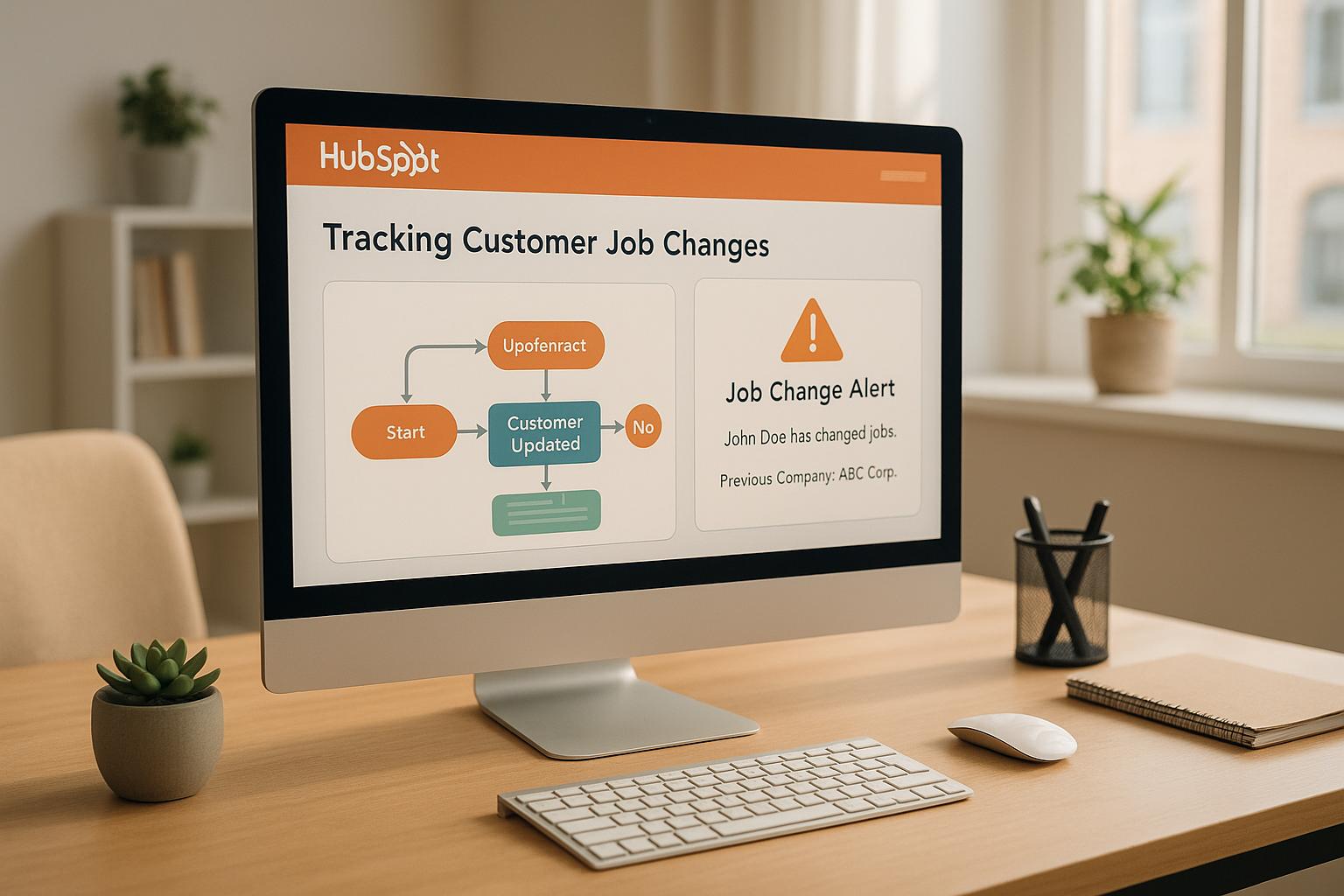
When your customers switch jobs, your CRM data can quickly become outdated, leading to bounced emails and missed sales opportunities. Job changes can either pose risks - like losing key contacts - or create new opportunities, as former customers at new companies often become warm leads. HubSpot offers tools to track these changes effectively, helping you act quickly and maintain strong relationships.
Automating this process with tools like KeepSync can save time by providing real-time updates and enriched data. By setting up a system to track and act on job changes, you’ll protect your revenue and uncover new opportunities.
Getting your CRM ready is the first step to effectively tracking job changes. Think of it like setting up a well-organized workspace before tackling a major project. The more structured your data, the easier it will be to identify meaningful updates.
The foundation of accurate job change tracking is clean, consistent data. If your records are messy or incomplete, spotting changes becomes a headache. Start by focusing on a few key fields that play a major role in detecting job changes.
The LinkedIn Profile URL field is essential for automated tracking. If some profiles are missing, take time to search for your contacts on LinkedIn using their name and company. Once you find the right profile, copy the URL into HubSpot.
Next, standardize your Job Title field. Variations like "VP of Marketing", "Vice President of Marketing", and "Marketing VP" can cause confusion when they all mean the same role. Create a list of approved job titles for your team and update your records to match.
For the Company Domain Name field, stick to a clean format - use "acmecorp.com" instead of "www.acmecorp.com" or "https://acmecorp.com." Consistent formatting ensures easier tracking when contacts move between companies.
Make it a habit to audit these fields monthly to catch inconsistencies. Once your data is clean, you can move on to creating custom properties for tracking job changes.
HubSpot’s default properties are great for capturing current job information, but tracking changes requires additional fields. Custom properties allow you to store historical data and flag transitions effectively.
Start by adding a No Longer at Company checkbox property. This simple field lets you mark contacts who have left their employer, making it easy to prioritize follow-ups.
Create a Previous Company text property to log a contact’s former employer, and a Previous Title text property for their old job title. These details provide context for their career journey.
Add a Job Started Since date property to record when a contact began their new role. Timing is everything - this helps you engage them at the right moment, not too early when they’re still settling in, but soon enough to build a connection.
Another useful property is Previous Lifecycle Stage, which captures where the contact was in your sales process before their job change. This can guide your follow-up strategy and maintain continuity in your relationship.
Finally, consider an Employee Status dropdown property with options like "Former Employee." This is especially helpful if you’re tracking multiple contacts at the same company.
When setting up these properties, make sure to:
With these properties in place, you’ll have the structure you need to track job changes effectively. Now, it’s time to set up lists and views to make this data actionable.
Once your data is clean and structured, you’ll need tools to surface contacts who may have changed jobs. Active lists and custom views are perfect for turning your data into actionable insights.
Start with an active list called "Potential Job Changes." This list can automatically update based on criteria like changes to the Job Title or Company Name fields within the last 30 days. Include contacts marked as "No Longer at Company" to ensure they’re flagged for immediate attention.
If your business operates in specific regions, create location-based lists. For example, a "US-Based Contacts - Recent Changes" list can focus on updates from contacts in the United States, helping your team stay targeted.
Custom views on your contact dashboard are another powerful tool. Set up a view that sorts contacts by the "Last Modified Date" of their Job Title field. This makes it easy to scan for recent updates during your daily workflow.
You can also create a view for contacts marked as "No Longer at Company." This helps you quickly identify individuals who’ve left their organization and may need follow-up.
Another useful view is for contacts whose Job Started Since date falls within the last 60 days. These individuals are likely settling into new roles and could be open to discussing solutions for their current company.
Use clear, descriptive names like "Job Changes - Needs Review" for your lists and views. Add brief descriptions to explain the criteria and purpose of each, so your team knows exactly how to use them.
Regularly review and refine these lists and views. As you gain insights into what works best for your market, adjust your criteria. For instance, what works for enterprise IT sales might differ from strategies targeting small business owners. Fine-tuning these tools ensures you’re always one step ahead in identifying and acting on job changes.
Setting up systems to detect when your contacts change jobs is crucial for staying connected and seizing new opportunities. Automation makes this process seamless, ensuring you can quickly engage with contacts in their new roles.
HubSpot workflows are a great way to track job changes by monitoring specific fields and triggering actions when updates occur. Here’s how to create an effective workflow:
For a hassle-free alternative to manual workflows, KeepSync offers a fully automated solution. Unlike HubSpot workflows, which rely on manual data updates, KeepSync continuously scans multiple sources to detect job changes.
Setting up KeepSync is quick - just five minutes to connect it to your HubSpot account. Once active, it automatically updates contact records and can trigger actions like sending congratulatory emails or creating follow-up tasks, eliminating the need for complex workflows or manual maintenance.
Your choice of tracking method depends on your team’s size, database scale, and sales goals:
Select the approach that aligns with your team’s needs and resources, then act on the insights to strengthen your connections and sales strategy.
Spotting job changes is just the beginning - taking quick action is what turns these insights into re-engagement opportunities and, ultimately, revenue. Once you've set up your detection system, the next step is to act fast. When a contact moves to a new company, there's a brief window to reconnect before the opportunity slips away. You can make the most of this by using targeted lists, real-time alerts, and automated follow-ups.
HubSpot's segmentation tools (previously called lists) make it simple to organize contacts based on job change data, streamlining your outreach efforts. Active segments update automatically, while static segments capture a one-time snapshot of your data.
For example, you can create an active segment for Former Champions at New Companies. Set the criteria to include contacts marked as "No Longer at Company" with a filled "Previous Company" field. These are past customers who’ve moved to new organizations, and they’re known to convert up to five times more often than other leads[1].
Another useful segment could be Contacts Who Left Target Accounts, which filters for individuals whose current company name has changed while their previous company aligns with your ideal customer profile. Additionally, you can build a segment for Job Changes with Active Deals by combining job change flags with deal-stage properties (e.g., contacts tied to deals in stages like "Proposal Sent" or "Negotiation"). For contacts who move to companies outside your target market, set up a No Longer Qualified segment by filtering for changes in company size, industry, or revenue.
These segments not only help you prioritize but also ensure your team gets timely updates.
Real-time alerts are crucial for making the most of job change insights. HubSpot's task and notification features, paired with workflow automation, allow you to keep your sales team informed without overwhelming them with unnecessary updates.
Start by configuring your job change detection workflow to automatically assign tasks to contact owners. Add a short delay to ensure the latest information is captured, then create a task with a clear subject like "Job Change Alert: [Contact Name] moved to [New Company]." Include all relevant details - previous and new company info, deal context, and set the task priority to high.
If the contact is associated with an open deal, notify the deal owner separately. Create a task that highlights how the job change might impact the deal, including specifics like the deal stage, amount, and expected close date.
For high-priority job changes, integrate Slack notifications through HubSpot workflows. Send updates to a designated Slack channel (e.g., #job-changes) with key details and a direct link to the HubSpot record. If you're using KeepSync, take advantage of its multi-channel alert system to deliver updates via Slack, email, and HubSpot, ensuring your team never misses a beat.
Once a job change is detected, automated workflows help you follow up efficiently while maintaining a personal touch. The goal is to nurture relationships and protect deals without making the process feel robotic.
Set up a Congratulations Workflow for contacts who start new roles at companies that match your ideal profile. Trigger the workflow when a job change is flagged, and the new company fits your criteria. After a brief delay, send a personalized email congratulating the contact on their new position and inviting them to share their updated goals.
You can also create a Re-engagement Workflow for former customers who’ve moved to new companies. Since they already know your product or service, these contacts are warm leads in their new roles. Enroll them based on their previous customer status, and confirm that their new company isn’t already in your database. Follow up with an email acknowledging their move, and if they respond, automatically assign a task to schedule a call. If they don’t engage, place them in a nurture sequence with relevant case studies and content.
Other workflow ideas include updating a contact’s lifecycle stage when they move from a customer account to a non-customer account, flagging deals as "At Risk" if a job change might impact them, or setting up notifications to reassign ownership when the new company already has a designated representative.
With KeepSync, the process becomes even smoother. It enriches contact records with verified details like updated email addresses, phone numbers, and company information, eliminating the need for manual research and saving your team valuable time.
Tracking job changes is a powerful way to connect activity to pipeline growth and closed deals. With tools like HubSpot, businesses can gain the visibility needed to directly link job change activity to revenue outcomes.
Companies that actively monitor job changes often report a 10–50% increase in pipeline generation[1]. Why? Because past buyers are five times more likely to convert into closed-won revenue compared to cold leads[1]. However, here's the catch: 89% of previous customers don't come back on their own after moving to a new role[1]. Without proactive tracking, these valuable opportunities can easily slip through the cracks.
To get started, focus on the basics. First, look at the total number of job changes detected each month. If you're only identifying a few changes in a large contact database, it might be time to fine-tune your detection system.
Another key metric is response rates to outreach triggered by job changes. HubSpot dashboards can help track monthly reply counts, segmented by intent type (like Job Movements or Job Postings)[1]. Using "Sequences" for primary data and "Intents" for secondary data, you can visualize which signals are sparking the most engagement.
Pipeline value is another critical indicator. Measure the total dollar value of deals created from contacts who recently changed roles. A dashboard that uses "Deals" as the primary source and "Companies" as secondary can show the monthly sum of deal amounts tied to job change signals[1]. This directly ties your tracking efforts to revenue potential.
Don’t overlook time-to-conversion. Past buyers often convert faster than cold leads because they already know your product. If your job change contacts aren't closing deals more quickly, it might signal a need for faster follow-ups or improved outreach strategies.
Ultimately, the best measure of success is revenue generated from job change activity. New executives tend to allocate 70% of their budget within their first three months[1], so acting quickly is critical.
HubSpot’s deal properties and workflows make it easy to connect revenue to job change tracking. For example, you can create a custom deal property called "Source: Job Change" with a simple yes/no checkbox. When a job change detection workflow is triggered, this property can automatically update for associated deals.
For even deeper insights, create a custom "Intent" object in HubSpot. This allows you to build workflows that trigger when a job change signal is detected. Based on the intent type (e.g., Job Movements), you can automatically update the primary company property to reflect the intent[1]. This creates clean, reportable data that ties job changes to specific accounts and deals.
To refine tracking further, add a deal property for "Job Change Date" to capture the exact timing of a contact’s role change. This lets you analyze how quickly your team acted on the signal and whether faster follow-ups lead to higher close rates. You might also add a "Previous Relationship" property to indicate if the contact was a past buyer, a lost deal, or a competitor’s customer before the job change.
Use these properties to build reports that segment deal performance. Comparing win rates and average deal sizes can reveal whether opportunities sourced from job changes tend to result in larger deals due to the contact’s familiarity with your product. This approach ensures every tracked job change contributes to improving your sales strategy.
KeepSync’s enriched data takes your HubSpot reports to the next level. By providing verified contact details - like updated email addresses, phone numbers, and company information - with a 94% accuracy rate, KeepSync ensures you’re working with reliable data.
Create a report to track how many job change contacts had their information automatically updated versus those requiring manual updates. Compare email bounce rates and reply rates for KeepSync-enriched contacts against others who weren’t updated. High-quality data often leads to better engagement.
KeepSync also offers pipeline analytics tools to measure the ROI of your job change programs. Build dashboards that calculate your total investment - including subscription costs and team time - against the pipeline value and closed revenue generated from job change contacts. For many B2B companies, even one closed deal from a past buyer can justify the program’s cost.
Set up monthly reports that break down job change activity by segment - such as past buyers, lost deals, or competitors’ accounts. This helps identify which segments deliver the highest conversion rates and where your team should focus its efforts.
Finally, track alert response times. Measure how quickly your sales team follows up after KeepSync detects a job change. Since new executives allocate 70% of their budget in the first three months[1], quick response times can make a big difference in capturing new opportunities.
Throughout this guide, we've explored how tracking job changes in HubSpot can protect your revenue and fuel business growth. When past customers move to new companies, they bring their experience with your product, creating valuable opportunities for re-engagement. Capturing these transitions is crucial.
Start by preparing your CRM. Clean your data, set up custom properties for job changes, and build segmented lists. A strong foundation ensures your tracking system runs smoothly. From there, implement workflows to automatically detect changes or integrate tools that monitor job movements across multiple data sources.
Automation plays a critical role here. While manual tracking might work for a handful of contacts, it becomes unmanageable as your business scales. Tools like KeepSync offer a practical solution, providing weekly monitoring with 94% accuracy. You'll receive real-time updates via Slack, email, or HubSpot, complete with updated contact details for immediate follow-up.
Once you have the data, put it to work. Create targeted lists, automate follow-up workflows, and route leads to the right sales reps to ensure your outreach is timely and relevant. Use HubSpot's reporting tools to measure your efforts - track job changes, monitor response rates, and connect closed deals back to these signals. This feedback loop helps you fine-tune your approach and maximize results.
Setting up job change tracking in HubSpot may require some upfront effort, but the payoff is well worth it. With the right mix of workflows, alerts, and automation, you'll be ready to reconnect with key contacts and capitalize on every opportunity that comes your way.
To maintain accurate CRM data, consider using tools available in the HubSpot marketplace. These tools can automatically identify job changes and update contact records for you. Additionally, HubSpot allows you to set up property change events, which track updates to important contact details like job titles or company names.
These features help keep your database up-to-date with real-time information, enabling you to strengthen customer relationships and make smarter decisions for your sales and marketing strategies.
Automated tools such as KeepSync bring undeniable benefits compared to manual tracking methods. They deliver real-time updates and reduce the risk of human error, ensuring your CRM data is always up-to-date. This allows you to promptly reconnect with contacts after a job change and spot new sales opportunities without delay.
Beyond accuracy, automation frees up valuable time and adapts seamlessly as your business expands. It also guarantees consistent data quality, giving you access to actionable insights. Instead of wasting hours on repetitive manual updates, you can channel your energy into nurturing relationships and driving your business forward.
Tracking job changes can offer a wealth of insights, helping you fine-tune how you connect with your customers. By staying informed about their new roles or responsibilities, you can craft outreach that feels relevant and timely. This approach not only captures their attention but also ensures your messaging aligns with their evolving priorities.
It’s also a great way to spot new opportunities. A job change often signals shifts in organizational needs, which could open doors for solutions you provide.
On top of that, don’t overlook the value of re-engaging past customers who’ve transitioned to new companies. With tools like automation workflows and AI-powered data, you can efficiently reach out, nurture those relationships, and even discover fresh sales leads. Plus, keeping your CRM updated ensures you’re always working with accurate, actionable information.