
Digital Marketing
·
April 10, 2026
How SaaS Companies Handle Billing Disputes & Chargebacks
Learn how SaaS billing disputes happen, what triggers chargebacks, and how both sides can resolve them faster.

Automate tracking of customer job changes, enrich CRM contacts, and turn career moves into qualified pipeline with real-time alerts and workflows.

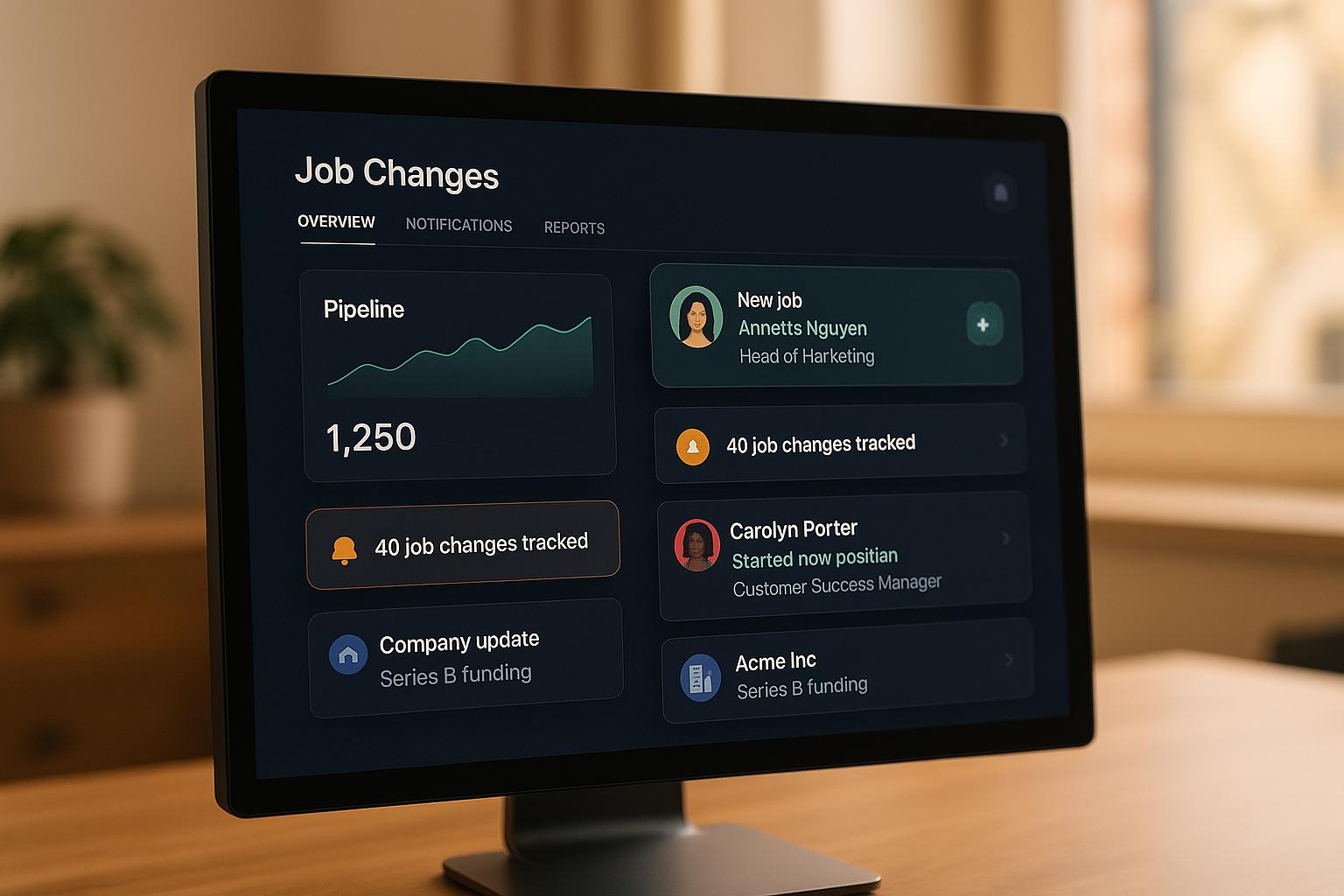
Tracking job changes in your CRM is a game-changer for B2B sales. Why? When someone changes jobs, they’re often in a phase where they evaluate new tools and vendors. This creates a perfect opportunity for sales teams to reconnect with past customers, engage warm leads, and build relationships with new decision-makers.
Here’s the process in a nutshell:
Key stat: Leads tied to job changes are 3x more likely to convert than cold prospects. Acting quickly during the first 90 days of a contact’s new role can significantly improve your chances of closing deals.
KeepSync offers plans ranging from a free Starter option (1,000 contacts) to a $399/month Agency plan (20,000 contacts). Start small, track results, and scale as your pipeline grows.

Job Change Tracking ROI Statistics for B2B Sales Teams
FOR HUBSPOT TEAMS
Track Job Changes at 1/10th the Cost
KeepSync monitors your HubSpot contacts for job changes with 94% accuracy. Starting at $79/month. No annual contracts.
Start now →
Setting up KeepSync takes just five minutes, and you don’t need any technical skills to get started. It works seamlessly with HubSpot, pulling data from over 30 sources every week to track job changes automatically.
Before diving in, make sure you have an active HubSpot account and the right permissions. Specifically, you’ll need Super Admin or App Marketplace permissions in HubSpot to install third-party apps. Additionally, you’ll need a valid KeepSync account for authentication.
To begin, search for KeepSync in the HubSpot Marketplace and install the app. During the setup process, you’ll log in to your KeepSync account and grant the necessary permissions. This allows KeepSync to access and update your HubSpot contact data.
Once you locate KeepSync in the HubSpot Marketplace, the installation process is simple. After installing the app, navigate to your HubSpot settings (Integrations > Connected Apps). From there, select KeepSync and choose one of two options: "Set up your sync" for first-time setup or "Sync more data" if you’re adding to an existing sync.
Next, decide which data to sync, configure the sync direction and conflict resolution settings, and map the required properties. Once everything is set, click "Save and sync."
With your sync active, you can configure automated alerts to turn job change data into actionable insights for your team.
After your initial sync is complete, KeepSync will automatically monitor your contacts weekly across all integrated data sources. To make the most of this data, you can create automated workflows in HubSpot. Go to Automation > Workflows and select "Create workflow."
Set up enrollment triggers based on job change data, such as when a contact’s job title updates or when KeepSync generates a new job change alert. Add workflow actions like sending Slack notifications to your sales team, creating follow-up tasks, or updating contact lifecycle stages. Don’t forget to enable "Re-enroll" so workflows can trigger on future job changes. Once you’ve reviewed and finalized your setup, click "Review and publish" to activate the workflow and start receiving automated alerts.
Once you've activated monitoring, the next step is using job change data to initiate timely outreach. Why is this so important? Because leads tied to job changes are three times more likely to convert compared to cold prospects[4]. Acting quickly is key, which is why real-time alerts through your favorite communication tools can make all the difference.
KeepSync makes sure your team gets notifications where they’re already working. Alerts can be sent to Slack for instant visibility, delivered straight to sales reps via email, or integrated with HubSpot to trigger workflows.
To get the most out of these alerts, use filters like "ideal persona", "economic buyer", or "product user" to zero in on the most meaningful job changes[2][3][4]. You can also set specific date ranges to track recent moves and customize how often alerts are sent - daily, weekly, or even monthly - depending on your team's bandwidth. This setup ensures your sales team focuses only on opportunities that truly matter, paving the way for immediate and tailored engagement.
Each alert from KeepSync comes packed with enriched details, including the contact's new company, updated title, LinkedIn profile, email, and phone number[1][3][4]. This automatic enrichment eliminates the need for manual research, speeding up outreach while keeping your HubSpot database up-to-date. Your sales team can then focus on connecting with leads rather than chasing down outdated information.
KeepSync delivers an impressive 94% data accuracy by gathering information from over 30 sources weekly and cross-verifying it using AI-powered matching[2][4]. The system checks LinkedIn, company websites, and other networks to confirm job changes before notifying your team. This thorough verification process reduces false positives, saving time and ensuring your team only acts on reliable data. Considering that 25% of prospects change jobs each year[4], having accurate and up-to-date information is essential for staying ahead.
Turning automated job change alerts into actionable sales opportunities requires structured workflows. These workflows ensure you’re making the most of every lead, helping you transform job changes into a steady stream of pipeline activity. By automating the process, you minimize the risk of letting warm leads slip through the cracks.
Once real-time job change alerts are in place, the next step is organizing your leads for targeted engagement. Tools like HubSpot’s active list segmentation can automatically update contacts based on job change criteria [5]. Group your leads into categories such as former champions, closed-lost leads, and competitor customers. Each segment deserves a tailored approach.
For example:
This segmentation ensures your outreach is relevant and resonates with each group.
With your leads segmented, focus on crafting a personalized outreach strategy. A multi-channel approach with 3–5 touchpoints - spread across email, LinkedIn, and phone calls - has been shown to significantly improve response rates [7]. Each message should deliver something valuable, whether it’s a case study, a helpful resource, or insights tailored to their new role.
Keep emails short and to the point - ideally 3–5 sentences - with a single, clear call to action [6]. Time your outreach to align with peak engagement hours, and follow up consistently to meet the 80% follow-up benchmark [6]. This persistence ensures you stay on their radar without overwhelming them.
Competitor customers present a unique opportunity - they already understand the problem your solution addresses [8]. When they move to a new company, they often gain influence over key purchasing decisions. Set up workflows to automatically flag these moves and route them into specialized sequences.
Your messaging for these prospects should focus on their past pain points with the competitor’s product while clearly demonstrating how your solution offers a better alternative. Acting quickly is critical, as these prospects are likely evaluating new tools during this transition period. By addressing their specific needs and timing your outreach effectively, you can position yourself as the ideal solution during their decision-making process.
Once you've set up automated alerts and segmented outreach, the next step is to measure how effectively your job change data translates into pipeline growth.
To see if your job change strategies are making an impact, focus on the metrics that directly tie to revenue. KeepSync's analytics dashboard gives you a clear view of campaign performance and pipeline conversions. Key metrics to watch include response rates from re-engaged contacts, conversion rates from job change leads, and how quickly prospects move through your sales cycle.
Event-driven job change tracking often leads to higher reply and conversion rates [1]. Keep an eye on how many of your job change alerts spark meaningful conversations versus those that don't get a response. Compare deal velocity - how quickly deals close - for leads generated through job change alerts versus your standard pipeline. Faster deal velocity often shortens sales cycles, giving your team an edge. Additionally, monitor email deliverability. Keeping contact information updated helps maintain your sender reputation and reduces bounce rates [1].
These insights validate the power of job change alerts in improving your sales process, from the first conversation to closing the deal. Understanding these metrics also helps you choose the right KeepSync plan as your business grows.
Choosing the right KeepSync plan depends on your contact volume and team size. Here’s a breakdown of the options:
Annual plans are available at discounted rates - $1,490/year for the Team plan and $3,990/year for the Agency plan. As your contact list grows, calculate your cost per qualified opportunity from job change alerts to determine which plan offers the best value for your investment.
Using accurate, real-time job change insights can transform how you approach sales. These changes often signal immediate buying intent in B2B sales. With 20% to 31% of professionals switching jobs each year[1], your CRM is constantly evolving - creating both challenges and new opportunities. Remarkably, 80% of potential deals tied to these changes are missed by companies[1][9]. The key to capturing these opportunities lies in automation, precise data, and swift action.
KeepSync provides 94% data accuracy, offering reliable, up-to-date insights. Combined with automated alerts, this enables your team to engage warm leads quickly - right when they’re entering a critical budget-setting period. During their first 100 days, new decision-makers allocate 70% of their budget, and being the first to connect boosts your chances of closing the deal by 74%[1]. Additionally, 80% of previous buyers tend to make repeat purchases[1], giving you an edge by reconnecting with those who already know your value.
With accurate data and timely alerts, automating workflows becomes a game-changer. From segmenting key users to triggering personalized outreach, automation eliminates the need for manual data searches, turning your sales process into a streamlined revenue engine. This allows your sales team to focus on meaningful conversations, confident that each job change alert points to a contact ready to engage with your value proposition. It also lays the groundwork for clearly measuring ROI.
To get started, try the Starter plan (free for up to 1,000 contacts) and scale up as your ROI grows. Track metrics like response rates, deal velocity, and cost per opportunity to evaluate your progress. The numbers speak for themselves: selling to past users is three times more likely to succeed[1]. With the right data at the right time, you can unlock significant sales growth.
KeepSync takes the hassle out of managing your CRM data by automatically tracking and updating contact details when customers switch jobs. This real-time syncing means you’ll always have the most current information, helping you connect with the right people in their new roles.
With an up-to-date CRM, you can tailor your communication, re-engage leads with precision, and spot fresh sales opportunities tied to career moves - all without lifting a finger.
Acting swiftly on job change alerts can give your sales pipeline a substantial boost. Reaching out to contacts shortly after they switch roles allows you to reconnect with warm leads while their interest is still fresh. This can lead to conversion rates that are up to three times higher.
Being proactive also helps speed up sales cycles and lowers churn by re-establishing relationships with customers who have moved to new companies. Taking advantage of these moments keeps you ahead of the competition and ensures you maintain solid connections in an ever-changing market.
To organize leads effectively around job changes, start by grouping your contacts into categories like current customers, product users, open opportunities, closed-lost opportunities, and churned accounts. Then, apply filters such as recent job changes, job titles, or specific tags (like decision-makers or influencers) to pinpoint high-priority individuals.
Leverage your CRM or connected tools to set up automated alerts that notify you of job changes in real time. Prioritize reaching out to contacts who have been promoted, shifted roles, or joined new companies - these career moves often create new opportunities to reconnect and strengthen your pipeline.