
Digital Marketing
·
April 10, 2026
How SaaS Companies Handle Billing Disputes & Chargebacks
Learn how SaaS billing disputes happen, what triggers chargebacks, and how both sides can resolve them faster.

Compare top RevOps tools—CRM automation, conversation intelligence, pipeline management, and data enrichment—to build an integrated stack that scales revenue.


When sales, marketing, and customer success teams work in isolation, growth slows down. Revenue operations tools solve this by uniting these functions, automating tasks, and providing accurate data for faster decision-making. Companies using such tools grow up to 19% faster and achieve 72% higher profitability by aligning their teams and processes. Here’s a breakdown of the top tools to consider:
Quick Comparison:
| Tool | Starting Price | Best For | Key Features | Scalability Level |
|---|---|---|---|---|
| KeepSync | Free (up to 1,000 contacts) | Job change tracking | Automated alerts, HubSpot integration, verified data | Medium |
| HubSpot | $90/user/month | All-in-one CRM and automation | Unified platform, workflows, AI insights | Medium-High |
| Gong | ~$100–$150/user/month | Conversation intelligence | Call analysis, deal risk insights, forecasting | High |
| Pipedrive | ~$14–$89/user/month | SMB pipeline management | Visual pipeline, activity tracking | Low-Medium |
| Outreach | ~$100–$150/user/month | Sales engagement | Multi-channel cadences, AI-driven automation | High |
| ZoomInfo | $15,000–$18,000/year | Data enrichment and intent | CRM enrichment, intent tracking, workflow automation | High |
Each tool addresses specific challenges in revenue operations. Whether you’re looking to automate workflows, improve forecasting, or manage pipelines, choosing the right tool depends on your team’s needs and growth stage.

Revenue Operations Tools Comparison: Features, Pricing & Scalability

When key contacts switch jobs, it often goes unnoticed, leaving revenue teams missing out on prime re-engagement opportunities. Did you know that 89% of job changes slip through the cracks without a proper tracking system [3]? KeepSync steps in to solve this by automatically identifying when your key contacts move to new roles and initiating workflows to reconnect with them before competitors do.
The platform doesn’t just rely on LinkedIn - it tracks over 30 data sources weekly with an impressive 94% accuracy. Each alert is enriched with triple-verified emails (boasting over 97% deliverability), direct phone numbers, and detailed company information [3].
KeepSync integrates seamlessly with HubSpot in just five minutes. Once set up, it imports your contacts and monitors them weekly for job changes. When a change is detected, the system springs into action: creating leads or deals in HubSpot, assigning them to the right team member, and initiating personalized outreach sequences through tools like Outreach, Salesloft, Apollo, or Lemlist [3].
"With 1,500+ customers, manually tracking job changes was impossible. Now it's fully automated and integrated into our HubSpot workflows. Set it and forget it."
- Julia Chen, VP Sales Operations, Nexus Software [3]
Beyond CRM updates, KeepSync sends real-time alerts via Slack or email when a high-value contact changes roles, ensuring your team is among the first to re-engage. For added flexibility, it connects with no-code tools like n8n, Clay, and Make through webhooks and API access, enabling custom workflows without needing a developer [3][4].
KeepSync is designed to grow with your team, offering unlimited user access across all plans - no per-seat fees [3][4]. Whether you’re managing 1,000 contacts on the Starter plan ($79/mo) or over 20,000 on the Agency plan, the platform handles increasing volumes with ease. Additional contacts cost just $0.015–$0.02 each [4]. Unlike competitors that update monthly or quarterly, KeepSync refreshes its data weekly, giving you a competitive edge.
Here’s a compelling stat: Warm relationships convert 3X faster than cold leads, and most users close their first deal from job-change insights within 60 days [3].
KeepSync includes pipeline analytics to measure ROI and pinpoint which job changes lead to the most revenue [3]. You can identify top-performing customer segments, track closed-lost deal recoveries, and evaluate how quickly your team acts on alerts.
"The ROI was immediate. Within 45 days we had closed two deals from former customers who moved to bigger companies."
- Sarah Kim, Director of Sales, Velocity Commerce [3]
The platform highlights three key revenue opportunities:
Interestingly, 36% of closed-lost deals convert when timing improves due to a job change [3]. These insights align perfectly with the broader goal of streamlining revenue operations for faster, more reliable growth.
KeepSync offers straightforward pricing with no mandatory annual contracts. The Starter plan is free for up to 1,000 contacts, including weekly monitoring and email alerts. For larger needs, the Team plan costs $149/month (or $1,490/year) for 5,000 contacts, adding Slack alerts, API access, and phone enrichment. The Agency plan, at $399/month (or $3,990/year), supports 20,000 contacts and includes white-label options and a dedicated customer success manager [4].
Users report an average ROI of 10–79X within the first year, with many praising its immediate impact on pipeline efficiency. With a 4.9/5 rating from over 12,000 users, KeepSync stands out as an affordable and effective tool for growing teams [3]. Weekly updates and transparent pricing make it a smart choice for any revenue operations strategy.
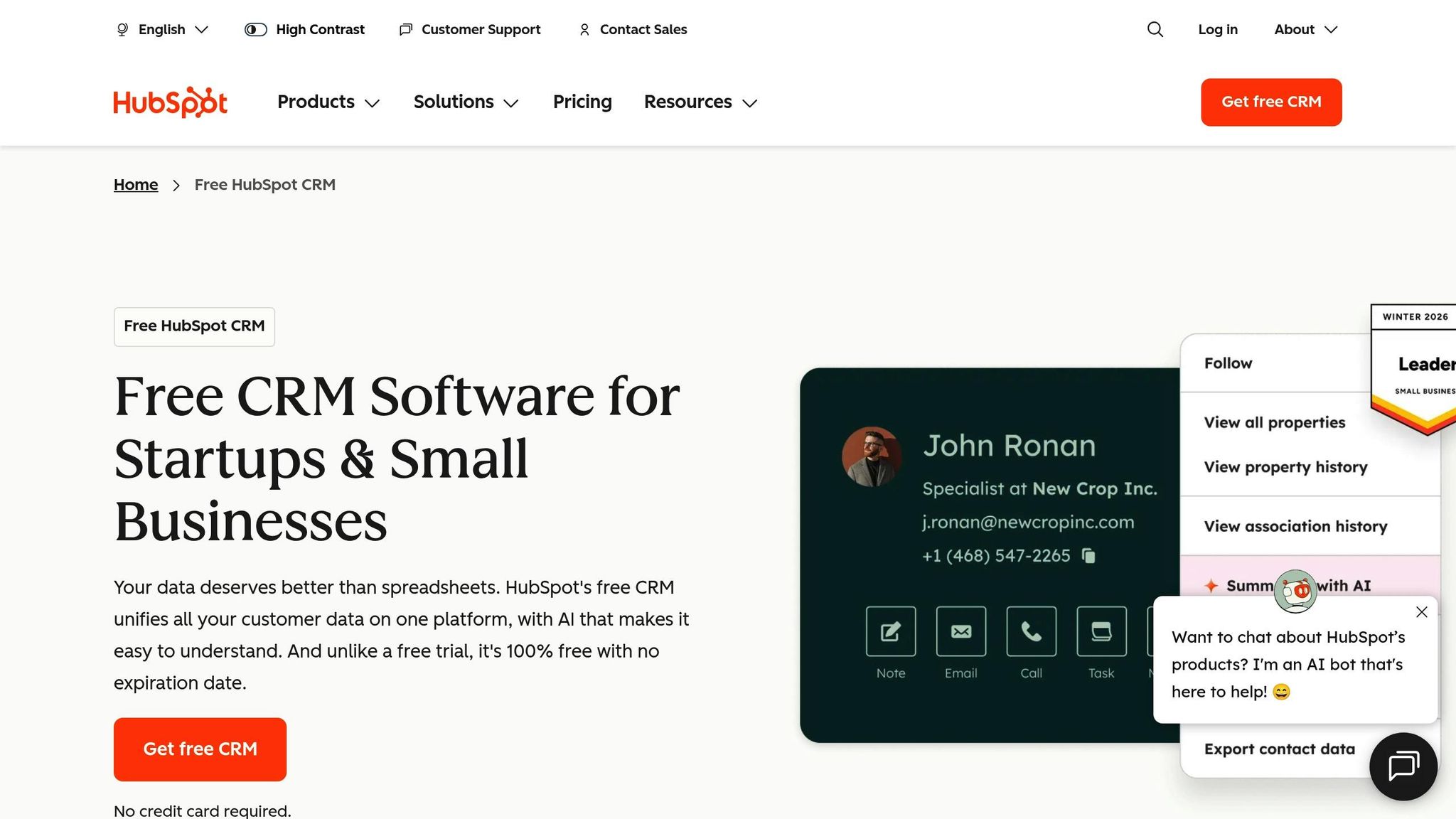
HubSpot Sales Automation brings together data from marketing, sales, and service into one central hub, eliminating the usual data silos that can slow down growing teams. By automating transitions and enhancing data insights, it creates a streamlined approach to revenue operations. Plus, it ensures clean data automatically - workflows can enforce mandatory fields like "Decision Maker Identified" before deals move forward[6].
With HubSpot, teams can embed Service Level Agreements (SLAs) right into the system. For instance, when a lead becomes a Marketing Qualified Lead (MQL), the platform automatically assigns a task to an SDR, complete with a 2-hour response window[6]. Integrated tools make it even easier - call outcomes like "not interested" can trigger CRM actions, such as enrolling contacts into long-term nurture campaigns[8].
HubSpot distinguishes between Sequences and Workflows to cater to different automation needs. Sequences are ideal for personalized, one-on-one outreach with up to five emails. On the other hand, Workflows handle more intricate processes, offering unlimited emails and conditional logic[9][10]. This flexibility is especially important when you consider that the average B2B sales rep spends just 28% of their time on actual selling, with the rest eaten up by admin tasks and manual data entry[6].
"Fusing RevOps rigor with sales automation in HubSpot unlocks a predictable revenue engine."
- Shawn Peterson, CEO, Quantum Leap[6]
On top of these automation tools, HubSpot provides real-time insights that help teams make smarter, quicker decisions.
HubSpot’s AI-powered forecasting gives sales leaders a clear view of their pipeline, complete with revenue projections that help identify risks early on[5][13]. The Conversation Intelligence feature records, transcribes, and analyzes sales calls, uncovering buyer sentiment and common objections. In 2026, Edward Arnold, Founding Account Executive at Flowla, used AI to create follow-up recaps from call transcripts, cutting prep time by 30 minutes per call and boosting demo-to-deal conversions by 12%[13].
Predictive lead scoring uses historical data to rank prospects by their likelihood to close, helping reps focus on high-value opportunities[9][10]. Sales teams report saving 2 hours a day on tasks like data entry and lead qualification[7], and automation tools like task queues and sequences save reps at least 4 hours per week[11]. The impact is clear: 73% of sales professionals say HubSpot has increased their win rate, and users close 94% more deals within six months[5].
HubSpot’s pricing structure also ensures scalability while delivering measurable returns.
HubSpot offers plans to fit teams of all sizes, starting with Starter plan ($79/mo) that includes basic features. Paid options include Starter ($15–$20 per seat/month), Professional ($100 per seat/month plus a $1,500 one-time fee), and Enterprise ($150 per seat/month with a $3,500 one-time fee). Each tier adds more advanced automation and analytics features[5][11]. For example, Professional plans include AI-powered forecasting and 300 custom workflows, while Enterprise plans offer 1,000 workflows, custom objects, and AI-driven lead scoring[5].
The return on investment is substantial. Companies using HubSpot Sales Hub see a 61% increase in average deal size and a 109% improvement in deal close rates within a year[11]. AI sales features also reduce the average time to close by 48%[5]. Choosing annual billing can save teams between 10% and 40% per seat compared to monthly payments[11].
Gong tracks 99% of customer interactions - calls, emails, and meetings - without requiring manual input [14]. Its AI, trained on over 3.5 billion sales interactions [15], transcribes conversations and identifies key topics, action items, and risks. This creates a unified view that connects CRM data with actual customer interactions. With this foundation, Gong delivers insights into buyer behavior and the status of deals.
Gong works with over 300 tools, including Salesforce and HubSpot, to consolidate customer data into one cohesive view [17]. Its AI automates repetitive tasks like drafting follow-up emails, updating CRM fields, and summarizing calls. For example, Uber for Business saved 6,700 hours on call prep, follow-ups, and CRM updates [18]. Damir Zecevic, Global Head of Revenue Operations, highlighted that Gong's AI Tracker agent boosted buyer response rates by 32% by pinpointing which value propositions resonated with specific buyer personas [18].
"At every level of our org, we now have a standardized view of our sales data, and having that is a game-changer."
- Mike Chen, Director of Product Strategy, Google [14]
Gong's AI evaluates buyer signals to assess deal health and flag stalled opportunities, offering 95% forecast accuracy [15]. Drew Korab, Director of RevOps at Upwork, shared:
"Our forecast accuracy has grown to the point that we're now at 95%. Gong lets us run a predictable revenue organization, reduce the number of tools in our tech stack, and save tons of time on forecasting" [17].
The platform's Deal Board gives a real-time view of deal stages and automatically highlights risks, such as missing decision-makers, lack of next steps, or reduced stakeholder engagement [14]. Christine Talcott, Senior Division VP of Enablement at ADP, noted that enterprise sales teams improved win rates and increased deal values by using the Deal Board to instantly check deal statuses, removing the need for reps to self-report [16]. Additionally, BairesDev achieved 7x faster reporting by replacing manual Zoom recording reviews with Gong's automated keyword trend analysis [15].
Gong helps teams grow effectively by streamlining processes. New reps ramp up 50% faster using a library of top-performer conversations [15]. The platform identifies successful behaviors and talk tracks from high-performing reps, enabling managers to replicate these strategies across their teams [19]. For instance, EdgePetrol increased its pipeline by 300% by reallocating time saved on administrative tasks [15]. Teams have also reported a 40% drop in manual admin work and a 16% boost in win rates through data-driven coaching and consistent follow-ups [20]. Gong supports scaling in regulated industries with strict privacy controls, encryption, and compliance with global standards [16]. With a 4.7/5 average rating on G2 from over 6,200 reviews, Gong was also named a Leader in the 2026 Gartner Magic Quadrant for Revenue Action Orchestration [18].
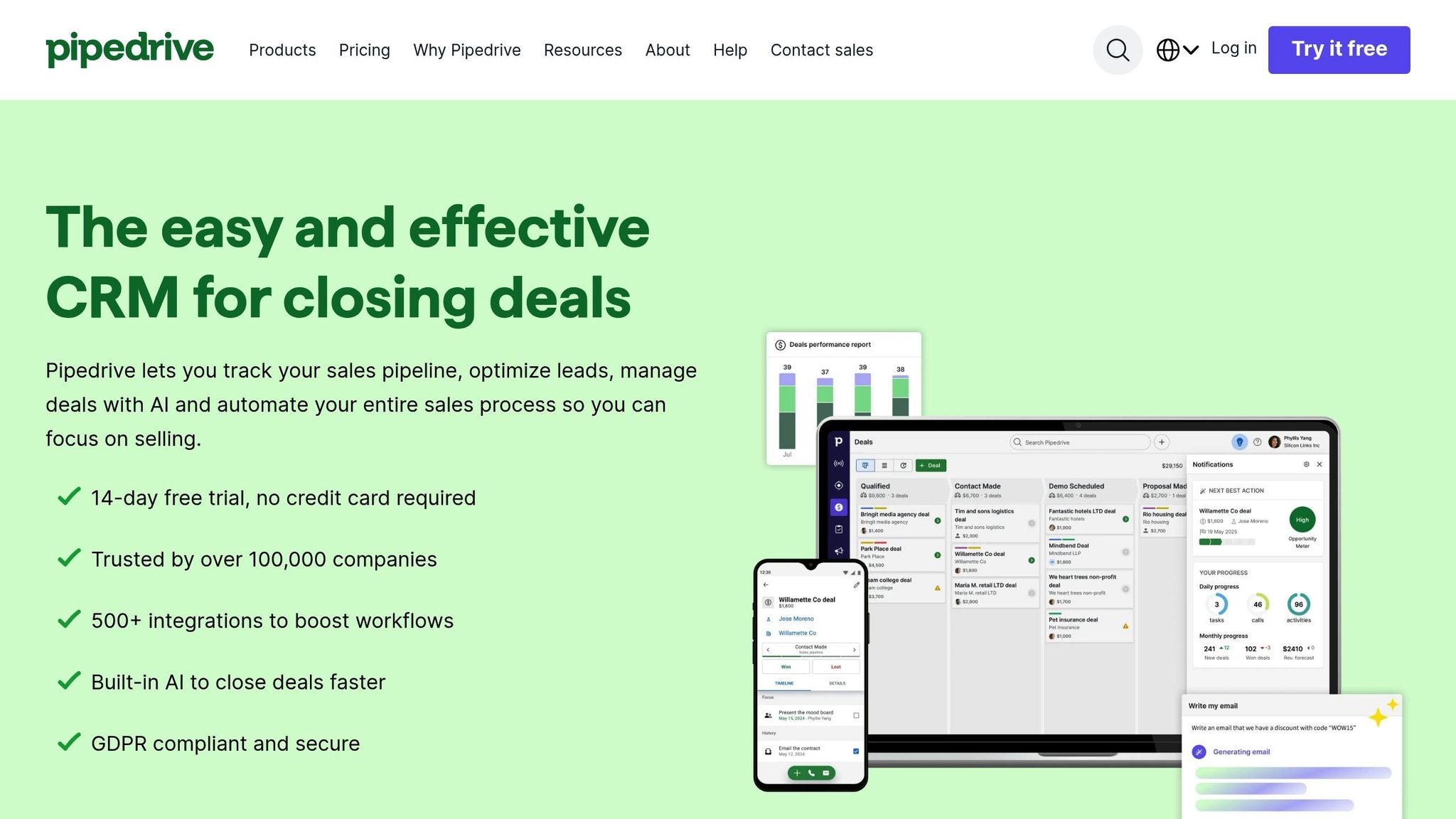
Pipedrive features a Kanban-style visual interface that simplifies deal tracking at every stage. This layout helps sales teams identify at-risk deals and overdue tasks, keeping their focus on high-priority opportunities [22]. The drag-and-drop functionality allows users to move deals between stages seamlessly, while the system automatically updates CRM fields, assigns tasks, and triggers follow-ups. This setup eliminates guesswork and keeps the sales process running smoothly.
Pipedrive integrates with over 400 apps, including Slack, Microsoft Teams, Asana, and Trello [21]. Its automation tools streamline workflows by triggering actions as deals progress. For instance, marking a deal as "Won" can automatically move it to a Customer Success pipeline, ensuring smooth client handoffs.
Companies like Redlist have seen major benefits with Pipedrive. By automating proposal creation through Smart Docs, Redlist saved each sales rep an entire day per week and achieved a 200% revenue boost [22]. Similarly, Swapped's CEO, Thomas Franklin, used location-based automation to send compliance forms tailored to client jurisdictions. This cut deal-to-close time by 21% and saved 4–6 hours per week for each rep [27].
Pipedrive goes beyond visual tools by offering actionable data insights. Its AI Sales Assistant analyzes deal patterns to estimate win probabilities and recommend next steps [29]. The platform also tracks key metrics like calls, emails, meetings, and proposals, ensuring pipelines stay active. Customizable dashboards allow teams to filter data by user, timeframe, or custom fields, making it easier to focus on specific KPIs.
For example, Big Dog Solar used Pipedrive's analytics to identify winning strategies, resulting in a 40% revenue increase [26]. Another success story comes from McKeon Group, which analyzed a year’s worth of Pipedrive data to refine its sales approach. Over four years, this led to annual turnover growth from €7 million to €11 million [29].
Pipedrive is designed to grow with your business, offering modular add-ons like LeadBooster, Campaigns, and Smart Docs. These features let teams expand their capabilities without paying for tools they don’t need [23]. The platform supports over 100 custom fields and multiple pipelines, making it a fit for even the most complex sales processes.
Adam Graham of Gray Matters replaced simple spreadsheets with Pipedrive’s tools, boosting the company’s sales conversion rate by 50% in just 18 months [24]. Similarly, SiteForce has used Pipedrive since 2017 to manage 100–125 custom data points, doubling its revenue and tripling its field operations team size. As Ron Daniels from SiteForce explained:
"Pipedrive, through the customization, has enabled us to capture that data in a meaningful way... so our field team at night has real-time access to what they need" [23].
Pipedrive’s pricing ranges from $14 to $89 per user per month (billed annually) and includes a 14-day a demo with no credit card required [23][28]. On average, users report a 93% increase in deals within their pipeline and a 46% reduction in deal closing time [23]. Teams also see a 21% uptick in the value of closed deals [25]. Sales reps using automation tools are 16% more likely to hit their targets and 22% more likely to feel satisfied with their jobs [21]. With a 4.5/5 average rating on major review platforms and recognition as the #1 Lead Management Data Quadrant leader in 2024 [24], Pipedrive proves to be a worthwhile investment for growing sales teams.
Outreach is a Sales Execution Platform designed to integrate seamlessly with your CRM. It acts as the central hub for daily sales activities, while the CRM remains the primary system of record [31][35]. By automatically capturing buyer interactions and syncing them with CRM records, Outreach eliminates the need for manual data entry - saving sales professionals an average of 4.5 hours each week [30][33]. This automation creates a smoother workflow and allows teams to focus on high-value tasks.
Outreach keeps data consistent across the sales team with its bi-directional sync, ensuring everyone operates from a single source of truth [30]. Automated triggers streamline processes - sending a proposal automatically updates the CRM to “Proposal Sent,” and viewing a contract advances the stage to “Contract Negotiation” [30]. AI-powered agents analyze CRM and external data to suggest next steps and identify at-risk deals, reducing manual data entry by 40% [34].
For example, Cisco’s team of over 1,200 sellers replaced 30+ disconnected tools with Outreach, resulting in an 85% increase in sales activity and a 5% boost in deal closure rates. Deals also closed 50% faster [43]. Similarly, Amplitude saved more than $600,000 annually by consolidating five separate platforms into Outreach’s unified solution [42].
The platform’s Kaia feature provides real-time coaching during calls, offering content cards tailored to live conversation topics and flagging objections as they arise [42][44]. Outreach’s Deal Agent gathers intelligence from calls, emails, and meetings to highlight risks and recommend precise CRM updates [42][43]. For forecasting, Outreach Commit uses AI to analyze buyer engagement signals, delivering lead scoring accuracy above 0.85 and ROC AUC scores exceeding 0.90 [43].
Thorsten Reichenberger, Head of Revenue Operations at Siemens, shared:
"The goal was always simplicity. Reps are finding it much easier than Salesforce. And now we're getting easier, deeper insights into the structure in a way we've never had before" [37].
Outreach is built to scale with growing teams. Configurable profiles and roles ensure that as your business expands, the right people have access to the right data [37][40]. Teams using Outreach report a 60% increase in productivity, a 45% growth in deal sizes, and a 26% rise in win rates [37][38].
Outreach’s pricing reflects its value for businesses aiming to grow efficiently. The base plan starts at around $100 per user per month (billed annually), with implementation fees of approximately $1,000. On average, companies see a 299% ROI over three years, with a payback period of just 13 months [32][41]. Advanced sales automation users report an ROI of $5.44 for every dollar invested [36]. The platform is highly rated, with a 4.8/5 on Gartner and 4.7/5 on G2, and it’s featured as a leader in The Forrester Wave™: Revenue Orchestration Platforms for B2B (Q3 2024) [38].
ZoomInfo plays a key role in streamlining revenue operations by acting as a data enrichment and intelligence layer that integrates seamlessly with CRMs like Salesforce and HubSpot. It enriches CRM records with firmographic details such as industry, employee count, revenue range, tech stack, and job titles. This is crucial because B2B contact data tends to decay at a rate of 22–30% annually, which Gartner estimates can cost organizations an average of $12.9 million per year [45].
ZoomInfo’s native integrations allow data to flow directly into CRM records, enabling sales teams to enrich contact information effortlessly [39]. Its Operations platform centralizes contact, account, and engagement data, ensuring a bi-directional sync that creates a unified view for sales, marketing, and customer success teams [2]. The platform also automates processes like lead-to-account matching, deduplication, and intelligent routing - whether round-robin or territory-based - reducing manual tasks [50].
Additionally, its intent-based automation adds another layer of efficiency by identifying buying signals, such as keyword research or competitor analysis, and feeding this data into the CRM. This triggers priority routing and scoring, ensuring high-value leads are addressed quickly [45].
Safety Services experienced a 200% increase in Marketing Qualified Leads within a single month by automating their sales processes with ZoomInfo Workflows. David Carter, Vice President of Marketing at Safety Services, shared:
"The time savings with Workflows has been incredible" [50].
ZoomInfo Copilot processes millions of daily signals, delivering Breaking Alerts through Slack so teams can act on time-sensitive opportunities without delay [46]. It also identifies target audiences most likely to engage by analyzing website activity, case studies, and earnings call summaries [46]. During beta testing, Copilot identified 45% of the open opportunities in users’ CRMs, with beta participants generating nearly twice as many sales opportunities as those not using the feature [46].
The results speak for themselves. Snowflake reported a 200% increase in conversion rates, while Redwood Logistics achieved a 310% boost in click-through rates and a 99% reduction in cost-per-click. Additionally, Redwood saved over 20 hours per week for their team by leveraging ZoomInfo’s data enrichment and scoring models. A representative from Redwood Logistics noted:
"Thanks to ZoomInfo, we no longer have to question the source or reliability of the data in our systems. We're now able to enrich and integrate data in any workflow, in real-time, at scale" [48].
This level of real-time insight allows revenue teams to act decisively and streamline their operations further.
ZoomInfo operates on a credit-based pricing model. One credit covers extensive data enrichment across people, company details, and signals, and credits remain valid for one year. Refreshing previously enriched records during this period doesn’t consume additional credits [49]. Pricing tiers include the Professional level, which costs approximately $15,000–$18,000 annually, and the Elite tier, which ranges from $35,000–$45,000+ per year. Costs depend on the number of seats, credits, and optional modules like Intent or WebSights [47].
ZoomInfo has earned a 4.4/5 rating on G2 from 351 reviews and holds the #1 spot in 150 G2 Reports [48]. Companies like Workfront have seen impressive results, doubling activity and growing their pipeline by over 90% annually since adopting ZoomInfo [49]. Apricorn also reported a 10% increase in response rates and saved 5 hours weekly per sales rep through AI-powered prospecting [2].
With nearly 90% of CRM data being incomplete and poor data quality costing organizations up to 25% of their annual revenue, ZoomInfo’s unification capabilities tackle a critical challenge in revenue operations [51]. Its transparent pricing and measurable results make it a powerful tool for teams looking to optimize their sales and marketing efforts.
Here's a closer look at some key RevOps tools, comparing their pricing, features, and scalability to help you make an informed choice:
| Tool | Starting Price | Ideal For | Key Capabilities | Scalability Level |
|---|---|---|---|---|
| KeepSync | $79/month (up to 1,000 contacts) | Job change tracking and warm lead conversion | Automated job change alerts, 94% accuracy, HubSpot-native integration, verified contact enrichment | Medium (grows with contact volume) |
| HubSpot Sales Automation | $90/user/month | All-in-one CRM and sales automation | Unified marketing, sales, and service platform, workflow automation, email sequences, meeting scheduling | Medium-High (all-in-one solution) |
| Gong | ~$100–$150/user/month | Conversation intelligence and rep coaching | Call recording, AI-powered insights, deal risk analysis, coaching recommendations | High (enterprise sales-led teams) |
| Pipedrive | Contact for pricing | Simple pipeline management for SMBs | Visual pipeline, activity-based selling, mobile app, basic automation | Low-Medium (ease of use focus) |
| Outreach | ~$100–$150/user/month | Sales engagement and outbound sequences | Multi-channel cadences, A/B testing, engagement analytics, task automation | High (enterprise outbound) |
| ZoomInfo | $15,000–$18,000/year | Data enrichment and intent signals | Comprehensive contact and company data, intent tracking, CRM auto-enrichment, workflow automation | High (enterprise data coverage) |
Each tool serves a distinct purpose within revenue operations, offering a range of features to streamline workflows and drive growth.
For teams looking to start small, KeepSync provides a Starter plan ($79/mo), making it easy to experiment with job change tracking. HubSpot, at $90/user/month, is an accessible option for businesses seeking an all-in-one CRM. On the other hand, tools like ZoomInfo require a more substantial investment, catering to mature teams with advanced needs.
If scalability is a priority, HubSpot and Gong stand out. HubSpot functions as a comprehensive system of record, while Gong adds a layer of intelligence with its AI-driven insights. According to research, sales professionals using AI and automation tools can save up to two hours daily on administrative tasks, reclaiming as much as 25% of their workday for revenue-focused activities [7].
When choosing a RevOps tool, focus on data quality and integration capabilities. The effectiveness of any tool depends on the accuracy and freshness of its data. Make sure to verify match rates and how often the data updates before committing [53]. Additionally, ensure the tool supports bidirectional syncing with your CRM to prevent data silos as your team grows [12].
Building a scalable revenue engine depends on tools that eliminate operational headaches. A well-chosen RevOps stack can amplify your team's efforts - connecting disjointed systems, automating repetitive tasks, and equipping your team with actionable data to make confident decisions [52].
Start by identifying your biggest bottlenecks. Are deals slipping through the cracks when contacts change jobs? Are your sales reps bogged down with data entry instead of focusing on closing deals? HubSpot's 2026 Sales Trends Report reveals that sales professionals save about two hours daily with AI and automation tools, freeing up to 25% of their day for revenue-generating activities [7]. This highlights just how critical seamless, integrated operations can be.
"Revenue teams don't need another tool. They need CRM-integrated orchestration software that actively reduces friction and standardizes action across the go-to-market engine."
– Jonathan M Kvarfordt, Momentum [12]
Prioritize integration above all. Poorly synced CRMs can lead to new data silos, undermining your efforts. Companies using integrated revenue intelligence tools report 69% higher revenue growth compared to those without [54]. Integration forms the backbone of any successful growth strategy.
Choose tools that match your current stage of growth. For example, KeepSync’s Starter plan ($79/mo) can monitor up to 1,000 contacts, HubSpot’s all-in-one CRM starts at $90 per user per month, and enterprise-level conversation intelligence tools often begin at $1,000 or more per user annually [1]. Focus your investment on what your business needs today, not on hypothetical future requirements.
A revenue operations platform should be your first choice when implementing RevOps tools. Think of it as the central hub for all your data, bringing together information from sales, marketing, and customer success teams. By consolidating this data into a single source of truth, these platforms help ensure accuracy, simplify workflows, and lay the groundwork for scaling your operations efficiently.
To avoid data silos when implementing RevOps tools, opt for integrated solutions that bring data together and ensure smooth information sharing. Prioritize standardizing workflows, providing shared visibility throughout the customer journey, and establishing a single source of truth (SSOT). Additionally, focus on unified data management practices, encourage a culture that values integration, and consider consolidating platforms to maintain strong data connections across all systems.
Keeping your CRM data accurate requires consistent attention and effort. Start with regular data hygiene practices - this means verifying and updating contact details, removing duplicate entries, and filling in any missing information. To go a step further, consider using data enrichment tools to add verified insights, which can make your data more actionable.
Automation can also be a game-changer. Automate validation and cleansing processes to save time and reduce human error. And don’t forget about regular audits - these help you spot issues early and keep your data reliable as your business scales. Continuous updates and monitoring are key to maintaining quality over time.