
Digital Marketing
·
April 10, 2026
How SaaS Companies Handle Billing Disputes & Chargebacks
Learn how SaaS billing disputes happen, what triggers chargebacks, and how both sides can resolve them faster.

Identify, track, and re-engage former customers with CRM segmentation, job-change alerts, and automated personalized outreach to boost conversions and lifetime value.

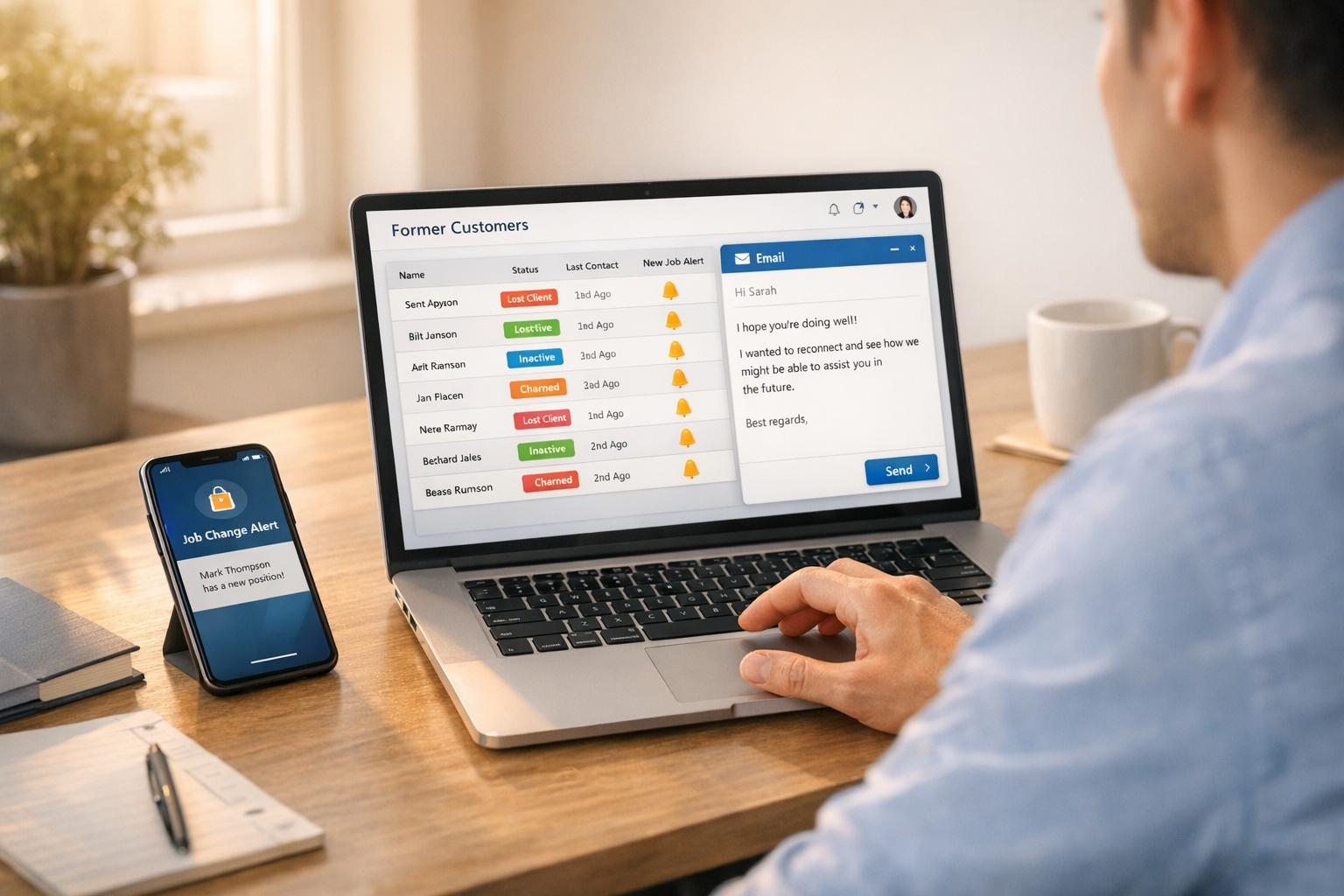
Winning back former customers is easier and cheaper than finding new ones. Here’s why:
The challenge? Managing and scaling outreach to hundreds or thousands of past customers. That’s where HubSpot CRM and KeepSync can help. HubSpot organizes customer data, segments leads, and automates outreach. KeepSync tracks job changes, helping you reconnect when timing is ideal. Together, these tools streamline the process, letting you send timely, tailored messages that increase conversions.
Here’s how to:

Former Customer Outreach ROI Statistics and Conversion Rates
Start by identifying all your former customers in HubSpot CRM. This includes accounts that churned, deals marked as closed-lost, and inactive past champions. Use filters to locate these records, such as a custom "Churned" Lifecycle Stage or Closed Won deals with expired Contract End Dates. For closed-lost opportunities, create a segment based on the Deal Stage set to "Closed Lost" and further refine it by filtering through the Closed Lost Reason to understand why the deals fell through. Once you've gathered this data, it's time to segment these customers based on their behavior and value.
Use active lists to segment former customers dynamically. These lists update in real-time based on criteria like Lifecycle Stage being "Customer" and Last Contacted exceeding 90 days. You can also organize contacts into time-based categories, such as:
To prioritize outreach, filter contacts by factors like high average order value, frequent past purchases, or engagement levels (e.g., content downloads or website visits).
"80% of leads never convert on the first interaction, making re-engagement campaigns critical for maximizing ROI from your lead generation efforts." - Onkar Vengurlekar, Marketing Operations Professional [4]
Once you've established these segments, refine your targeting further by tagging contacts based on their interaction history.
Use custom properties to tag contacts with labels like "Past Champion" or "Churned." This allows you to tailor your win-back messaging to address specific churn reasons, such as pricing concerns, product fit, or service issues. HubSpot's Professional and Enterprise tiers also let you apply association labels to identify key roles, like Champions within an account.
Keep an eye on trigger events - such as a contact reopening an old email or changes in company leadership - to re-engage at the right moment. To maintain clean and effective lists, periodically send a "Last Chance" email to inactive contacts, giving them the option to unsubscribe. This practice not only helps you focus on engaged leads but also improves your email deliverability over time.

When former decision-makers move to new companies, they become some of your best leads. They already know your product, trust your brand, and likely face familiar challenges. But here's the catch: about 25% of contacts become outdated every year [3]. Relying on manual methods like LinkedIn or Google Alerts to track these changes is a huge time sink. That’s where KeepSync steps in. It automates the process, scanning over 30 data sources weekly and sending you real-time updates when job changes occur.
Setting up KeepSync with HubSpot is quick and straightforward - it takes about five minutes through the HubSpot Marketplace. Once installed, confirm the necessary permissions and activate the "Data Enrichment" and "Buyer Intent" features during setup.
In the Connected Apps settings, choose "Contacts" as the object to sync and set your preferred sync direction. HubSpot refreshes every five minutes and even offers a 30-day historical data backfill at no extra charge.
KeepSync keeps an eye on your contacts weekly with an impressive 94% accuracy rate [5]. When a former customer lands a new job, the system logs "Job started" and "Job ended" events directly in their HubSpot timeline. It also sends you instant notifications through Slack, email, or HubSpot - whichever works best for your team.
These alerts are perfect for jumpstarting outreach. Use this moment to reconnect, remind them of your past relationship, and offer support as they settle into their new role. With HubSpot’s Professional or Enterprise subscription, you can even set up workflows that automatically launch outreach sequences as soon as KeepSync detects a job change. It’s a seamless way to turn these updates into actionable opportunities.
Once job change alerts are in place, the next step is setting up an automated outreach system in HubSpot. This allows you to re-engage former customers seamlessly. When KeepSync identifies a job change, HubSpot Sequences can trigger personalized outreach that combines automated emails with timely manual tasks. Enrollment in the sequence should happen immediately after a job change alert is flagged. Note that this feature requires Sales Hub Professional or Enterprise, and the sender must have a connected personal email and an assigned seat [6][7].
Start your email with a warm congratulatory note, such as: "Congrats on the new role at [Company]!" Then, tie in a specific highlight from your previous collaboration. For instance, if your product helped streamline operations or deliver measurable results at their former workplace, mention that success. This approach not only acknowledges the relationship you’ve already built but also makes your outreach feel more relevant and personal. HubSpot's personalization tokens make this easier by automatically adding details like their new job title, company name, and previous employer [7].
"80% of customers are more likely to make a purchase from a company that offers a personalized experience, and 45% of recipients who receive a re-engagement email go on to read subsequent messages." [1]
"DoorDash's win-back campaign, for instance, featured the playful headline 'Knock, knock' along with sensory copy like 'Don't you miss the sound of a delicious meal arriving at your door?' to evoke positive memories." [2]
Take a similar approach: reference a shared success story and offer your support as they settle into their new role.
Your outreach sequence should include multiple touchpoints. Start with an automated congratulatory email, followed by a manual call task a few business days later. This task pauses the sequence until the sales rep completes it [7]. Use segmented lists to fine-tune the timing and content of your follow-ups. For example, if you notice multiple email opens, you can schedule a LinkedIn outreach task [7][8].
Dynamic sequences can handle the initial automated emails while flagging manual tasks only when there’s engagement, such as two email opens or a link click [6]. If the contact replies or schedules a meeting, the system automatically unenrolls them to avoid redundant messages [7][8]. To increase response rates, configure emails to go out only on business days during standard work hours [7].
Finally, keep your contact data up-to-date to ensure your outreach remains effective and relevant.
Having accurate contact information is the backbone of effective outreach efforts. When former customers switch jobs, their contact details often change too. Relying on outdated data not only leads to missed opportunities but can also increase email bounce rates beyond 5%. This can put your email service at risk of suspension and damage your domain's reputation[3]. By keeping your records updated, you ensure that your outreach efforts are based on the most current and reliable information.
KeepSync simplifies the process of keeping your HubSpot records up to date by cross-referencing your CRM data with updated B2B databases[9]. When a contact changes jobs, the system automatically updates their record with verified information, including new email addresses, phone numbers, job titles, and company details. This process runs continuously in the background[10].
To activate this feature, users with Super Admin or Data Enrichment access can enable automatic record enrichment within HubSpot. Set overwrite rules to “Fill empty values and overwrite existing values” to ensure job change data stays current. Keep in mind that this system requires business email addresses for contacts and domain names for companies - personal email addresses like Gmail are not supported[10].
With updated contact details, KeepSync enriches HubSpot records further by filling in missing fields like industry, company size, and current job responsibilities[9]. This enriched data allows you to craft messages tailored to a contact’s current role and recent company developments.
Using this information to create personalized messages makes your outreach feel authentic and relevant, rather than generic. For example, if a former customer transitions from a mid-sized company to an enterprise organization, acknowledging the shift in scale and highlighting how your solution can support larger teams makes your message more engaging and relatable. This approach positions your outreach as timely and genuinely helpful.
Now that you’ve updated your contacts and automated your outreach, it’s time to focus on routing those re-engaged leads and tracking how well your efforts are working. A well-structured system ensures no lead slips through the cracks and that every opportunity is maximized. Proper routing and measurement are key to turning re-engaged contacts into real sales opportunities.
HubSpot workflows can handle lead routing automatically, based on specific actions your former customers take. For example, you can trigger workflows when someone clicks a re-engagement link, fills out a resubscription form, or visits key pages like pricing. To keep the process dynamic, enable re-enrollment settings so leads can re-enter the workflow if they meet the criteria again after a period of inactivity.
To make routing more effective, use if/then branches tailored to customer behavior or past purchases. For instance, if a lead shows interest in an enterprise plan, the workflow can assign them to a senior account executive rather than a general sales rep. The "Rotate record to owner" feature ensures leads are distributed evenly across your team, avoiding bottlenecks. Additionally, update the contact’s Lead Status within the workflow - for example, set it to "Brand New Lead" when they first re-engage and change it to "Connected" once a sales rep makes contact. This keeps your pipeline organized and helps managers identify which leads still need attention.
To ensure quick follow-ups, set up internal notifications that alert sales reps as soon as a former customer engages. You can also automate task creation, like assigning a “Call re-engaged lead” task, so your team doesn’t miss a beat.
Once routing is in place, the next step is to measure the success of your re-engagement efforts.
KeepSync’s analytics give you a clear picture of how your outreach is performing. Start by monitoring email engagement metrics like open rates and click-through rates to identify which messages resonate most with your audience. Research shows that 45% of recipients who engage with win-back emails are likely to continue interacting with future communications[1].
Beyond email performance, track how leads progress through your pipeline. Measure how many contacts move from "Brand New Lead" to "Connected/Replied" and eventually to "Open Opportunity." For deeper insights, create segmented reports by sales rep to see who’s excelling at converting re-engaged leads.
Keep an eye on pipeline and deal value generated from your outreach. Interestingly, won-back customers often bring more value over time, with an average lifetime value of $1,410 compared to $1,262 for first-time customers[1]. These metrics help you calculate the ROI of your re-engagement campaigns and provide a solid case for continuing to invest in outreach to former customers.
Developing a program to re-engage former customers doesn't have to be complicated. With tools like HubSpot for organizing contacts, KeepSync for tracking job changes, and automation for personalized campaigns, you can craft a system that transforms inactive connections into revenue opportunities. Refreshing contact data and efficiently routing leads further streamlines the process.
The combination of HubSpot and KeepSync tackles one of the toughest challenges in re-engagement: staying relevant. Considering that roughly 25% of your email database becomes outdated each year[3], job change alerts keep you in the loop when former advocates move into new decision-making roles. HubSpot then enables you to send personalized sequences that reference your shared history, making your outreach feel genuine and human - not robotic. This blend of timing and personalization creates a competitive edge, ensuring your message lands when it’s most impactful.
Reconnecting with past customers also delivers measurable results. On average, won-back customers boast a lifetime value of $1,410, compared to $1,262 for first-time buyers. Plus, 45% of recipients who engage with re-engagement emails remain engaged with future communications[1]. Use these insights to refine and improve your outreach strategy over time.
If you're just starting, focus on the basics: segment your most valuable former customers, set up simple monitoring, and create a three-email sequence. As you see results, scale up with more advanced workflows. The secret lies in consistency - monitor regularly, reach out promptly, and track what’s working to continually improve.
KeepSync simplifies the process of reconnecting with former customers, making it both effective and effortless. By using advanced automation and analyzing customer data, it identifies the ideal moments to reach out. It then automates personalized follow-ups tailored to each customer’s unique preferences, boosting the likelihood of re-engagement.
On top of that, KeepSync uses job change intelligence to track when key decision-makers move to new roles. This creates opportunities to reestablish connections and explore new business possibilities. Together, these tools help businesses transform past customers into promising leads, nurture stronger relationships, and improve ROI.
To run smooth and effective personalized outreach campaigns in HubSpot, follow these key steps:
For a personal touch, incorporate personalization tokens and dynamic content into your emails. This customizes each message for the recipient, helping you deliver messages that feel tailored and engaging. These strategies not only save time but also boost both engagement and overall campaign effectiveness.
Accurate and current contact information plays a crucial role in any successful re-engagement strategy. If your customer details are outdated, your messages might not reach the right person, making it nearly impossible to reconnect or rebuild the relationship.
Having up-to-date details also allows for more personalized and relevant communication. This can greatly increase the likelihood of sparking interest again and transforming past customers into promising leads. Taking the time to regularly review and update your database is a simple yet powerful way to boost your re-engagement efforts.