
Digital Marketing
·
April 10, 2026
How SaaS Companies Handle Billing Disputes & Chargebacks
Learn how SaaS billing disputes happen, what triggers chargebacks, and how both sides can resolve them faster.

Compare HubSpot-native, multi-CRM, and standalone options to track job changes without Salesforce—see accuracy, automation, and pricing.


Job change tracking is crucial for sales teams to identify opportunities and reduce customer churn. Many tools, like Champify, cater exclusively to Salesforce users, leaving those using other CRMs, like HubSpot or Pipedrive, at a disadvantage. This article explores three options to track job changes effectively without relying on Salesforce:
Key takeaway: Choose a solution based on your CRM setup, team size, and automation needs. KeepSync is a strong choice for HubSpot users, while multi-CRM platforms and standalone tools cater to broader or simpler requirements.
| Option | Best For | Integration | Automation Level | Pricing Example |
|---|---|---|---|---|
| KeepSync | HubSpot users | Native HubSpot | High | Free for 1,000 contacts; $149/month for 5,000 |
| Multi-CRM | Teams with multiple CRMs | Wide CRM compatibility | Varies | Tiered pricing, often higher for enterprise |
| Standalone Tools | Small teams, simple needs | CRM-neutral | Limited | $50-$100/month for basic plans |
The right tool depends on your CRM and workflow preferences.
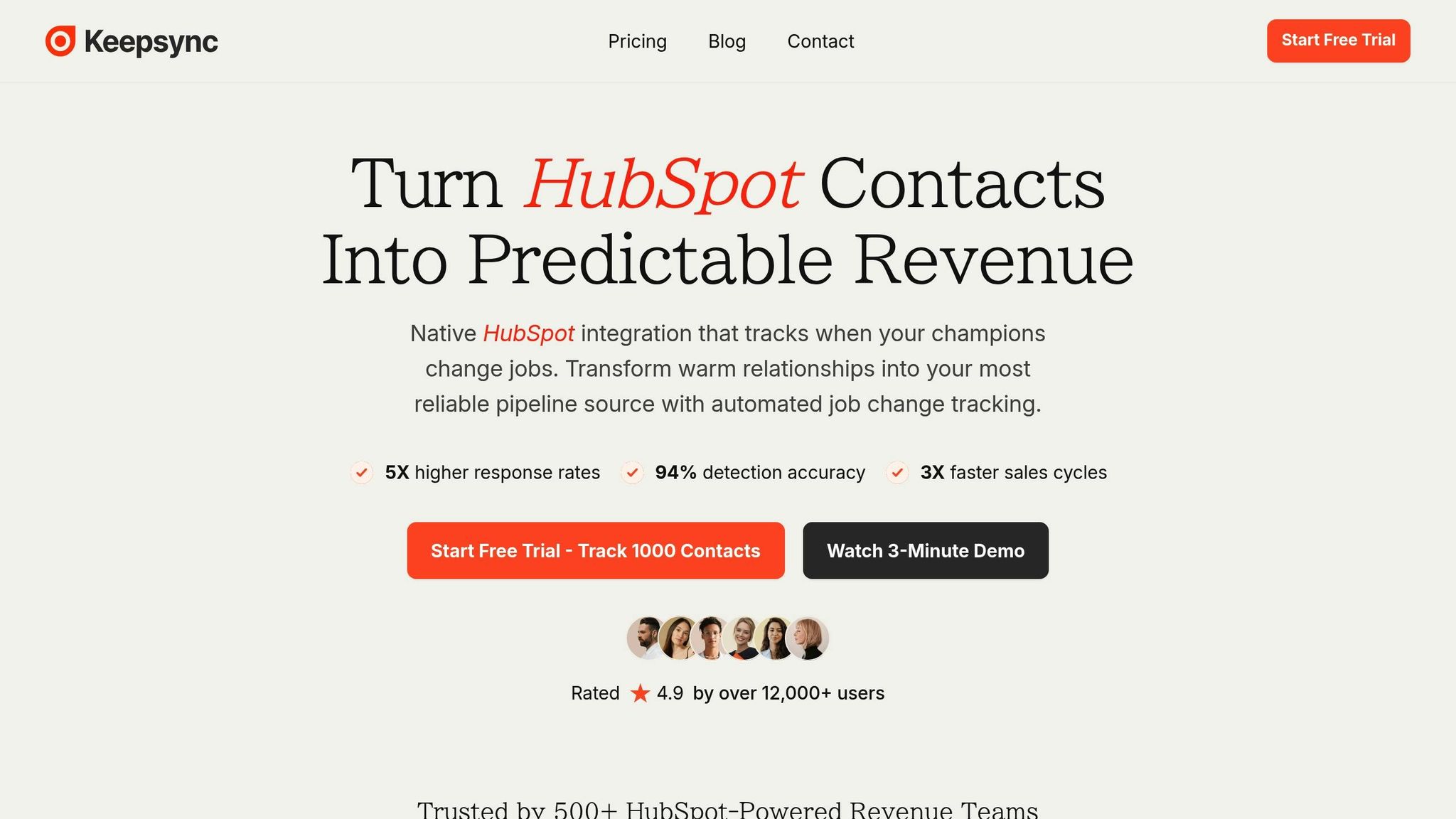
KeepSync is tailored for HubSpot users who need a reliable way to track job changes without depending on Salesforce. It scans your contacts weekly and sends real-time alerts whenever someone changes jobs, ensuring you never miss an important update.
KeepSync integrates seamlessly with HubSpot, making sure job change data is directly incorporated into your workflows, contact records, and deal pipelines. As it’s specifically designed for HubSpot users, the tool fits right into your existing CRM setup.
With an impressive 94% accuracy rate, KeepSync uses multi-source verification and human review to minimize errors. This reduces false positives and ensures your contact records are enriched with accurate, up-to-date information. When a job change is detected, the system updates details like current email addresses, phone numbers, and company information. This gives your sales team actionable insights to capitalize on new opportunities without delay.
KeepSync streamlines job change responses by leveraging HubSpot's workflows. You can set up automatic lead routing, launch personalized email sequences, or schedule follow-up tasks. Notifications can be delivered via Slack, email, or directly within HubSpot. Paid plans also include webhooks and API access for custom integrations. Additionally, pipeline analytics help you track key metrics like response rates and ROI from job change opportunities. These features are available through flexible pricing options to meet various business needs.
KeepSync offers a straightforward, usage-based pricing structure with no mandatory annual contracts:
| Plan | Monthly Price | Annual Price | Contacts Included | Overage Rate | Key Features |
|---|---|---|---|---|---|
| Starter | $79/mo | Free | 1,000 | N/A | Weekly monitoring, email alerts, webhooks, email support |
| Team | $149 | $1,490/year | 5,000 | $0.02/contact | Slack alerts, API access, priority support |
| Agency | $399 | $3,990/year | 20,000 | $0.015/contact | White label, dedicated CSM |
The Starter plan is free and allows full monitoring for up to 1,000 contacts monthly. The Team plan, priced at $149 per month, supports 5,000 contacts and includes Slack integration, API access, and priority support, with an overage charge of $0.02 per additional contact. For businesses managing larger volumes, the Agency plan provides support for 20,000 contacts, white-label options, and a dedicated customer success manager, with overage charges at $0.015 per extra contact. Opting for annual billing can save you money compared to monthly payments.
Multi-CRM platforms are designed to integrate seamlessly with various CRMs, helping organizations track job changes across their entire tech stack. Whether your team uses Microsoft Dynamics, Pipedrive, Zoho, or other systems, these platforms allow you to connect without locking into a single ecosystem. For businesses juggling multiple CRM systems, this approach offers a flexible alternative to sticking with one platform.
One of the standout benefits of multi-CRM platforms is their wide compatibility. They often work with popular systems like HubSpot, Microsoft Dynamics 365, Pipedrive, Zoho CRM, and Copper, with some even supporting additional platforms. This flexibility is particularly helpful when different teams rely on separate CRMs. However, the depth of integration can vary - some platforms provide a native two-way sync, while others depend on APIs or third-party tools to connect. It's important to confirm that your CRM version is supported and to understand which data fields sync automatically versus those that may require manual updates.
When it comes to tracking job changes, accuracy can differ significantly between platforms. The challenge lies in pulling data from multiple sources like professional networks, public records, and specialized databases. Many platforms reduce the risk of false alerts by cross-referencing data points and assigning confidence scores to updates. Another factor to consider is the refresh rate - some platforms update daily, while others refresh weekly - which impacts how quickly and reliably you receive notifications.
Automation features depend heavily on the capabilities of the connected CRM. Systems with advanced workflow engines enable automated tasks like updating lead scores, assigning responsibilities, or launching email campaigns. For platforms with limited automation options, you may need to rely on middleware or custom-built workflows. Notifications can be delivered in various ways, including email alerts, in-app updates, or webhook triggers, ensuring that your team stays informed.
The cost of multi-CRM platforms is influenced by several factors, including the number of contacts you monitor, the number of CRM connections required, and the features included. Vendors typically offer tiered pricing plans, catering to everything from small teams to large enterprises. Annual contracts often come with discounts, but you should also account for potential extra fees, such as charges for additional integrations, exceeding usage limits, or premium support. To determine if the investment is worthwhile, evaluate the total cost of ownership, factoring in integration and maintenance expenses. For teams managing multiple systems and scaling operations, the flexibility offered by these platforms can be a strong selling point.
Ultimately, the value of a multi-CRM platform depends on your specific needs. If your organization works across several CRMs or wants the option to switch systems in the future, the added complexity and cost may be justified. On the other hand, if you're primarily using a single CRM, sticking with a solution tailored to that platform might provide a simpler and more precise experience.
Standalone tools offer a focused, independent way to track career moves and get alerts when your contacts switch companies. Unlike integrated solutions, these tools operate outside your CRM, delivering notifications through their own platforms or via email. This makes them a good option for teams that want dedicated job tracking without complicating their existing CRM setup.
Standalone tools interact with CRMs differently than integrated platforms. They often require manual data transfers or basic API connections to sync information. While some platforms offer API integrations, these typically need technical setup or help from tools like Zapier or Make.
The advantage of standalone tools is their flexibility - they work with any CRM, whether it’s a major player or a niche system. However, this means you’ll need to figure out your own process for moving data. For smaller teams, exporting a weekly report and uploading it to the CRM might be manageable. On the other hand, larger organizations with extensive contact lists may find this manual approach impractical. The CRM-neutral design of these tools makes them a useful complement to integrated systems, but not a replacement.
These tools often specialize in job change tracking, which can lead to more refined algorithms and data sources. They typically pull information from professional networks, company announcements, press releases, and public databases. The accuracy of their alerts depends on the quality of their data partnerships and verification methods.
Some tools focus on specific industries, offering more precise insights for niche markets but at the cost of broader coverage. The frequency of updates varies - some tools check for changes multiple times a day, while others only scan weekly. Unlike CRM-integrated options, real-time alerts are less common, meaning there could be a delay before you’re notified of a job change.
False positives can be an issue. For example, a contact might update their LinkedIn profile with a new title at the same company, and some systems might mistakenly flag this as a job change. Higher-quality tools use confidence scoring and require multiple data points to verify changes before sending alerts. When evaluating these platforms, ask about their verification processes and how accurate their alerts are in distinguishing actual job changes from profile updates or promotions.
Since standalone tools operate outside your CRM, their automation capabilities are limited. Most send email notifications or provide in-app dashboards to review recent changes. Some also offer webhook functionality, which allows you to trigger actions in other systems. For instance, you could set up a webhook to create a task in your project management software or notify your sales team in Slack when a key contact changes jobs. However, this requires technical setup.
Without built-in automation for tasks like lead scoring or campaign triggers, it’s easy for job change alerts to go unnoticed. To make the most of these tools, establish a regular review process to assign follow-ups. While these tools don’t offer deep automation, their specialized focus can still provide valuable sales insights when used effectively.
Standalone tools usually charge based on the number of contacts monitored or the volume of job change alerts sent. Entry-level plans often start at $50-$100 per month for a few hundred contacts, while enterprise plans for tens of thousands of contacts can cost several thousand dollars per month. This pricing model is predictable but can become costly as your contact list grows.
Be aware of usage limits - many tools cap the number of alerts or exports you can access each month and may charge overage fees if you exceed those limits. Annual contracts often come with discounts of 10-20%, but make sure the tool delivers enough value before committing to a long-term plan.
For businesses with lean teams or simple workflows, the straightforward pricing and focused functionality of standalone tools can be appealing. However, for larger organizations, the additional manual effort required may offset the lower upfront costs.
This section breaks down the main strengths and limitations of various job change tracking methods, helping you decide which one aligns best with your needs.
Different methods offer distinct benefits and trade-offs. By understanding these variations, you can choose the option that fits your workflow and technical preferences.
KeepSync is a HubSpot-native tool designed for automated job change tracking. It delivers an impressive 94% tracking accuracy, requires only five minutes to set up, and provides weekly updates across over 30 data sources. Notifications can be sent through Slack, email, or directly into HubSpot, enabling you to automate workflows like updating contact details or routing leads. Pricing is straightforward, starting at $79/mofor 1,000 contacts and going up to $149 for 5,000 contacts. KeepSync is specifically tailored for HubSpot users, making it a seamless addition to their ecosystem.
Some platforms are designed to work across multiple CRMs, while standalone job change tracking tools focus solely on tracking without direct CRM integration. These alternatives can offer more flexibility and may include additional data enrichment features. However, they often involve more technical setup or manual processes to tie alerts back into your CRM. Standalone tools, in particular, require manual integration, which can add to the workload. These differences underline the compromises that come with non-native systems.
The best choice depends on your CRM system and how much you value automation. For teams dedicated to HubSpot and looking for an efficient, automated solution, KeepSync is a standout option.
Breaking free from Salesforce lock-in doesn’t mean sacrificing the quality of job change tracking. The right solution for you will depend on your CRM setup, technical expertise, and budget priorities.
For HubSpot users, KeepSync is a standout option. It offers seamless native integration with an impressive 94% accuracy rate, a quick five-minute setup, and Starter plan ($79/mo) covering up to 1,000 contacts. With KeepSync, you can fully automate job change tracking within HubSpot. The platform scans contacts weekly across 30+ data sources and sends alerts straight to your existing tools, whether that’s Slack, email, or HubSpot workflows. Plus, its tiered pricing allows you to scale as your contact list grows.
If cost is a concern, KeepSync’s Starter plan ($79/mo) is a great way to dip your toes into job change tracking without committing to a larger investment right away.
For teams managing multiple CRMs, multi-CRM solutions provide flexibility. While these tools require more technical setup, they’re a good fit for organizations with IT resources and plans to potentially switch CRMs down the line. The added complexity can be worth it if your team needs a solution that works across different platforms.
On the other hand, standalone tools are ideal for smaller teams or businesses testing the waters with job change intelligence. These tools offer basic tracking features without CRM integration, meaning you’ll need to handle data transfers manually. This option works well for those validating the concept before investing in automation or for teams with straightforward workflows.
Each of these options offers a way to avoid Salesforce lock-in while meeting your business needs. Whether you choose a native HubSpot integration, a flexible multi-CRM solution, or a simple standalone tool, the key is selecting a system that complements your workflow and fits your budget. Your CRM should empower your business strategy - not limit it.
KeepSync integrates effortlessly with HubSpot, making it easy to monitor job changes without relying on Salesforce. It delivers real-time updates on job transitions, ensuring your sales and marketing teams always have the latest and most accurate contact details. This means you can prioritize the right leads and strengthen connections with important accounts.
By using KeepSync, you can streamline your sales automation and lead generation efforts with actionable job change insights right inside HubSpot. Say goodbye to manual tracking and hello to a more efficient, productive team.
Multi-CRM platforms are built to work with several customer relationship management systems at once, making them a flexible option for businesses juggling different tools. These platforms excel at syncing data automatically, which cuts down on the hassle of manual updates. That said, setting them up can be more challenging, especially if you need to customize workflows across multiple CRMs.
Standalone tools, by contrast, are more straightforward to set up and focus on specific tasks, like tracking job changes. While they don’t offer the extensive integration options of multi-CRM platforms, they’re generally easier to use and don’t require much technical know-how. Deciding between the two really comes down to your business’s unique needs and how complex your current systems are.
When choosing a solution for tracking job changes, it's important to align the tool with your business's unique needs and workflows. Decide whether a specialized tool like KeepSync - designed for focused relationship tracking - or a more comprehensive platform that integrates with multiple CRMs suits you better. If simplicity and flexibility are your priorities, standalone tools could also be a great option.
Pay attention to critical factors like the ease of data migration, the accuracy of the contact information, and the cost structure. Ensure the solution fits within your budget while offering clear, measurable benefits. By carefully weighing these elements, you can select a system that supports your goals without adding unnecessary complications.