
Digital Marketing
·
April 10, 2026
How SaaS Companies Handle Billing Disputes & Chargebacks
Learn how SaaS billing disputes happen, what triggers chargebacks, and how both sides can resolve them faster.

Compare LinkedIn Sales Navigator and job-change tools that automate CRM updates to determine whether cold prospecting or automated warm-lead tracking fits your sales team.


Which tool is better for your B2B sales strategy: LinkedIn Sales Navigator or job change software like KeepSync? Here's the quick answer:
Key Takeaways:
Quick Comparison:
| Feature | LinkedIn Sales Navigator | Job Change Software (KeepSync) |
|---|---|---|
| Purpose | Cold prospecting | Warm lead tracking |
| Automation | Manual | Fully automated |
| CRM Integration | Limited to higher tiers | Bi-directional, easy setup |
| Job Change Alerts | Only for saved leads | Tracks entire CRM database |
| Pricing | $119.99–$159.99/user/month | $149/month for 5,000 contacts |
Bottom Line:
If you need to find new leads, go with Sales Navigator. If you want to maximize existing relationships and save time through automation, KeepSync is the better choice.

LinkedIn Sales Navigator vs Job Change Software Feature Comparison
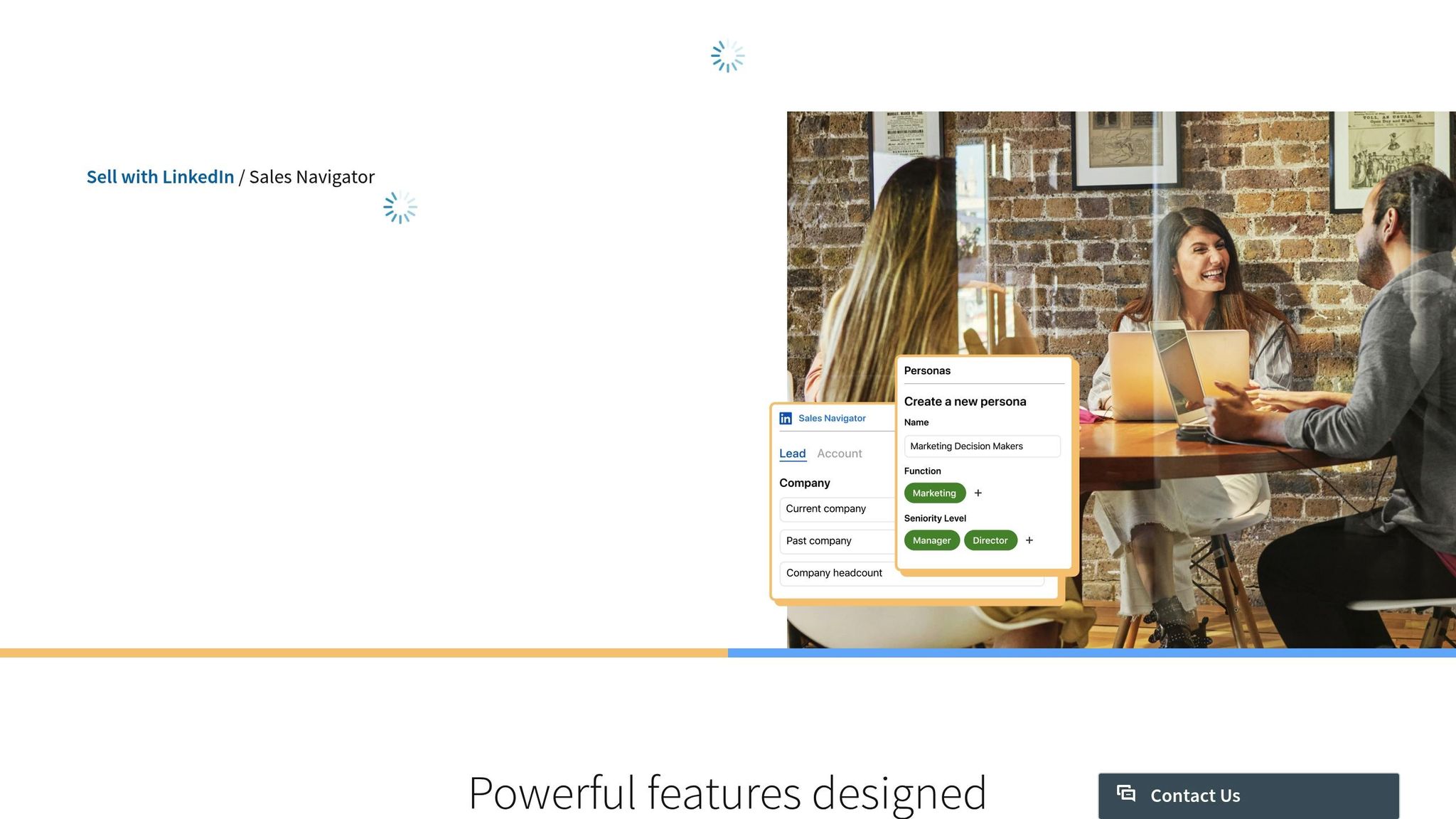
LinkedIn Sales Navigator is a powerful tool for sales professionals, offering access to over 1 billion profiles and more than 50 search filters. These filters - covering criteria like job function, seniority, geography, and company size - help sales teams target the right prospects with precision. You can even use Boolean logic (AND, OR, NOT) to refine searches further, honing in on specific buyer personas [7][9].
But it doesn’t stop at search. Sales Navigator keeps you informed in real time with alerts about your saved leads. For example, you’ll get notifications when a lead changes jobs, gets promoted, or interacts with your company’s LinkedIn content [7]. And here’s why that matters: decision-makers are 62% more likely to respond positively to outreach after a job change [3]. Additionally, the tool lets you track when key accounts bring in new director-level hires, giving you insight into evolving buying committees [11].
The platform also leverages AI to save you time. Features like Account IQ provide quick summaries of target companies, while Lead IQ offers details about prospects’ motivations, interests, and career paths [7]. Karloff Rosario, an Enterprise Account Executive at Cyera, shared how these tools streamline his workflow:
"The Account IQ feature is a game changer. I'm able to create a pre‑sales document, org chart, and share details about the account in minutes - not hours" [1].
According to LinkedIn, these AI-driven tools can save users over 300 hours annually by cutting research time by 15% [13].
Another standout feature is TeamLink, which helps identify warm introduction paths through your colleagues’ first-degree connections [8]. For instance, a Senior Manager at Canada Post shared that one Account Executive used TeamLink to secure an introduction, leading to a deal worth more than double the company’s initial investment in Sales Navigator [1]. The platform also provides 50 InMail credits per month, enabling you to reach prospects outside your network [7].
For teams using CRMs like HubSpot or Salesforce, the Advanced Plus plan offers two-way data syncing. This allows you to integrate LinkedIn profiles directly into your CRM and view LinkedIn insights within contact records [7]. By eliminating manual data entry and reducing the need to switch between tools, users save an average of 65 hours per year [13]. Sales Navigator users also report impressive results, such as a 45% increase in deal size and a 29% boost in sales opportunities [10].
Next, we’ll dive into the unique advantages of job change software.
Job change software, like KeepSync, keeps a close eye on your CRM by automatically tracking career movements. It scans over 30 live sources - such as LinkedIn, financial filings, news outlets, and company websites - to identify job changes, promotions, and new appointments [14]. This constant monitoring ensures your CRM stays up-to-date and ready to deliver actionable insights.
When the software detects a job change, it enriches CRM contacts with verified updates and flags outdated records [6]. This process enables teams to act quickly with targeted follow-ups, saving time and effort.
Ella H., a Marketing Operations Manager, shared how this tool streamlines her workflow:
"Easily track job changes - with just one click, I can push job changes to our outbound and ADS audiences, then notify the BDRs team when a former product user moves into a qualified account." [14]
The software also offers native integration with platforms like HubSpot and Salesforce, allowing for bi-directional syncing. This ensures that new contact records are linked to historical data, maintaining context about prior interactions, lifecycle stages, and product usage. Automated workflows can immediately enroll updated contacts into personalized sequences or notify account owners in real time when a change occurs [6].
Here’s why this matters: 25% of contacts change jobs every year, and without automation, companies risk missing up to 85% of these opportunities. Deals involving past champions - those who already know and value your product - see 114% higher win rates and close 12% faster than cold outreach [6]. By automating job change tracking, this software eliminates the need for manual research and turns these changes into high-value sales opportunities.
Let’s break down the key differences in automation, tracking scope, and data updates between these two tools.
Sales Navigator requires users to manually save contacts to receive job change alerts [12]. In contrast, KeepSync operates on autopilot, monitoring your entire CRM database. This includes not just current leads but also historical contacts like past customers, product users, and even closed-lost opportunities [6]. Unlike Sales Navigator, which only tracks saved contacts, KeepSync eliminates the need for manual list-building by continuously scanning your entire database.
When a contact switches jobs, Sales Navigator sends alerts but doesn’t update their contact details or CRM records [16]. On the other hand, KeepSync takes it a step further by enriching contact records with verified work emails and phone numbers. It also automatically creates and syncs new CRM records, saving your team valuable time [15].
Manual processes can lead to missed opportunities - up to 85% of job changes might go unnoticed [6]. Sales Navigator users could miss as much as 23% of warm leads and spend between 18% and 40% of their time chasing irrelevant alerts [14]. KeepSync addresses this with a 94% accuracy rate in identifying relevant job changes, ensuring your team focuses on leads that truly matter [15].
| Feature | LinkedIn Sales Navigator | Job Change Software (KeepSync) |
|---|---|---|
| Automation Level | Manual (save leads to track) | Fully automated (tracks on autopilot) |
| Tracking Scope | Saved leads/accounts only | Entire CRM, including past customers |
| CRM Integration | Manual entry (sync on higher tiers) | Bi-directional, automated record creation |
| Contact Data | LinkedIn profiles/InMail only | Adds verified work emails and phone numbers |
| Alert Delivery | In-app, email, CRM (Advanced Plus) | CRM, Slack, email, sales tools |
| Outreach | Manual InMail/messages | Automated enrollment in email sequences |
Next, we’ll dive into pricing and CRM integration to help you make an informed decision.
LinkedIn Sales Navigator uses a tiered, per-license pricing system. The Core plan is priced at $119.99 per month or $1,079.88 annually, offering a 25% discount for annual billing [7]. The Advanced plan costs $159.99 per month or $1,799.88 annually, with a 6% savings for yearly commitments [7]. For larger teams, the Advanced Plus tier offers custom pricing based on team size and CRM needs, making it ideal for groups of 10 or more [7].
KeepSync takes a contact-based pricing approach. The Starter plan is free for up to 1,000 contacts per month. The Team plan costs $149 per month for 5,000 contacts, with an additional $0.02 per contact beyond that. The Agency plan is $399 per month for 20,000 contacts, with a $0.015 charge for each extra contact. Annual billing reduces costs further to $1,490 for the Team plan and $3,990 for the Agency plan.
A Forrester study revealed that Sales Navigator delivers an impressive 312% ROI over three years, often paying for itself within six months [18]. However, one hidden cost to consider is the time investment. On average, sales representatives spend just 28% of their time actively selling, with the rest consumed by manual tasks like lead research [17].
| Plan | Monthly Cost | Annual Cost | Best For | Key Limitation |
|---|---|---|---|---|
| Sales Navigator Core | $119.99 | $1,079.88 | Individual sellers | Requires manual tracking |
| Sales Navigator Advanced | $159.99 | $1,799.88 | Small teams (2+) | Limited CRM write-back |
| Sales Navigator Advanced Plus | Custom | Custom | Enterprise (10+) | Requires sales consultation |
| KeepSync Starter | $79/mo | $79/mo | Testing and small lists | Limited to 1,000 contacts |
| KeepSync Team | $149 | $1,490 | Growing revenue teams | 5,000 contacts included |
| KeepSync Agency | $399 | $3,990 | Agencies and large teams | 20,000 contacts included |
It’s worth noting that Sales Navigator pricing often excludes VAT and GST, which are added at checkout [7]. On the other hand, KeepSync provides clear pricing with no hidden fees or forced contracts. Plus, its Starter plan ($79/mo) allows users to begin tracking without entering payment information.
These pricing structures underline the tradeoffs between manual processes and automated data management, setting up the discussion for CRM integration.
LinkedIn Sales Navigator provides two integration options with HubSpot: Embedded Profiles and CRM Sync. With Embedded Profiles, LinkedIn data - like job titles, time in role, and shared connections - appears directly within HubSpot contact records. On the other hand, CRM Sync, available for those using Sales Navigator Advanced Plus alongside HubSpot Sales Hub Professional or Enterprise, takes things further by automatically logging activities like InMails, connection requests, and notes into your HubSpot timeline [19]. You can even create new HubSpot contacts straight from Sales Navigator, and HubSpot admins can set up workflows triggered by LinkedIn actions, such as when a contact accepts a connection request [2]. As Gail Moody-Byrd, Strategic Advisor, explains:
"By integrating HubSpot's Smart CRM with LinkedIn Sales Navigator, teams unlock efficiencies and a two-way flow of data between the systems... removing the need to switch between multiple platforms" [19].
Now, let’s take a look at how KeepSync’s integration with HubSpot simplifies things even further.
KeepSync integrates directly with HubSpot in just five minutes, without requiring high-tier subscriptions. It scans your existing HubSpot contacts weekly, pulling data from over 30 sources to provide job change alerts via Slack, email, or HubSpot notifications. When a contact changes roles, KeepSync updates their record with new emails, phone numbers, and company details, while also triggering workflows for automated lead routing.
The standout feature here is automation. While Sales Navigator often requires manual input to create contacts or track updates, KeepSync works in the background continuously. Although Sales Navigator integration has been well-received by sales teams, as noted by HubSpot's CSO [19], KeepSync offers a more hands-off approach. Unlike Sales Navigator, it also supports backfilling historical records and allows custom field mapping [5].
KeepSync directly updates HubSpot properties, ensuring contact records are always current. It seamlessly integrates with your existing workflows, delivering actionable insights directly into your sales process - no extra steps required.
LinkedIn Sales Navigator stands out for its ability to streamline prospect discovery and enhance social selling. With access to over 1 billion members and more than 50 advanced filters, sales teams can pinpoint specific roles, industries, or locations with precision [1]. Features like TeamLink and InMail open doors to warm introductions and direct communication, enabling users to connect with senior leaders at a rate four times higher than average [1]. On top of that, tools like Account IQ and Lead IQ use AI to summarize key details about prospects, such as their motivations and company priorities. This makes it a powerful ally for building relationships and navigating the complexities of decision-making within large organizations.
On the other hand, KeepSync takes a unique approach to lead generation by automating job-change tracking. Instead of relying on manual searches, it continuously monitors your HubSpot contacts and alerts you when someone in your network moves to a new company. This proactive tracking can turn former advocates into valuable leads. For instance, in 2024, the cybersecurity company Cobalt reconnected with a previous customer at their new workplace, closing a $95,000 deal in just three weeks [6].
Manual methods often miss up to 85% of job-change opportunities [6]. Automated tracking not only captures these missed chances but also speeds up pipeline creation, driving meaningful revenue growth. Mimecast, under the leadership of Revenue Operations Manager Gar Smyth, implemented automated systems to ensure every job-change event received immediate follow-up. This strategy resulted in $18 million in new business pipeline [6].
KeepSync simplifies the process by performing weekly scans of your HubSpot database, updating contact details like emails and phone numbers, and triggering workflows for instant outreach. Unlike Sales Navigator, which requires manual review of "Spotlights" and data transfer to your CRM, KeepSync works quietly in the background. LeaseQuery used this automated system to alert its Customer Success team whenever a key contact left an account. This not only helped maintain existing relationships and prevent churn but also generated new opportunities, delivering a fourfold ROI increase [6].
"Instead of spending time trying to connect with people who don't know your product or service, leverage these wins [former champions]." – Anthony Banayote, Gong
When integrating LinkedIn Sales Navigator and KeepSync into B2B sales strategies, it's essential to weigh their strengths and trade-offs. Each tool shines in specific areas but comes with its own set of limitations.
LinkedIn Sales Navigator stands out for its precision targeting, offering over 50 advanced filters to identify prospects by criteria like job function, seniority, geography, and tenure at a company [1]. This makes it a go-to for finding leads that match your Ideal Customer Profile. However, its manual nature can be a bottleneck for scalability, as saving leads is a one-by-one process. Additionally, it doesn't provide direct email addresses or phone numbers unless you use extra tools or purchase InMail credits [6].
On the other hand, KeepSync focuses on automating the management of contacts already in your HubSpot CRM. It scans your database weekly, enriches records with verified work emails and phone numbers, and triggers workflows when a contact changes jobs. However, its functionality is limited to existing contacts, making it less suitable for discovering brand-new prospects.
Data freshness is another area where these tools differ. Sales Navigator provides real-time alerts based on updates to LinkedIn profiles - but only for leads you've manually saved [13]. KeepSync, meanwhile, conducts weekly scans across 30+ sources with 94% accuracy, ensuring your team stays informed about job changes among your known contacts, including those from closed-lost deals.
When it comes to pricing, Sales Navigator costs between $79.99 and $99.99 per user per month, and a 2023 Forrester study found it typically pays for itself within six months [1]. KeepSync's Team plan is priced at $149 per month for managing up to 5,000 contacts. Unlike per-user licensing, KeepSync's pricing is based on contact volume and offers significant time savings through automation. For example, WeSpire reported a 10x ROI in pipeline influence within two months of using KeepSync [6]. The built-in CRM workflows further enhance its efficiency.
Here's a quick comparison of how these tools measure up across key factors:
| Factor | LinkedIn Sales Navigator | KeepSync |
|---|---|---|
| Precision Targeting | High for identifying new prospects via 50+ filters [1] | High for tracking warm prospects (e.g., past customers) |
| Scalability | Limited; manual lead saving required [6] | High; automates tracking across the CRM database |
| Data Freshness | Real-time alerts for saved leads [13] | Weekly scans with 94% accuracy across 30+ sources |
| Cost | $79.99–$99.99 per user/month [6][20] | $149/month for 5,000 contacts; ROI from automation |
| Missed Opportunities | High without consistent manual tracking [6] | Low; automated workflows reduce oversight |
Up next, we’ll explore how to determine the best tool for your sales strategy.
When deciding on the right tool, consider factors like your team size, CRM setup, automation needs, and overall sales goals. These elements will help pinpoint the solution that best supports your strategy.
Team size plays a big role. If you're working solo or with a small team focused on manual prospecting, LinkedIn Sales Navigator might be the way to go. Pricing starts at about $80 per user per month [6]. On the other hand, KeepSync caters to larger organizations with established customer bases. It offers team-based pricing at $149 per month for up to 5,000 contacts, without requiring per-user licenses.
CRM integration matters too. For those using HubSpot, seamless integration with Sales Navigator requires a Sales Hub Professional or Enterprise subscription and LinkedIn's Advanced Plus plan, which costs around $1,600 annually [5][4]. Without these, data entry remains manual, and Sales Navigator operates as a standalone tool. With KeepSync, however, integration is quick and easy - setting up in just five minutes. It automatically creates and updates contact records in HubSpot, eliminating the need for extra licensing tiers.
Automation can save time and effort. Sales Navigator provides access to over 800 million professionals for manual prospecting [6], but tracking job changes in HubSpot manually means you might miss up to 85% of important triggers. KeepSync takes a different approach, automating CRM scanning, enriching contact records with verified emails and phone numbers, and triggering workflows - all without needing manual input from your team.
Your sales objectives should guide your choice. Sales Navigator is excellent for finding new prospects using advanced filters. Meanwhile, KeepSync focuses on converting existing relationships - like former customers or champions - into new opportunities. This approach has been shown to deliver 114% higher win rates and deals that are 54% larger [6]. Plus, KeepSync ensures you won't overlook the 23% of warm leads that are often missed with manual searches [14].
When it comes to B2B sales strategies, LinkedIn Sales Navigator and job change software like KeepSync address different needs. Sales Navigator is excellent for manual prospecting and building relationships. However, its lack of automated job change tracking means that businesses risk missing out on up to 85% of potential trigger opportunities [6].
On the other hand, job change software automates this process, ensuring warm leads are routed directly into your CRM. This is a game-changer because deals involving former champions boast 114% higher win rates and 54% larger deal sizes [6].
Deciding between the two tools depends on your sales approach. If your focus is on cold prospecting and identifying new leads, Sales Navigator is a reliable option. But for teams with an established customer base looking to capitalize on existing relationships, automation tools eliminate the hassle of manual tracking and help you stay on top of every warm lead.
For HubSpot users, KeepSync stands out with its seamless integration and automated functionality. It not only tracks job changes but also enriches contact data with 94% accuracy. Setup is quick - just five minutes - and it updates weekly, freeing your team from tedious data entry and allowing them to focus on meaningful, high-value conversations.
LinkedIn Sales Navigator is a go-to resource for B2B sales teams aiming to streamline their prospecting efforts. With more than 50 advanced search filters, it helps you zero in on the right leads. Beyond just finding prospects, it offers real-time updates and AI-driven insights, making it easier to connect with decision-makers and prioritize your outreach. These features empower sales teams to identify top-quality leads and establish meaningful connections.
Meanwhile, job change tracking software focuses on a different but equally important aspect: keeping tabs on when your contacts change roles or move to new companies. While it doesn’t provide the extensive search or lead generation options of Sales Navigator, it excels at delivering timely updates on career shifts. This information can help you re-engage with contacts or fine-tune your sales strategy to align with new opportunities. When used together, these tools can work hand in hand to elevate your sales approach.
Automating job change tracking within your CRM offers a range of benefits that can elevate your sales and relationship management efforts. It helps ensure your contact data remains accurate and current, minimizing the risk of losing opportunities due to outdated details. When contacts transition to new roles or companies, automation allows sales teams to quickly identify these changes and engage with them in their new positions, increasing the likelihood of maintaining strong relationships and converting leads.
Beyond keeping data fresh, automation eliminates the hassle of manual updates. You can set up alerts and workflows to trigger timely follow-ups, ensuring your outreach stays on point. By handling these repetitive tasks automatically, your team can focus on what truly matters - cultivating genuine connections and driving revenue.
The pricing structures for LinkedIn Sales Navigator and job change tracking software cater to different needs and functionalities, offering flexibility based on their target users.
LinkedIn Sales Navigator provides tiered subscription plans like Core, Advanced, and Advanced Plus. These plans are tailored for both individual sales professionals and sales teams, focusing on tools for sales prospecting and integrating with CRM platforms. Specific pricing details are typically shared through demos or direct consultations with LinkedIn.
In contrast, job change tracking software often adopts a subscription or usage-based pricing approach. These tools prioritize automation and real-time updates on job changes, offering customizable plans to meet the specific requirements of businesses that rely on accurate data and timely lead updates. Pricing for these solutions is generally tailored and shared upon request, depending on the organization's unique needs.