
Digital Marketing
·
April 10, 2026
How SaaS Companies Handle Billing Disputes & Chargebacks
Learn how SaaS billing disputes happen, what triggers chargebacks, and how both sides can resolve them faster.

Compare KeepSync, ZoomInfo, LinkedIn Sales Navigator, and Clearbit for HubSpot users—features, pricing, accuracy, and best use cases to find the right sales intelligence tool.


Choosing the right B2B sales intelligence platform depends on your team's goals, budget, and CRM setup. Here's what you need to know upfront:
Quick Comparison:
| Feature | KeepSync | ZoomInfo | LinkedIn Sales Navigator | Clearbit (Breeze) |
|---|---|---|---|---|
| HubSpot Integration | Native | Native App | Advanced Plus only | Built-in |
| Primary Focus | Job Changes | Intent Data | Relationship Prospecting | Data Enrichment |
| Starting Price | $149/month | $15,000/year | $99/month | $45/month |
| Strength | Warm Lead Revival | Database Size | LinkedIn Network | Form Shortening |
| Limitation | Job Change Only | High Cost | No Contact Details | U.S.-Focused |
Each platform has unique strengths, so weigh your priorities - accuracy, cost, or automation - to find the best fit for your sales goals.

B2B Sales Intelligence Platforms Comparison: Features, Pricing & Best Use Cases
KeepSync zeroes in on tracking job changes within your HubSpot contacts, addressing the need for timely lead re-engagement. It keeps an eye on your contacts and sends instant alerts when someone switches roles or companies. Since many job changes go unnoticed, these real-time updates help you reconnect with leads right away.
The platform integrates directly with HubSpot in just five minutes. Once connected, it automatically creates leads and deals when job changes are detected, assigns opportunities to the right sales reps based on territory or account ownership, and triggers sequences automatically. Alerts can be sent via Slack, email, or as tasks within HubSpot.
"The ROI was immediate. Within 45 days we had closed two deals from former customers who moved to bigger companies. Our SDRs love it because these are actual warm leads, not cold calls."
– Sarah Kim, Director of Sales, Velocity Commerce[5]
At Velocity Commerce, tracking 5,000 contacts led to 150 job changes per month, resulting in 42 re-engaged leads and $250,000 in new pipeline within 90 days. They achieved a 28% close rate on these opportunities. Similarly, an enterprise software company reactivated five accounts worth $180,000 in annual recurring revenue by targeting 20 ex-customers who had changed jobs[7].
KeepSync scans your contact list weekly for any changes in role or company. When it spots a change, the platform enriches the contact record with verified details, such as updated email addresses (with 97%+ deliverability), direct phone numbers, new company information, and buying committee insights[5].
It focuses on three key tracking categories that drive results:
KeepSync ensures accuracy by using a triple-verification system that cross-checks data from over 30 sources, achieving 94% accuracy. For executive-level changes, it even combines algorithmic checks with human verification.
"Before this, we were completely blind to job changes. Our reps would manually check LinkedIn maybe once a month... Now we're first to reach out every time."
– Marcus Rodriguez, RevOps Manager, Streamline Analytics[5]
KeepSync also integrates with tools like Outreach, Salesloft, Apollo, Lemlist, and automation platforms like n8n, Clay, and Make. Its pipeline analytics dashboards provide insights into metrics like "leads revived per quarter", showing clear conversion results from re-engaged contacts.
These features translate directly into measurable ROI, as outlined in the pricing section.
KeepSync offers simple, contact-based pricing with no contracts. All plans include the 94% accuracy guarantee, native HubSpot integration, and weekly monitoring. Annual billing saves 20% compared to monthly rates, making it a cost-effective choice for optimizing your CRM.
| Plan | Monthly Price | Annual Price | Contacts Included | Key Features |
|---|---|---|---|---|
| Starter | $0 | $0 | 1,000/month | Weekly monitoring, email alerts, webhooks, email support |
| Team | $149 | $1,490 | 5,000/month | Slack alerts, API access, email + phone enrichment, priority support |
| Agency | $399 | $3,990 | 20,000/month | White-label, dedicated CSM, priority support |
For additional contacts, the Team plan charges $0.02 each, while the Agency plan charges $0.015 each[6]. The Starter plan is a risk-free way to test the platform with real data before committing. Many users report closing their first deal within 60 days and achieving a 10–79X ROI within a year[5].
"With 1,500+ customers, manually tracking job changes was impossible. We were leaving money on the table every month. Now it's fully automated and integrated into our HubSpot workflows."
– Julia Chen, VP Sales Operations, Nexus Software[5]
KeepSync has a 4.9/5 rating from over 12,000 users and guarantees a money-back offer if detection accuracy drops below 90%. For HubSpot users focused on reviving warm leads rather than expanding their database, this pricing model delivers results without the hefty cost of traditional enterprise tools.
ZoomInfo boasts a massive database, housing over 500 million contact profiles and 100 million company profiles, while processing close to 1 billion buying signals each month[11]. At the heart of its capabilities is the GTM Context Graph, which links contact and company data with real-time insights, such as buying intent, technographics, and organizational hierarchies. This ensures users have access to dynamic and up-to-the-minute information[3].
When integrated with HubSpot, ZoomInfo supports bidirectional sync, allowing data to flow seamlessly between the two platforms. New leads in HubSpot are enriched instantly with verified details like direct dial numbers (boasting over 95% accuracy), email addresses, company revenue, tech stack information, and insights into buying committees[11]. The platform also tracks technographic data for more than 30,000 products[11], ensuring HubSpot users always have actionable and updated data at their fingertips.
ZoomInfo offers two enrichment modes: Instant Enrich for real-time updates and Scheduled Enrich for regular database maintenance[12]. It also helps maintain clean HubSpot records by identifying and merging duplicate entries[11]. Additionally, sales reps can leverage the Chrome extension to pull contact details from LinkedIn or company websites directly into HubSpot with just one click[8][9]. This integration simplifies sales workflows, making it easier to manage outreach directly within HubSpot.
"ZoomInfo Sales has reduced our company research effort by at least 80%. We now have all the information in one place."
– Yeshwanth Chinnabandar J, Principal Consultant[9]
ZoomInfo's AI-powered tools, like ZoomInfo Copilot and GenerativeZ AI, further enhance productivity by automating account summaries, ranking buying committees, and drafting outreach emails[8][3]. The Engage Platform streamlines multi-channel outbound sequences - spanning email, calls, SMS, and LinkedIn - directly from the interface[8]. For deeper insights, Chorus, the conversation intelligence tool, transcribes and analyzes prospect calls to help refine sales strategies and coach teams effectively[8].
ZoomInfo stands out for its massive database and high accuracy in verified contact information. Many users report that it reduces their company research time by as much as 80%[9]. Features like Scoops provide valuable intelligence on upcoming projects or challenges at target companies, offering sales teams meaningful conversation starters[9]. Moreover, ZoomInfo is SOC 2 and ISO 27001 certified, aligning with global privacy regulations such as GDPR and CCPA[8][3]. These features make it a powerful tool for improving lead qualification and boosting conversion rates.
However, there are some hurdles to consider. Pricing is a notable concern, especially for smaller teams. The Professional plan starts at $4,900 per year per seat, while the Advanced plan costs $9,700 per year per seat[8]. The Elite tier, which includes premium features like Chorus, Engage, APIs, and advanced routing, ranges from $15,000 to $40,000 per year[10][4]. Add-ons can cost anywhere from $3,000 to $20,000+, and additional user seats are priced at $1,500–$2,500 per year[10].
Another challenge lies in contract terms. ZoomInfo contracts often include auto-renewal clauses, requiring a written cancellation notice 60–90 days before renewal. Keeping track of these dates is essential to avoid unexpected charges[10]. New users may also face a steep learning curve, and integration challenges can arise. For instance, job changes might cause "identity collisions" in HubSpot, where one individual appears as multiple contacts or companies. To prevent this, strict deduplication rules are necessary[14][3].
"The costly issue is when data overwrites CRM truth without proper deduplication and control."
– Jordan Keene, RevOps Auditor[14]
To protect data integrity, users should implement "fill-only" policies, ensuring ZoomInfo populates only empty fields without overwriting manually verified HubSpot data[14]. Workflow exclusions are another best practice, preventing enrichment-only updates from triggering lead routing, lifecycle automation, or sales sequences[14]. While ZoomInfo has earned a 3.4/5 rating on the HubSpot Marketplace from 11 reviews, users have praised its automation features but noted limited flexibility for customizing predefined values[13].
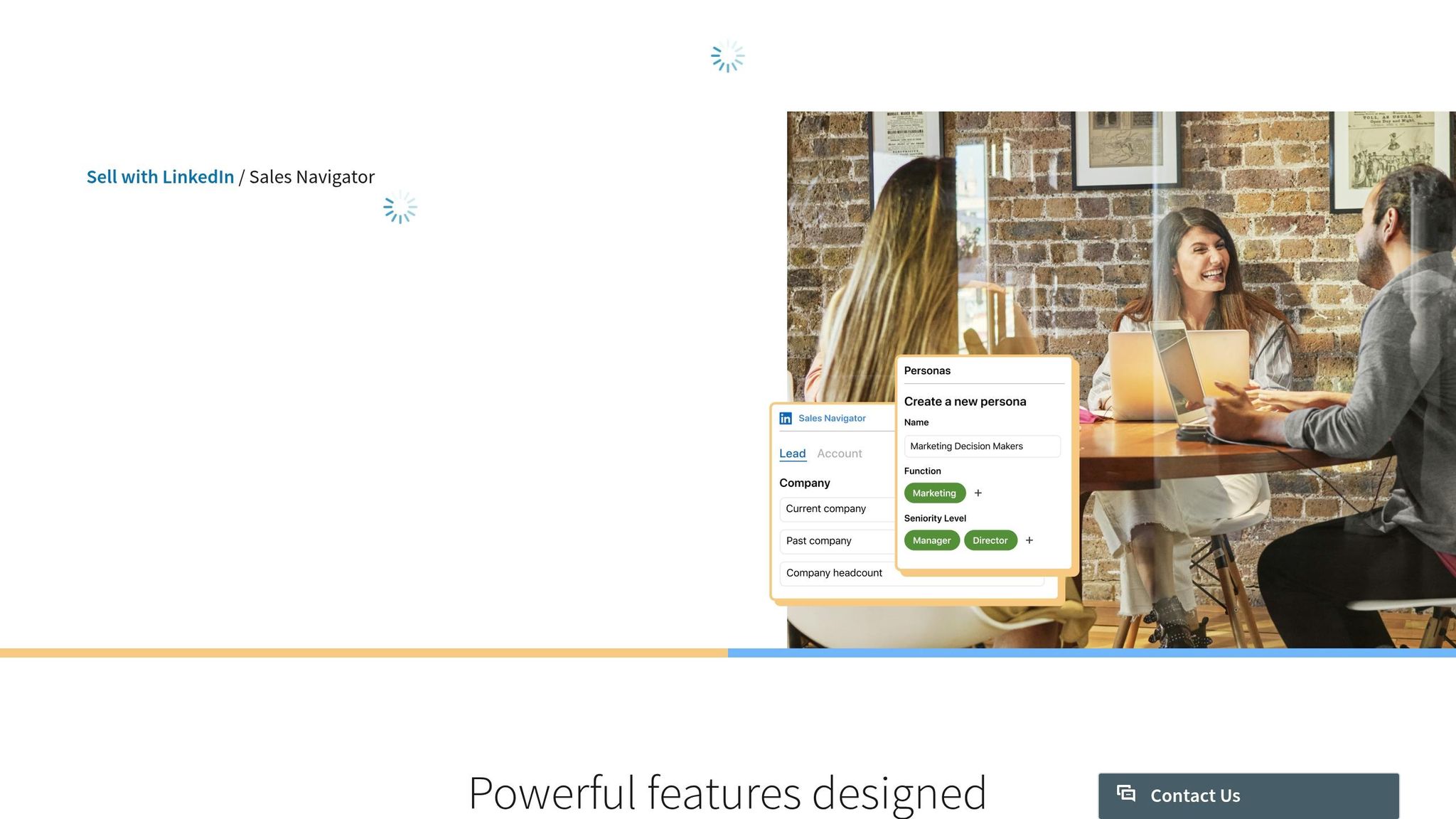
LinkedIn Sales Navigator taps into a massive database of over 1.2 billion active users worldwide [15], making it the largest professional network available. Since users update their profiles directly, job titles and company details are often more current. The platform offers more than 40 advanced search filters - like seniority level, geography, company function, and years in a role - giving sales reps the ability to zero in on specific decision-makers with precision [15].
One standout feature is TeamLink, which highlights shared connections within your organization. By identifying these "warm paths", TeamLink can boost response rates by 3–5 times compared to cold outreach [18]. Additionally, Sales Navigator provides 50 monthly InMail credits for direct communication with LinkedIn members outside your network. InMail messages typically see response rates between 10–25%, which is 3–6 times higher than traditional cold emails. Keeping messages concise (under 400 characters) can improve response rates by 22%, while viewing a prospect's profile before sending an InMail increases acceptance rates by 78% [15].
The platform also offers real-time alerts for job changes, company news, and content activity, helping sales reps engage at the right moment. AI tools like Account IQ and Lead IQ summarize key details about prospects, including hiring trends and recent updates, enabling personalized outreach. These tools save users an average of six hours per week [16]. According to a 2023 Forrester study, Sales Navigator users experience a 312% ROI over three years, gain 45% more opportunities, and are 51% more likely to meet their sales quotas [28,30].
"Sales Navigator brings relevant knowledge - about prospects, their industries, and the market - to my conversations, making me more credible … and, more successful."
– Lauren Wood, Senior Account Executive, Crane Worldwide [16]
For those on the Advanced Plus tier, Relationship Mapping provides visual organizational charts to map buying committees and track account activity [15]. Meanwhile, Buyer Intent Signals identify accounts engaging with relevant LinkedIn content, suggesting a higher likelihood of purchase readiness [26,27]. The platform also includes Smart Links, which allow for content sharing with real-time engagement tracking [26,30]. Together, these features showcase the platform's strengths while setting the stage to examine its challenges.
Sales Navigator excels in delivering actionable insights and relationship intelligence, leveraging its vast professional database, high InMail response rates, and tools like TeamLink to enhance prospecting results [15]. Timely outreach is especially effective, as new executives often initiate projects or evaluate tools within their first six months [28,30]. This combination of insights and timing can also streamline workflows when integrated with platforms like HubSpot.
However, the platform has its drawbacks. While it identifies "who" to contact, it doesn't provide direct contact details, such as email addresses or phone numbers [15]. This often requires pairing with additional tools for multi-channel outreach. Another limitation is its "walled garden" approach - Sales Navigator doesn't allow native exporting of lead lists to CSV or external tools [26,39].
| Plan | Monthly Price | Annual Price (Monthly) | Key Features |
|---|---|---|---|
| Core | ~$99.99 | ~$79.99 | 40+ filters, 50 InMails, Lead/Account lists [26,31] |
| Advanced | ~$169.99 | ~$135.00 | CRM sync, TeamLink, Smart Links [26,31] |
| Advanced Plus | Custom | ~$1,600+/seat/year | Full CRM integration, Intent signals, Relationship mapping [26,30] |
The integration with HubSpot offers visibility but not enrichment. Users can view LinkedIn profiles and send InMails directly from HubSpot contact records, but the integration doesn’t automatically update CRM fields when job titles or companies change. It also doesn’t add new contacts or fill in missing email addresses or phone numbers [33,36]. For installations after October 7, 2025, users will need to manually add the LinkedIn Sales Navigator card to their HubSpot sidebars [19].
"The native Sales Navigator integration is NOT available for all HubSpot plans... It provides visibility - not enrichment."
– Harish S, Boomerang AI [20]
Sales Navigator's 50 monthly InMail credits require careful prioritization for high-value prospects. Additionally, tracking job changes can be labor-intensive unless you're on the highest pricing tiers. Relying solely on manual tracking means companies could miss up to 85% of job-change opportunities [21].
Clearbit, now known as Breeze Intelligence after its acquisition by HubSpot in late 2023, has become a powerful native tool for data enrichment within HubSpot [23]. This platform enhances contact and company records by appending over 100 business attributes, including firmographics (like revenue and employee count), demographics (such as role and seniority), and technographics (e.g., software stack). Backed by a database covering 60 million companies and 500 million professionals, Clearbit’s API processes enrichment requests in under 500 milliseconds [4].
One feature that stands out is its form shortening capability. By auto-filling hidden fields based on an email address, it allows marketers to minimize visible form fields - often to just 1–2 - while still collecting detailed lead profiles. For instance, Greenhouse’s Director of Digital Marketing, Lauren Baideme, shared that this feature boosted their form completion rates by 20% [24]. Another key tool, Reveal, identifies anonymous website visitors by matching IP addresses to company profiles. While 97–98% of visitors remain anonymous, the tool enables sales teams to focus on accounts showing strong buying intent. Zendesk, for example, reported identifying 11 times more anonymous traffic using Reveal in 2025 [22].
Clearbit also automates workflows within HubSpot. For example, it can notify sales reps of job changes using HubSpot-native tools or route high-value leads based on criteria like company size or industry. Chargebee leveraged this integration to focus on high-fit leads, leading to a 300% increase in their pipeline.
"From a conversion point of view, Clearbit helps solve the relevance problem at the source. It helps us prioritize the best kinds of leads, even before lead capture happens, and take them through the best conversion process." – Shrimithran, Sr. Manager of Marketing at Chargebee [25]
By streamlining workflows and refining lead prioritization, Clearbit has become an essential tool for HubSpot users aiming to enhance their marketing and sales strategies.
Clearbit’s deep integration with HubSpot and its automated enrichment workflows make it a go-to solution for inbound marketing teams. It boasts a G2 rating of 4.4/5 from over 600 reviews and a Capterra rating of 4.5/5. Its email-to-company matching accuracy is about 90% for established businesses [17,5]. However, since its rebranding to Breeze Intelligence and integration into HubSpot, the platform has become more restrictive, with limited flexibility for standalone API use in other CRMs [23].
The platform operates on a credit-based pricing model, starting at approximately $45 per month for 100 credits on an annual plan. Credits reset monthly and don’t roll over, with each enrichment action consuming 10 credits. Following the acquisition, legacy customers have reported price hikes of 30–60% [26]. While Clearbit provides strong company-level data, its contact-level accuracy (like direct dials and emails) can be inconsistent, particularly for small or international companies. Additionally, using Clearbit requires a HubSpot subscription, with Starter plans starting at $15–30 per month and Professional plans - needed for intent features - starting at $800+ per month.
The table and commentary below provide a side-by-side look at how key platforms stack up in terms of features, pricing, and overall functionality.
ZoomInfo boasts an enormous database with over 500 million verified professional contacts and advanced intent data. However, it comes with a hefty price tag, with annual contracts starting at around $15,000 [29]. On the other hand, LinkedIn Sales Navigator taps into its massive network of over 1 billion users, offering relationship-based prospecting. Pricing starts at $99 per month for the Core plan and goes up to $169.99 per month for the Advanced plan [2].
KeepSync, with its focus on job change tracking, stands out for its seamless HubSpot integration. It offers automated CRM updates and weekly alerts through Slack, email, or HubSpot workflows. Its pricing is straightforward: the free Starter tier tracks 1,000 contacts, while the Team plan, at $149/month, supports up to 5,000 contacts. Unlike some competitors, KeepSync provides verified emails and phone numbers without locking users into complex annual contracts.
Here's a comparison of these platforms across critical features:
| Feature | KeepSync | ZoomInfo | LinkedIn Sales Navigator | Clearbit (Breeze) |
|---|---|---|---|---|
| HubSpot Integration | Native (HubSpot-first) | Native Marketplace App | Native (Advanced Plus only) | Built-in (Native) |
| Primary Data Source | 30+ sources (Weekly) | Proprietary Database | LinkedIn User Profiles | Proprietary + Public |
| Alert Options | Weekly Job Change Alerts | Real-time Intent/Scoops | Saved Search/Lead Alerts | Website Visitor Alerts |
| Contact Enrichment | Job-change focused | Full (Phone, Email, Org) | Professional Profile only | Firmographic/Technographic |
| Workflow Automation | Automated CRM updates | AI Copilot/GTM Workspace | InMail/Smart Links | Form Shortening/Routing |
| Starting Price (USD) | Free / $149/mo | ~$14,995/year | $99/mo | Included in paid plans |
| Limitation | Focus on job change tracking only | Expensive; annual lock-in | No direct dials/emails | U.S.-centric with 60–70% international match rate |
Each platform has its strengths and weaknesses. For example, ZoomInfo scores 4.5/5 on G2, but many users criticize its "opaque, complex pricing" and the requirement for 60–90 days' written notice for renewals [10]. LinkedIn Sales Navigator, with a 4.2/5 rating on SourceForge, gets high marks for its advanced search filters but falls short due to the lack of exportable contact data [27]. Meanwhile, Clearbit has a 4.4/5 rating on G2, backed by over 600 reviews, though its strong U.S. focus and 60–70% international match rate can be limiting for global users [28].
These differences highlight the importance of carefully assessing your specific needs when selecting a platform. Whether you prioritize cost, data accuracy, or integration capabilities, each option caters to distinct use cases.
When it comes to lead generation and pipeline management, different platforms bring their own strengths to the table. ZoomInfo, for example, processes over 1 billion buying signals every month to pinpoint accounts actively researching solutions [30]. By leveraging intent data, sales teams can prioritize outreach based on real-time buying behavior. Its GTM Context Graph adds another layer of precision by linking intent signals with organizational structures and technographics, making it particularly useful for enterprise sales teams handling complex cycles [3].
On the other hand, LinkedIn Sales Navigator shines in relationship-based prospecting. Its extensive network helps sales reps find warm introductions to decision-makers through mutual connections, making it an indispensable tool for building meaningful relationships [30].
Breeze Intelligence (formerly Clearbit) focuses on inbound lead conversion. By auto-enriching visitor data from a single email input, it can boost conversions by as much as 40% [4]. The platform also identifies anonymous website visitors and transforms them into actionable leads, making it a favorite for marketing teams aiming to optimize inbound strategies [31]. These tailored approaches enhance pipeline performance by combining accurate data with effective lead management across the sales process.
The results of integrating sales intelligence with intent data are striking. In 2024, one company saw a 400% increase in online chat conversions within just 90 days, showcasing the power of intent-driven strategies [32]. That same year, Formstack reported an 88% boost in its sales pipeline by incorporating buyer intent scoring [32]. By 2025, Chronus achieved an 11.6x improvement in sales efficiency for its BDR team by adding intent scores to its account data [17].
Data accuracy plays a critical role in pipeline performance. Single-source databases typically cap email accuracy at 80–85% [1]. For a platform like ZoomInfo, this means each bounced email costs about $0.90 in wasted credits - without even factoring in the harm to sender reputation [1]. Tools like Cleanlist, which query over 15 sources simultaneously, can achieve 98% verified email accuracy and 90% phone connection rates [1]. This level of precision significantly reduces bounce rates, safeguards deliverability, and ensures your CRM remains a dependable tool for driving sales.
Next, we’ll dive into how these strategies integrate seamlessly into a CRM-driven sales workflow.
When selecting a platform, focus on data accuracy, pricing flexibility, and workflow automation. Here's why these factors matter:
Some platforms, like single-source databases, often cap email accuracy at around 80–85%. This translates to a bounce rate of roughly 15%, and with each bounced email on ZoomInfo costing about $0.90 in wasted credits, those costs can add up quickly. On the other hand, platforms using waterfall enrichment - querying from over 15 sources - can reach up to 98% verified email accuracy. This significantly reduces bounce rates to just 2% [1].
Pricing structures vary widely. While some providers lock users into expensive, auto-renewing annual contracts, others offer transparent, credit-based pricing without long-term commitments. To avoid unexpected charges, set a calendar reminder at least 90 days before any annual contract renewal [10]. As the Prospeo Team puts it:
"Clearbit's 100 credits vanish in an afternoon. ZoomInfo's $15K contract auto-renews before you can blink" [10].
For HubSpot users, integration depth is especially important. Following HubSpot's acquisition of Clearbit (now Breeze Intelligence), many standalone enrichment tools were discontinued in 2025 [10]. Platforms like KeepSync stand out by offering seamless integration with HubSpot, requiring just a five-minute setup. KeepSync focuses on automated job change tracking, a crucial feature given how frequently B2B professionals switch roles. With weekly monitoring across 30+ sources, KeepSync helps teams stay connected with former champions and nurture warm leads. These features simplify CRM updates and improve lead nurturing, making it an ideal choice for HubSpot users.
Modern teams increasingly prioritize clean, verified data to protect email deliverability and maintain CRM integrity [1]. The decision often boils down to paying for 80–85% accuracy or opting for 98% verified data that minimizes risks and keeps your CRM reliable. Align your platform choice with your primary goals - whether it’s intent-based prospecting, relationship management, or automated job tracking. By prioritizing accuracy over database size, you not only protect deliverability but also accelerate revenue growth.
To find the right platform, focus on smooth integration with HubSpot, data precision, and features tailored to your sales goals. Seek tools that can track job changes, enhance your CRM with details like firmographics and technographics, and fit seamlessly into your workflow. Be sure to assess key factors like accuracy, data coverage, and cost to ensure the platform suits your team's needs. Choose a solution that complements your process and delivers dependable updates to help you get the most out of your investment.
When syncing enriched data, it's crucial to steer clear of issues like duplicates or overwriting correct records. Pay close attention to field mapping to avoid mismatched entries, which can lead to confusion or errors. Be mindful of API limitations, as these can sometimes cause sync problems if not managed properly.
To keep your data reliable, make it a habit to update and validate regularly - CRM data can lose its relevance faster than you might think. Lastly, use automated refreshes to maintain clean, accurate records, ensuring your CRM remains a dependable tool for decision-making.
To gauge the return on investment (ROI) from sales intelligence tools, zero in on key metrics such as sales pipeline velocity, opportunity conversion rates, and sales cycle length. Leverage interactive ROI calculators to pinpoint areas for improvement and measure the tools' impact. These calculators provide actionable insights, enabling you to fine-tune revenue strategies, boost pipeline efficiency, and get the most out of your investment.