
Digital Marketing
·
April 10, 2026
How SaaS Companies Handle Billing Disputes & Chargebacks
Learn how SaaS billing disputes happen, what triggers chargebacks, and how both sides can resolve them faster.

Compare six job-change tracking tools by price, data accuracy, CRM integrations, and alert features to pick the best fit for your sales team.

Job change tracking tools help sales teams stay updated when contacts switch jobs, enabling timely outreach and better CRM accuracy. With 23% of professionals changing jobs annually and 70% of budgets allocated within the first 100 days of a new role, these tools are crucial for re-engaging past customers and closing deals faster. This guide compares six tools based on pricing, accuracy, CRM integration, and alert capabilities.
| Tool | Monthly Cost | Accuracy Rate | CRM Support | Key Feature | Limitation |
|---|---|---|---|---|---|
| KeepSync | $79/mo–$399 | 94% | HubSpot (Native) | Quick setup, clear pricing | HubSpot-focused |
| Wiza Monitor | $82.50+ | High | Salesforce, HubSpot, Pipedrive | Email verification | Limited enterprise features |
| LinkedIn Sales Nav | $79.99–$109.99 | 67% | Dynamics, Salesforce, HubSpot | Direct LinkedIn data access | Lower coverage rate |
| Champify | $1,250–$3,000+ | High | Salesforce, HubSpot | Tracks former customers | High onboarding costs |
| UserGems | $3,290–$4,990 | 95% | Salesforce, HubSpot | Excellent Salesforce support | Premium pricing |
| Lantern | $65/user | High | Salesforce, HubSpot | Predicts buying windows | No major limitations |
Choose the tool that aligns with your CRM, team size, and budget to maximize sales opportunities and keep your CRM data fresh. For a deeper dive, see our guide on tracking job changes in HubSpot.
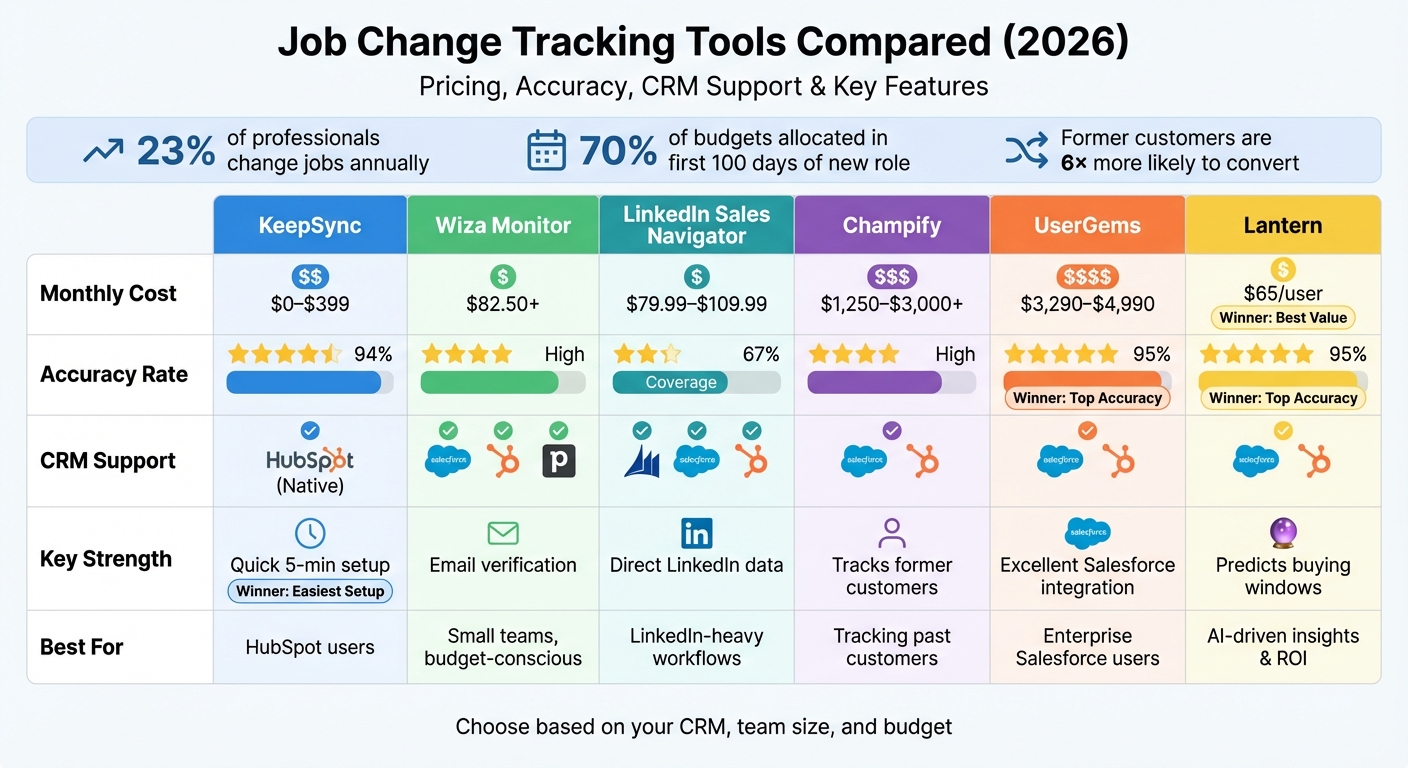 Job Change Tracking Tools Comparison: Pricing, Accuracy & Features 2026" style="max-width:100%; margin:1em auto; display:block;">
Job Change Tracking Tools Comparison: Pricing, Accuracy & Features 2026
FOR HUBSPOT TEAMS
Track Job Changes at 1/10th the Cost
KeepSync monitors your HubSpot contacts for job changes with 94% accuracy. Starting at $79/month. No annual contracts.
Start now →
KeepSync is a job change tracking tool built specifically for HubSpot users, designed to monitor contacts across 30+ sources with an impressive 94% accuracy rate. It runs weekly scans and sends real-time alerts through Slack, email, or directly within HubSpot, helping you act quickly on new opportunities. Let’s dive into its pricing, accuracy, integration, and alert features.
KeepSync offers four pricing tiers tailored to different needs:
KeepSync achieves its 94% accuracy by combining multi-source verification with human review. This process gathers data from over 30 sources, cross-checks it, and filters out outdated or incomplete information. The result? Alerts that are reliable and actionable, minimizing the risk of acting on inaccurate data.
KeepSync integrates seamlessly with HubSpot, and the setup takes just five minutes. Once connected, it automatically updates contact records with verified details like email addresses, phone numbers, and company information. You can also create smart workflows that trigger actions - like lead routing or outreach sequences - whenever a contact changes jobs. Plus, built-in pipeline analytics let you track ROI and response rates, showing how these alerts contribute to closed deals.
KeepSync delivers real-time alerts via Slack, email, or HubSpot notifications. You can monitor former champions, closed-lost deals, and even customers of your competitors. For teams needing custom workflows, the platform offers webhooks, giving developers the tools to build tailored automations that go beyond standard CRM features.
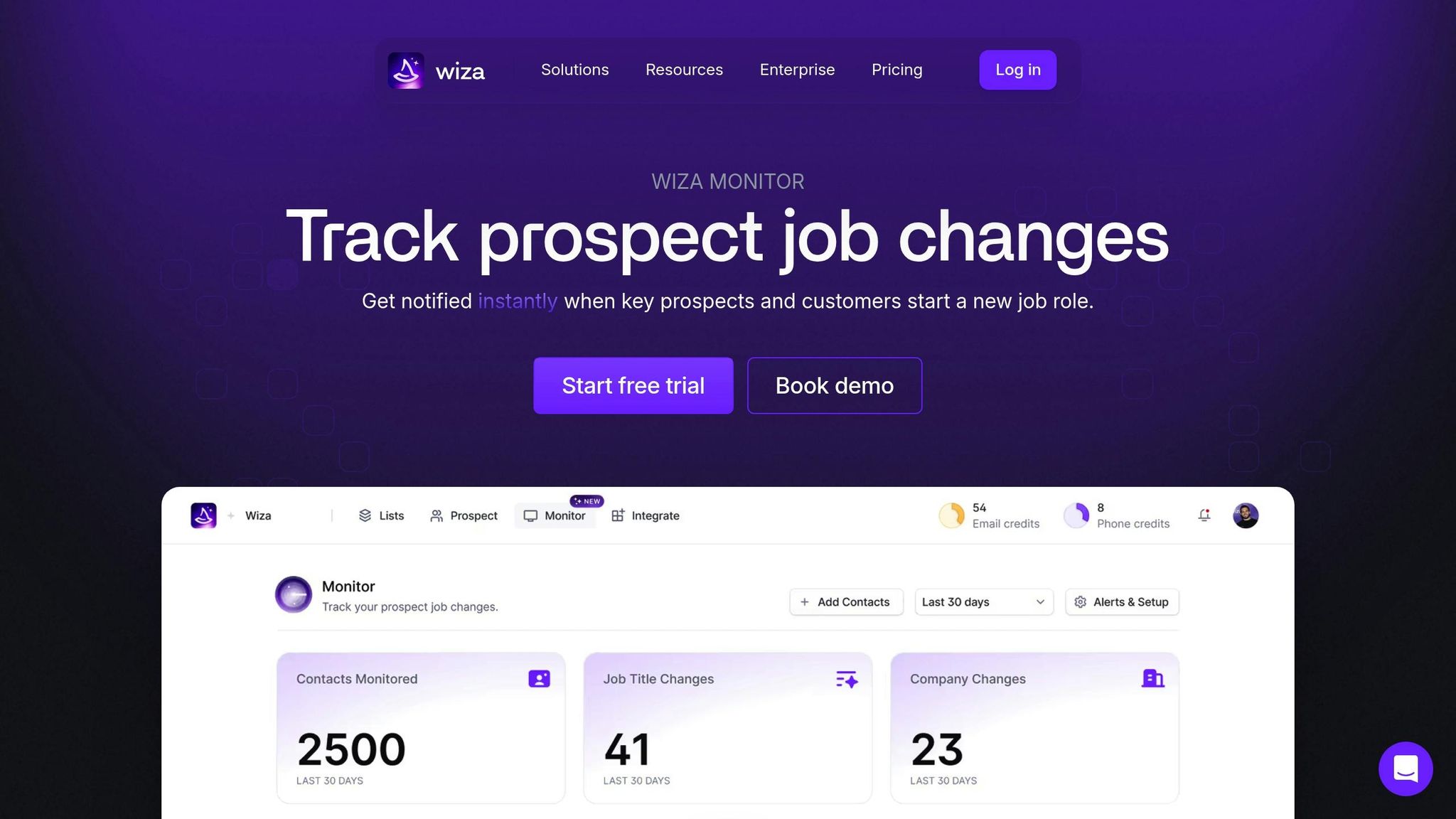
Wiza Monitor helps you stay ahead by automatically verifying job transitions via email before sending alerts. Trusted by over 50,000 companies, it offers a simple pricing structure based on the number of contacts you monitor. It seamlessly integrates with leading CRMs like Salesforce, HubSpot, and Pipedrive, ensuring your database stays up-to-date by automatically refreshing job titles and company details. This not only improves CRM accuracy but also streamlines lead engagement, making job change tracking a powerful tool in sales automation.
Wiza Monitor’s Simple Plan starts at $99/month (or $990/year) for monitoring 1,000 contacts. Need more? Additional blocks of 1,000 contacts are available for $30/month (or $300/year). Plus, you can test it out with a 30-day a demo. For businesses with advanced security needs, custom enterprise pricing is available.
By verifying job changes through email, Wiza Monitor minimizes errors caused by outdated social profiles. It continuously tracks synced CRM data and updates job titles and company information automatically when changes are detected. This ensures your CRM remains accurate and helps companies avoid data-related losses, which can account for up to 30% of annual revenue [1][7].
Wiza Monitor works effortlessly with major CRMs like HubSpot, Salesforce, Pipedrive, Outreach, and SalesLoft. It assigns detected changes to the appropriate CRM owner and even creates new company records when necessary.
"Wiza Monitor gives us a real chance to keep our CRM clean and accurate at scale... a game-changer for how we maintain and trust our data."
Stay informed with alerts sent via Slack, email, or direct CRM updates. A Slack morning digest summarizes overnight changes, and you can customize alerts based on company size, seniority, or other criteria.
"Wiza Monitor is our secret weapon - job change alerts that actually lead to booked meetings and closed revenue."
- Taylor Del Guidice, Founder of Quack [1]
The dashboard also uses color-coded indicators to highlight the urgency of alerts, making it easy to prioritize [4].
LinkedIn Sales Navigator taps into a massive database of over 1 billion professional profiles, offering instant alerts for job changes and updates as professionals keep their profiles current. However, its success hinges on consistent use - if representatives don’t actively monitor their alerts, they risk missing up to 85% of job changes [11]. Now, let’s take a closer look at its tiered pricing options, designed to cater to both individuals and larger teams.
Sales Navigator’s pricing is structured across three tiers to fit different needs:
Choosing annual billing saves 25%, and studies suggest the tool can deliver ROI within six months [9]. Next, let’s dive into its data accuracy.
Sales Navigator excels at sending real-time notifications for job changes, role updates, and lead engagement. However, a study of 20,000 contacts revealed a few gaps: it missed 23% of warm leads and generated 18% false alarms [11]. For those on the Advanced Plus plan, the Data Validation feature steps in to flag outdated CRM contacts when individuals change companies [12].
"If the person you've been working with is moving from one business to another, having Sales Navigator connected to our CRM keeps us updated immediately."
- J.D. Veldsman, Pacific Corporate & Commercial Head, Marsh [9]
Sales Navigator integrates seamlessly with popular CRMs, though full synchronization is exclusive to the Advanced Plus tier. This integration supports platforms like HubSpot, Salesforce, Microsoft Dynamics 365, and Oracle Sales [12][13]. It automates tasks like logging InMails, creating new contact records, and embedding LinkedIn profiles directly into your CRM interface [9]. By reducing the need to switch between tools, users can save up to 65 hours annually. However, HubSpot users must connect their accounts individually [12].
The tool’s alert system keeps users informed about job changes, role transitions, and content engagement for saved leads and accounts. Its Relationship Explorer feature highlights key changes, ensuring users stay connected with decision-makers. According to LinkedIn, users make four times more connections with director-level leaders through the platform [9]. Additionally, activity writebacks to CRMs occur every 2–5 minutes, with complete data syncs happening every 12 hours [12].
Champify zeroes in on former customers and product users, collecting 20 times more data than LinkedIn Sales Navigator by focusing on post-sale contacts [16]. Why does this matter? Former customers are 6 times more likely to convert from outreach to closed deals [17].
Champify’s pricing is straightforward and scales by contact volume:
Every plan includes unlimited Salesforce users and comes with a bold $500,000 ROI Guarantee, with most users achieving ROI within five months [14][18].
"Champify deals move a lot faster. No relationship building needed because it's already there, no 30k foot demo because they already know us."
- Ric Traferri, Director Global Sales [14]
Champify’s real-time matching engine refreshes contact data every 14 days, ensuring your information stays up-to-date [17]. The platform uses advanced tools like title detection and meeting sentiment analysis to track promotions, lateral moves, and new opportunities [4]. Adam Louie, Revenue Operations Manager, puts it this way:
"Before Champify we were capturing ~10% of relevant customer job changes. People may say they're doing this with SalesNav, but there's no real way to measure how many opportunities you're actually leaving behind" [14][16].
This level of accuracy ensures seamless integration with your CRM.
Champify integrates directly into Salesforce as a native application [14]. While it doesn’t offer a direct HubSpot integration, you can connect the two through the Salesforce-HubSpot sync [14][15]. Managers get access to over 50 pre-built Salesforce reports, and the platform automatically maps job change data to CRM properties, enabling workflows and sequences [14][17].
The platform keeps you in the loop with instant Slack and email alerts whenever job changes are detected [14][17]. These alerts focus on contacts already familiar with your brand, helping you act quickly and effectively [17].
UserGems helps businesses track opportunity contacts, power users, daily active users, and churned accounts, combining proprietary algorithms with human verification to ensure reliable results [5][20][21].
UserGems offers an annual subscription model with three tiered plans:
| Plan | Annual Cost | Monthly Equivalent | Admin Users | End Users | Record Limit | ROI Guarantee |
|---|---|---|---|---|---|---|
| Core | $33,000 | $2,750 | 3 | 20 | 30,000 | 1x ROI |
| Advanced | $69,000 | $5,750 | 5 | 45 | 90,000 | 2x ROI |
| Elite | $120,000 | $10,000 | 10 | 100 | 180,000 | 3x ROI |
There’s also a one-time implementation fee ranging from $3,000 to $10,000, depending on the plan [19]. Each tier comes with a money-back guarantee if the promised ROI in closed-won revenue isn’t achieved [19]. For smaller companies with fewer than 80 employees, a specialized Starter package is available [19].
UserGems boasts an impressive 95% match rate for job changes and provides email addresses with a bounce rate below 5% [20][21]. Data is refreshed every 2–4 weeks, significantly faster than the typical 6–18 month update cycles seen in most B2B databases [21]. In a test involving 100,000 contacts, UserGems identified 14,000 accurate job changes, far surpassing ZoomInfo’s 4,500 [21].
"We evaluated UserGems alongside a few other tools, including LinkedIn Sales Navigator and ZoomInfo. And UserGems data quality came out much better than the other tools."
- Mikey Pawell, Director, Revenue Operations & Sales Development [21]
UserGems integrates seamlessly with Salesforce and HubSpot. It automatically creates new lead records with verified details and links these records to historical CRM data, giving sales reps a comprehensive view of their prospects [5]. The platform also connects with Outreach, SalesLoft, and Marketo, enabling automated prospecting sequences [5].
Clare Corriveau, Sr. Director of Demand Generation at Cobalt, shared how UserGems helped her team close a $95,000 deal in just three weeks by tracking a churned customer who had moved to a new company - more than double their average deal size of $40,000 [5].
UserGems provides automated alerts through email, Slack, and Salesforce tasks whenever job changes occur [20]. These alerts are invaluable for teams like LeaseQuery’s Customer Success department, where Manager of Field Marketing Victoria Hohlstein uses them to identify new decision-makers and reduce churn when contacts leave accounts [5].
Next, we’ll take a closer look at how Lantern is advancing job change tracking.
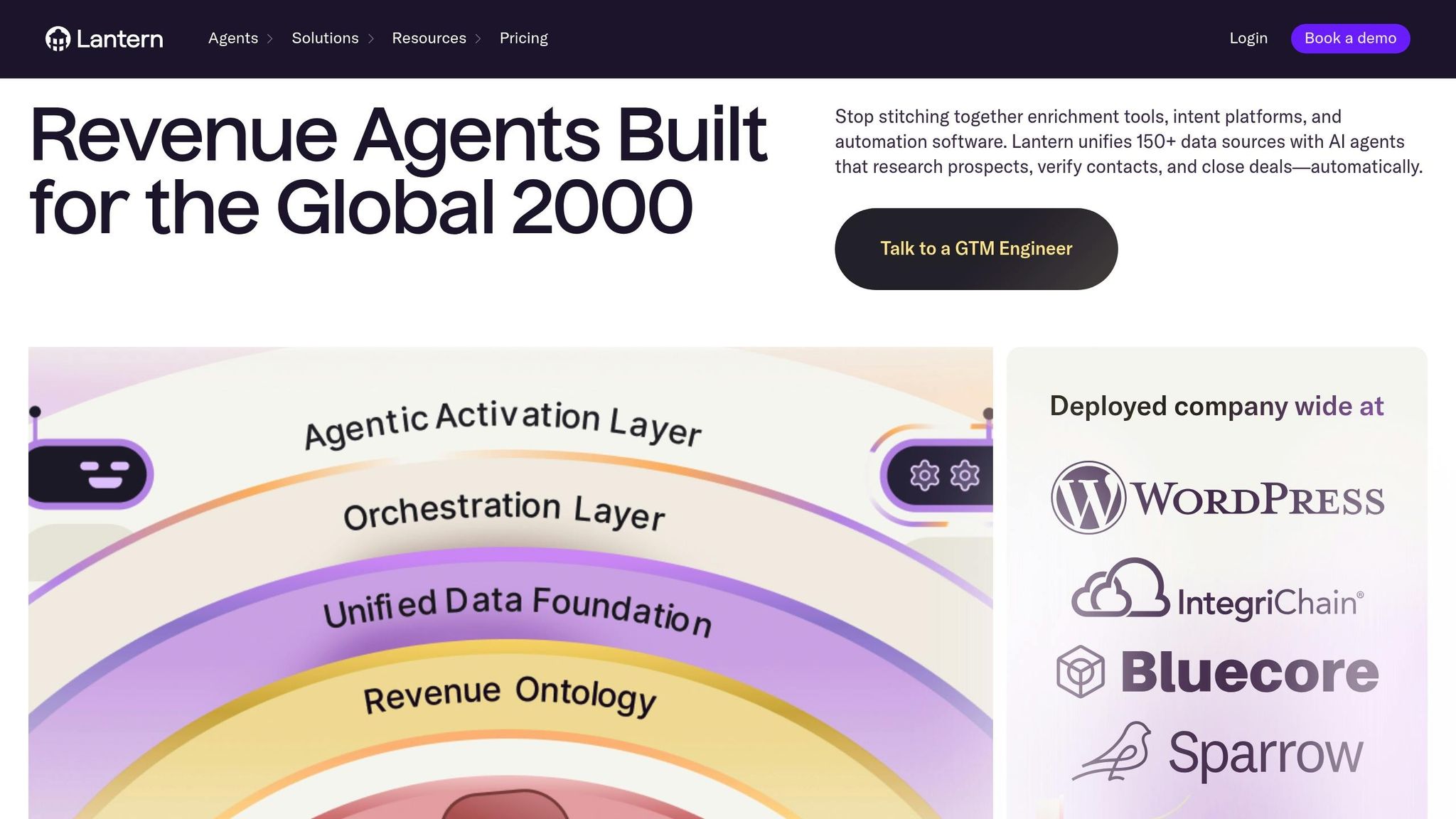
Lantern brings together data from over 150 sources into a single platform, using AI to track champions and prospects. It keeps you informed when key contacts switch jobs, ensuring you never miss an opportunity [22]. Let’s take a closer look at Lantern’s pricing, accuracy, integration options, and alert features.
Lantern offers three annual subscription plans, each tailored to different needs:
| Plan | Monthly Cost | AI Agents | Free Credits | Key Features |
|---|---|---|---|---|
| Starter | $15/user | 1 | 5,000 | Unlimited integrations, Google SSO |
| Growth | $22/user | 3 | 30,000 | Unlimited integrations, Google SSO |
| Enterprise | Custom | Custom | Custom | Full onboarding assistance, Okta/Azure SSO |
All plans come with unlimited integrations and a return-on-investment guarantee [23]. For those interested, Lantern offers a demo that includes approximately 50 warm leads and full CRM integration, letting you test its capabilities before committing [23].
Lantern boasts an impressive 95% contact accuracy, thanks to its use of intelligent cascades to verify data from over 150 providers [22][23]. With access to a database of over 1.3 billion contacts and 250 million companies, it uncovers details that might elude traditional platforms, such as insights from gated reports [22]. Its AI agents are designed to capture 80% of champion movements that competitors might overlook [24].
Here’s a real-world example: In late 2026, an Ad Tech company reported generating $7.6 million in pipeline within just 60 days of using Lantern [22]. Harvey Ranola, Director of Digital Growth, shared:
"Within three months, results are already showing pipeline that's 6-7x the investment in Lantern" [22][23].
Lantern seamlessly integrates with popular CRMs like Salesforce and HubSpot, as well as over 50 other tools, including Outreach, Apollo, Gong, Chorus, Clari, and Pendo [22][4]. Setting up your CRM during a demo is quick and straightforward, and the typical implementation process takes just three weeks - far faster than the months required by many traditional platforms [22].
Ardyce Taylor, Head of Performance Marketing, highlighted why they chose Lantern:
"What drew us to Lantern over ZoomInfo was that Lantern actually had more integrations with the tools we needed to connect to, such as Pendo." [22][23].
Lantern’s alert system is designed to deliver timely sales insights, ensuring you stay ahead of the game. It monitors three key groups: current customers, buying committee members in active opportunities, and contacts from closed or lost deals [24].
Here’s what you get:
With these features, Lantern ensures you’re always in the know, ready to act when opportunities arise.
Here’s a quick breakdown of the strengths and challenges associated with each tool:
KeepSync delivers a 94% accuracy rate and integrates seamlessly with HubSpot, making it a great choice for teams already using this CRM. It monitors contacts weekly across over 30 data sources, ensuring up-to-date information.
Wiza Monitor stands out with its simple, automated setup and email verification feature, which minimizes false alerts from outdated LinkedIn profiles [4]. It's a cost-effective option for smaller teams but offers less coverage compared to enterprise-level tools.
LinkedIn Sales Navigator provides direct access to LinkedIn data through its Network Movements tab, covering 67% of job changes [3]. However, its per-user pricing can become pricey for larger teams.
Champify and UserGems cater to enterprise needs with advanced relationship tracking. UserGems boasts excellent Salesforce integration and a 94% accuracy rate, while Champify focuses on tracking relationship health. Champify’s onboarding fees range from $3,000–$4,000, but it’s proven effective - Ben Gobbitt, Director of Sales at Reachdesk, reported booking his first meeting within 30 minutes of onboarding in 2024 [4].
Lantern combines high contact accuracy with a buying window predictor and integrates natively with Salesforce and HubSpot. It has demonstrated impressive results, delivering a 6–7x ROI in pipeline growth within just three months [4].
The table below summarizes the key features and limitations of each tool, helping you decide which aligns best with your needs:
| Tool | Monthly Cost | Accuracy Rate | Primary CRM Support | Key Strength | Main Limitation |
|---|---|---|---|---|---|
| KeepSync | $79/mo–$399 | 94% | HubSpot (Native) | Quick 5-minute setup, clear pricing | Best for HubSpot users |
| Wiza Monitor | ~$82.50 | High | Salesforce, HubSpot, Pipedrive | Email verification, easy to use | Limited enterprise capabilities |
| LinkedIn Sales Navigator | $79.99–$109.99 | 67% Coverage | Dynamics, Salesforce, HubSpot | Direct LinkedIn data access | Lower coverage rate |
| Champify | $1,250–$3,000+ | High | Salesforce, HubSpot | Tracks relationship health | High onboarding costs |
| UserGems | $3,290–$4,990 | 94% | Salesforce (Gold Standard) | Exceptional Salesforce integration | Premium pricing |
| Lantern | $65/mo/user | High | Salesforce, HubSpot | Predicts buying windows, strong ROI | No major limitations noted |
When choosing a tool, consider your team size, CRM setup, and budget. Smaller teams might find KeepSync’s starter plan or Wiza Monitor’s straightforward features more suitable. HubSpot users will benefit most from KeepSync’s native integration. For larger enterprises managing extensive contact lists, UserGems or Champify offer robust relationship tracking options [4].
When it comes to choosing the right job change tracking tool, three key factors should guide your decision: the size of your team, the CRM platform you use, and how quickly you need to act on new opportunities. The choice isn’t just about ticking off a list of features - it’s about the tangible impact on your revenue. Relying on manual processes? That could mean missing out on crucial opportunities.
The tools we’ve discussed each excel in their own way. Effective tracking tools don’t just update your CRM seamlessly - they also enable timely outreach, which can make all the difference in driving results. The right tool can have a direct and measurable effect on your revenue performance.
Let’s talk numbers. In 2024, Shubh Sinha, CEO at Integral, shared that Lantern drove an impressive 6–7× pipeline growth in just three months [4]. Similarly, Ben Cauchois at Seiza reported generating nearly €300,000 in new pipeline within the first month of using a job change tracking tool [2]. These aren’t one-off successes - deals involving past customers are three to five times more likely to close compared to cold outreach. Plus, those deals tend to have sales cycles that are 12% shorter and win rates that are 114% higher [2].
On the flip side, choosing the wrong tool - or sticking with outdated methods - can come at a steep cost. Out-of-date contact data alone can drain around 30% of your annual revenue. Manual tracking? It often misses 25–30% of job changes already sitting in your CRM. And tools that don’t update frequently could leave you reaching out to outdated contacts, potentially missing the window before budgets are finalized [1][6].
The stakes are clear: the right tool isn’t just a convenience - it’s a revenue driver.
Job change tracking tools keep your CRM records fresh by automatically updating employment details whenever a contact switches companies, roles, or departments. This ensures your database stays accurate without the hassle of manual updates, cutting down on errors and saving time.
With accurate data in place, these tools help improve key processes like segmentation, lead scoring, and workflow automation. For instance, if a key decision-maker joins a new company, the system can reassign the lead or initiate a fresh outreach, enabling sales teams to act promptly and seize opportunities. Plus, having up-to-date job change information enhances reporting and forecasting, ensuring revenue predictions are based on current data. This not only sharpens your strategy but also maximizes the return on your sales automation efforts.
Integrating a job change tracking tool with HubSpot ensures your CRM is always current with the latest contact details. For example, when a prospect switches to a new company, the system automatically updates their information - no manual work required. This keeps your account-based segmentation precise and relevant.
With real-time updates, you can immediately trigger HubSpot workflows whenever a job change is detected. This opens up opportunities to send personalized congratulatory messages, reassign leads to the appropriate team member, or launch targeted outreach campaigns tailored to the prospect’s new position. Acting quickly on these updates can boost response rates, speed up sales cycles, and help you build stronger connections with key decision-makers.
On top of that, this integration ensures your records stay clean and free of duplicates, enhancing the reliability of your reports and ROI metrics. By using accurate job change data directly in HubSpot, you can better identify churn risks, uncover growth opportunities, and assess the overall health of your prospect database - all while cutting down on time spent managing data manually.
Real-time alerts play a crucial role in tracking job changes because they let you respond immediately when a prospect or contact moves into a new role. Why is this so important? When someone steps into a new position, they often gain access to fresh budgets and are more likely to make purchasing decisions early - typically within their first 100 days. Acting swiftly allows you to connect with them at the height of their buying intent, giving you a clear advantage over competitors.
These alerts also help you avoid missed opportunities. Whether it’s reconnecting with a former contact or engaging with their replacement, timely outreach can make a big difference in boosting conversion rates. Plus, real-time updates keep your CRM data accurate, reducing the risk of outdated information and ensuring your sales processes run smoothly. This forward-thinking approach not only safeguards key accounts but also helps you get the most out of your investment.